Setup and Survey
Topcon HiPer+ Operator’s Manual
3-8
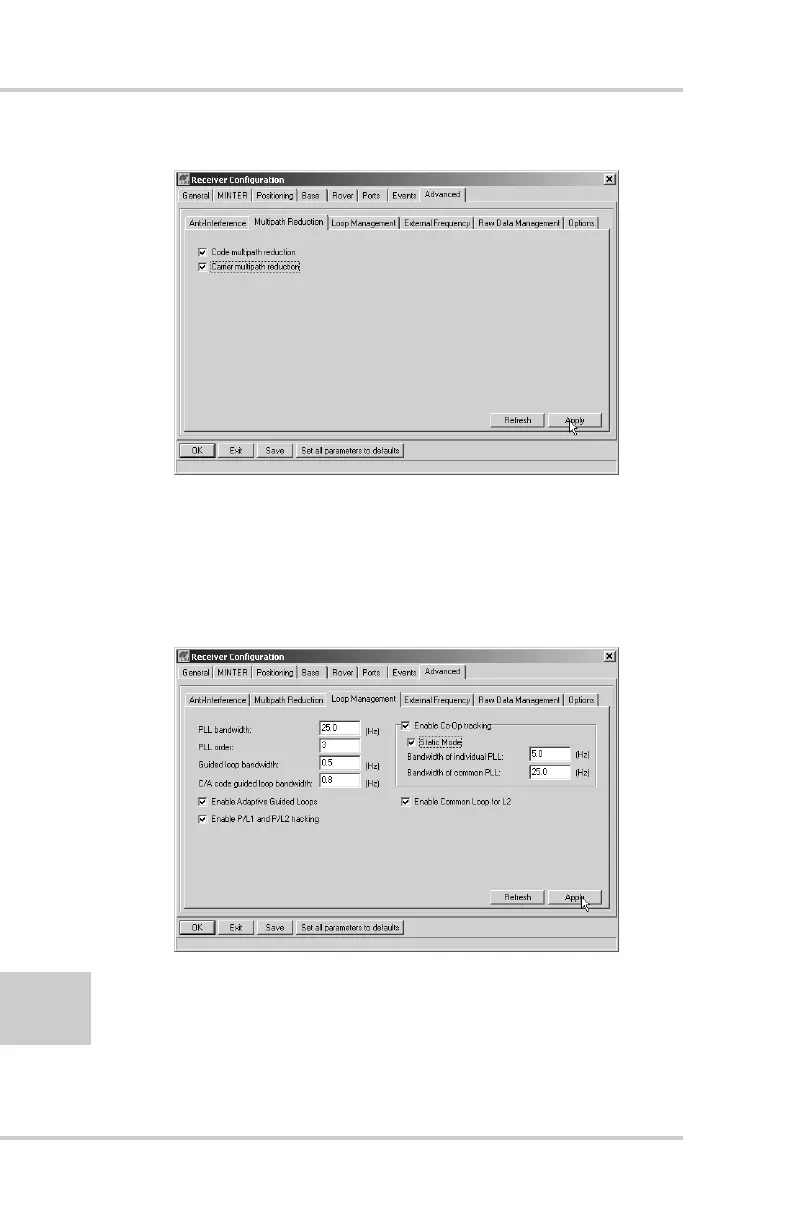
Figure 3-3. Advanced->Multipath
4. Click the Loop Management tab and set the following
parameters, then click Apply (Figure 3-4):
• Enable Co-Op tracking – enable
• Static mode – enable
Figure 3-4. Advanced->Loop Management
5. Set up each antenna and receiver as described in “HiPer+
Receiver Setup” on page 3-1.
6. Begin your survey.



 To Next Page