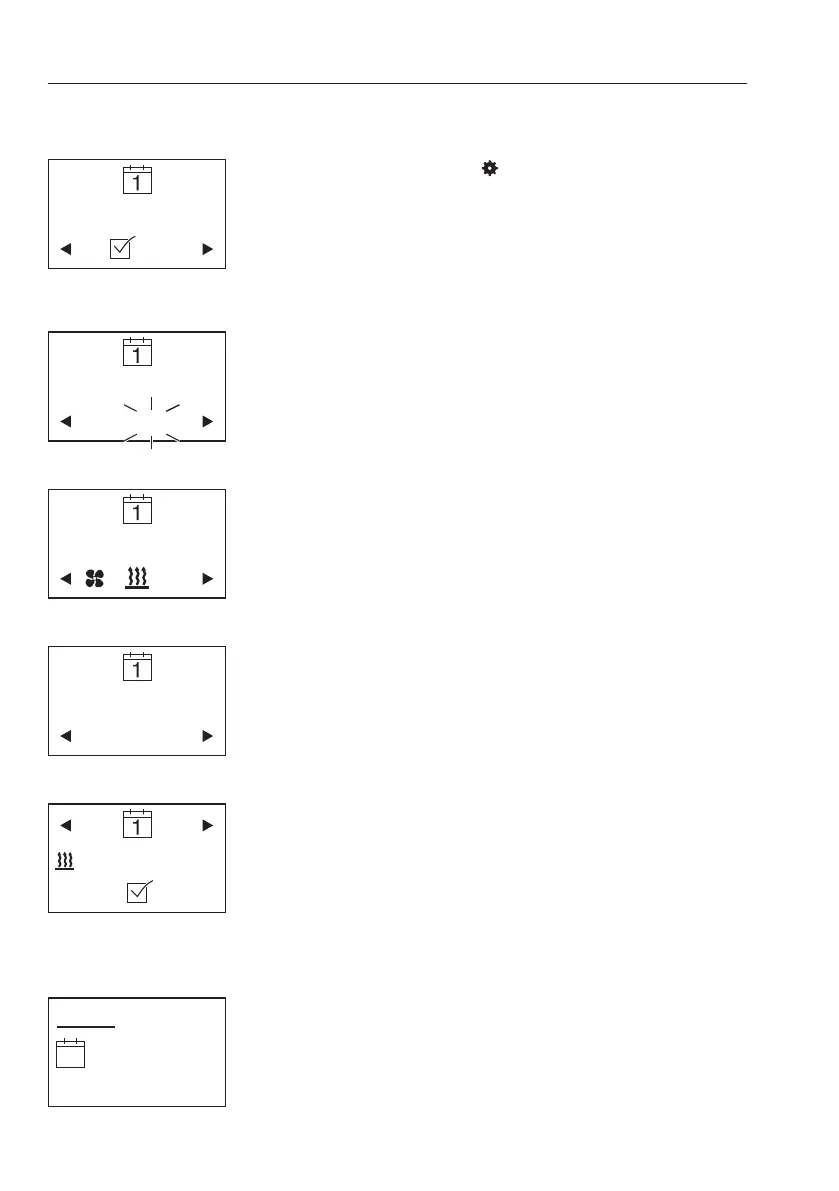
Possible settings
- Timer T1 ON / OFF by turning and pressing the
operating button.
- After selecting
in the menu bar, select the day
of the week / weekday range by turning the
operating button.
Each day of the week is selected individually and
confirmed by pressing. Pressing a second time
deselects the day of the week again.
At the end of the selection, turn the operating
button to [OK] and press to confirm.
- Setting the starting time.
Turning and pressing confirms first the hour, then
the minutes.
- Selection of heating or ventilation mode.
- Select the operating time.
minimum 10 minutes – maximum 120 minutes
- After activation of timer T1, the following appears
on the display:
– Heating mode
– Weekday range Monday – Friday
– Starting time: 6:30 h
– Operating time: 25 minutes
- Timer T1 is activated. The heater will be started
at the set time on the next working day and will
run for 25 minutes.
- If a timer is activated, the timer symbol appears
on the display.
Operating day
Starting time
Operating mode
Operating time
T1 settings
Timer activated
158
Other controls
Operator comfort



 To Next Page