2 Hydraulics
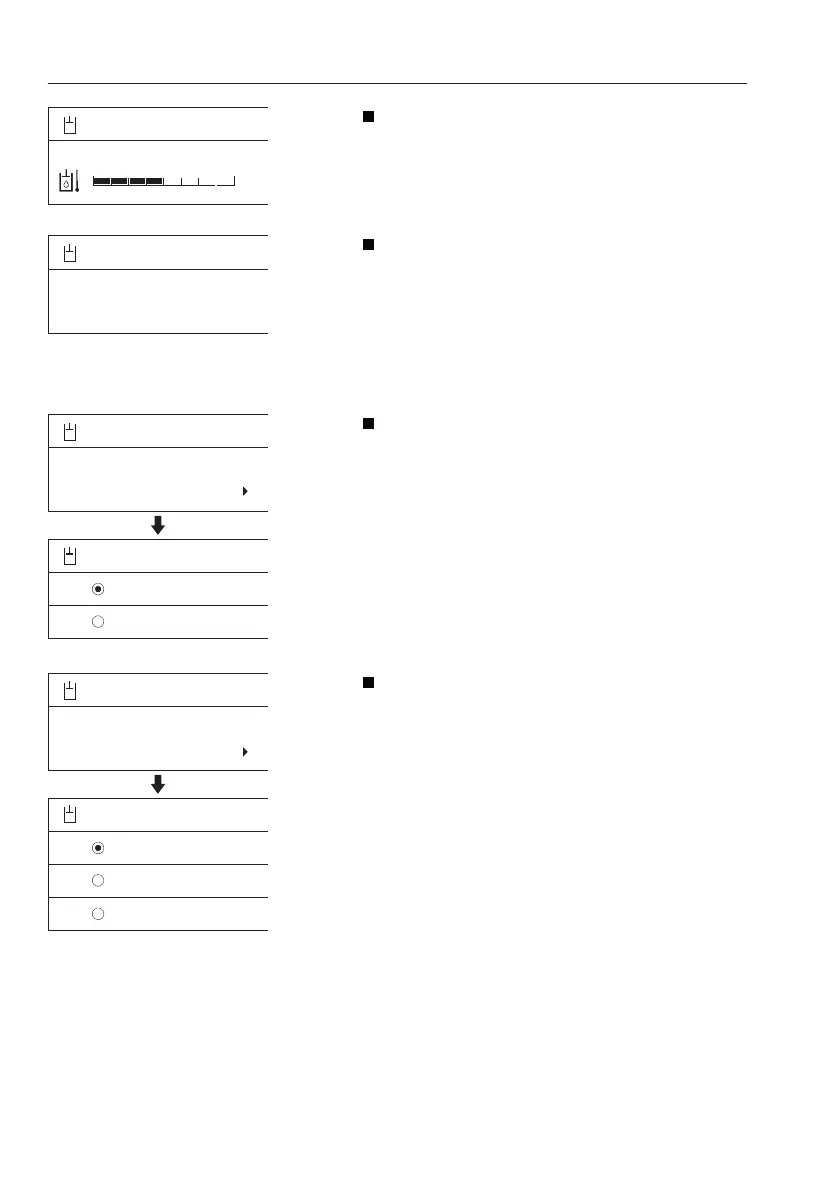
Oil temperature: This shows the measured
value of hydraulic oil temperature. When the
bar graph is green, the value is OK, within
normal operation range. When the bar graph is
red, the value is abnormal.
Hammer op. hours (optional equipment): This
shows the counted value of hammer operating
time in the unit hours and it can not be reset to
zero.
NOTE!
Refer to this "Hammer op. hours" for service
interval when replacing the hammer return
filter.
X1 work tool (optional equipment): This informs
the operator which tool is selected at the
moment instead of bucket such as a hydraulic
breaker (hammer) or shear. It also allows the
operator to select a preset tool showing the
name and settings of each tool. When pressing
the arrow button, another preset work tool is
displayed. When pressing the SELECT button
for another tool, the screen reverts the screen
to the former screen displaying the name of the
newly selected tool. For setting of X1 tool, refer
to Menu-> Setup-> X1 work tool.
Response mode (optional equipment): This
informs the operator which response mode is
selected at the moment. It also allows to select
a response mode from 3 different modes. The
operator can select a response mode from the
three modes with the arrow buttons. When
pressing the SELECT button, the marked
response mode is set. The screen reverts to the
former screen displaying the name of the newly
selected item.
- Active
- Normal
- Soft
The operator can adjust the movement
sensitivity of attachments when operating the
levers. "Active" mode is the most sensitive.
V1137863
Hydraulics
Oil temperature
Hi
V1137868
Hydraulics
Hammer Op hours
14h
V1137869
Hydraulics
HAMMER
X1 work tool
X1 work tool
HAMMER
SHEAR
V1137871
Hydraulics
Active
Response mode
Response mode
Active
Normal
Soft
48
Instrument panels
Display unit



 To Next Page