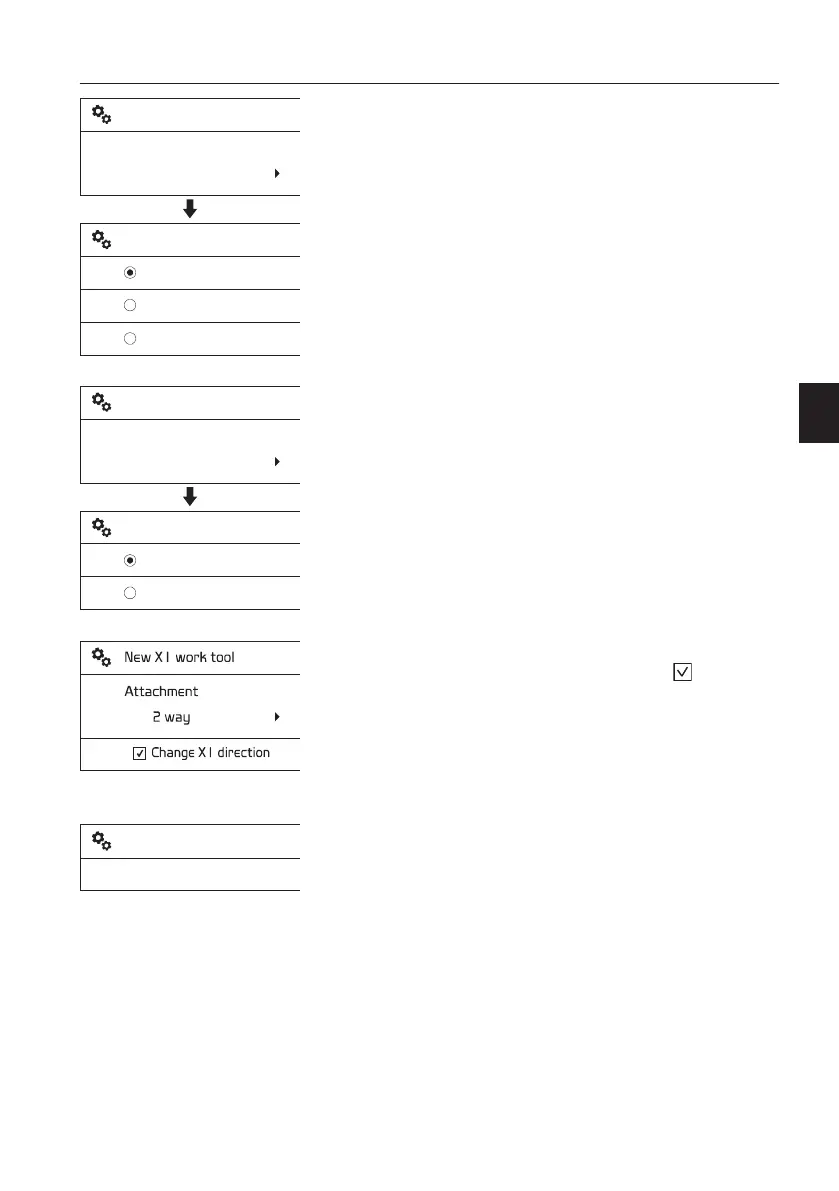
6 Pedal control: Choose the pedal control
type.
- Select the preferred control type using the
arrow buttons.
- Save the selected item using the SELECT
button. Use ESC button to cancel without
saving.
For information on control types, see page
78
.
- Push
- Toggle
- Proportional
7 Attachment: Choose the 1 way or 2 way
control.
Select the preferred setting using the arrow
buttons. Save the selected item using the
SELECT button. Use ESC button to cancel
without saving.
- 1 way
-
2 way: if select the check box
, X1 flow
direction (operating direction) will be
changed.
8 Save: Save the setting.
- Select "Save" and press the SELECT button
to save all settings including "Name", "Flow",
"Pressure", "Control", "Pedal control", and
"Attachment".
NOTE!
After entering the new settings, the "Save"
procedure should be performed to record the new
parameters in the system memory. If the "Save"
procedure is not performed, all the settings will be
cancelled automatically.
- If some items are not set up, the error
message "Fill out all items" will appear.
9 The added X1 tool is newly listed.
V1137894
Pedal control
Push
New X1 work tool
Push
Toggle
Proportional
New X1 work tool
V1137895
Attachment
1 way
New X1 work tool
1 way
2 way
New X1 work tool
V1137896
Save
New X1 work tool
Instrument panels
Display unit
57



 To Next Page