Service Manual – Corrective maintenance
SERVICE MANUAL • X-MIND prime 3D • (19) • 11/2019 • NXMPEN080A
Adjustments
If the B1 and B2 measures are not in the prescribed tolerances and/or the upper
and lower borders are of the Primary-fully.bmp image are not fully irradiated:
1.
Enter the SET-UP mode, open “Unit setting configuration” window
and select Collimator offsets” tab (refer to paragraph 8.4)
2.
Adjust the W6-ceph window “Vertical position – VO” and “Vertical
width - VW ” according to the following conventions:
The
vertical position (VO)
offset allows to move the window towards the
Top/Bottom border of the acquisition area without modifying the window height
(P3 and P4 blades distance remains unchanged)
EFFECT ON ACQUIRED IMAGE (measuer of B1 and B2)
Move the collimator window DOWN
Increase B1 and decrease B2 of the same distance
Move the collimator window UP
Decrease B1 and increse B2 of the same distance
The
vertical width (VW)
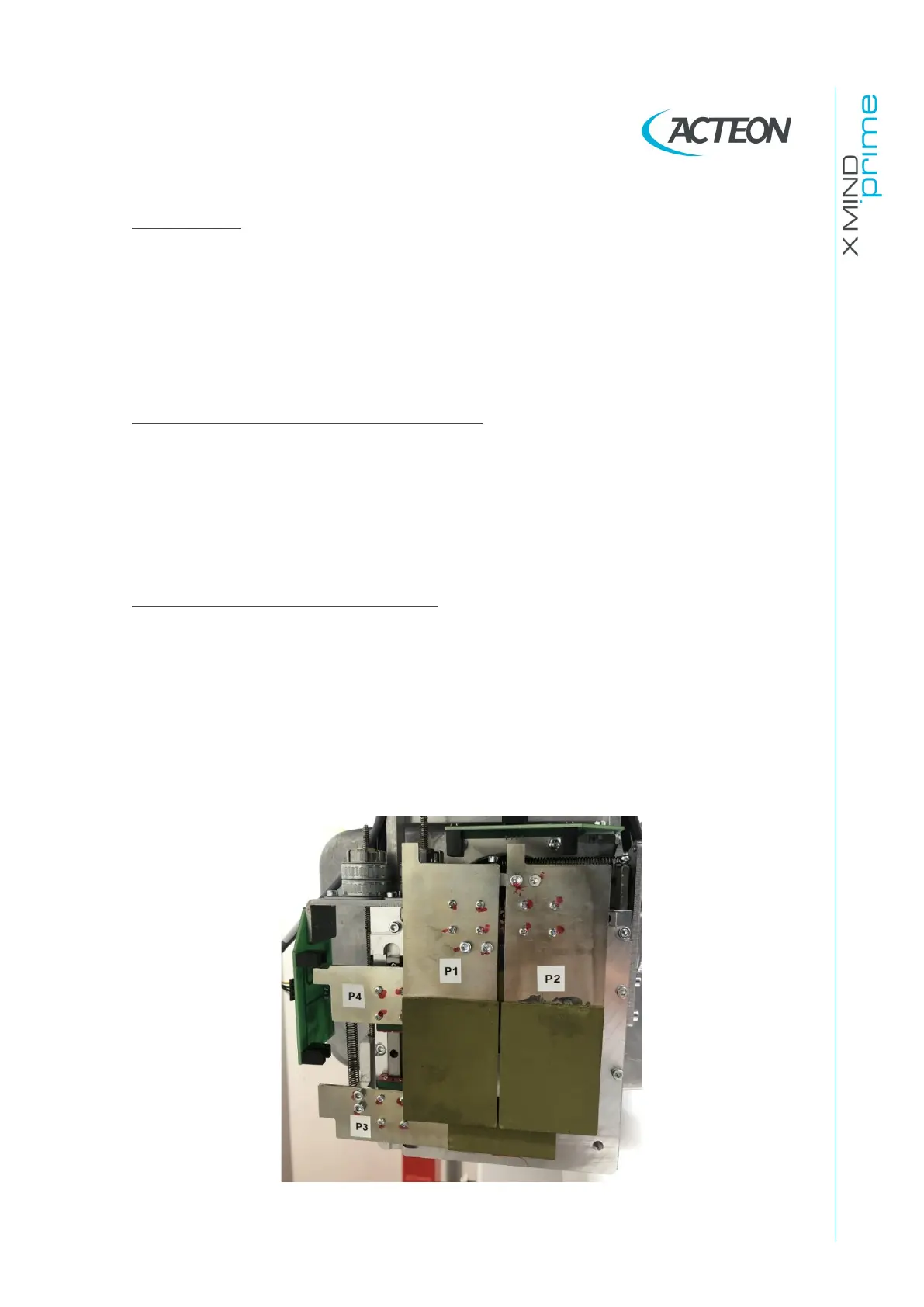
offset allows to increase/ decrease the collimator height
by moving only the P3 collimation blade
EFFECT ON ACQUIRED IMAGE (measure of B1 and B2)
REDUCE B2 by moving the P3 blade towards the bottom edge
of the sensor acquired area without moving the P2 blade
INCRESE B2 by moving the P3 blade towards the top edge of
the sensor acquired area without moving the P4 blade
*Note: The symbols [+] and [-] mean, respectively, an increase and a decrease of
the offset value.
Primary collimator blades numbering















 To Next Page