Service Manual – Corrective maintenance
SERVICE MANUAL • X-MIND prime 3D • (19) • 11/2019 • NXMPEN080A
9.
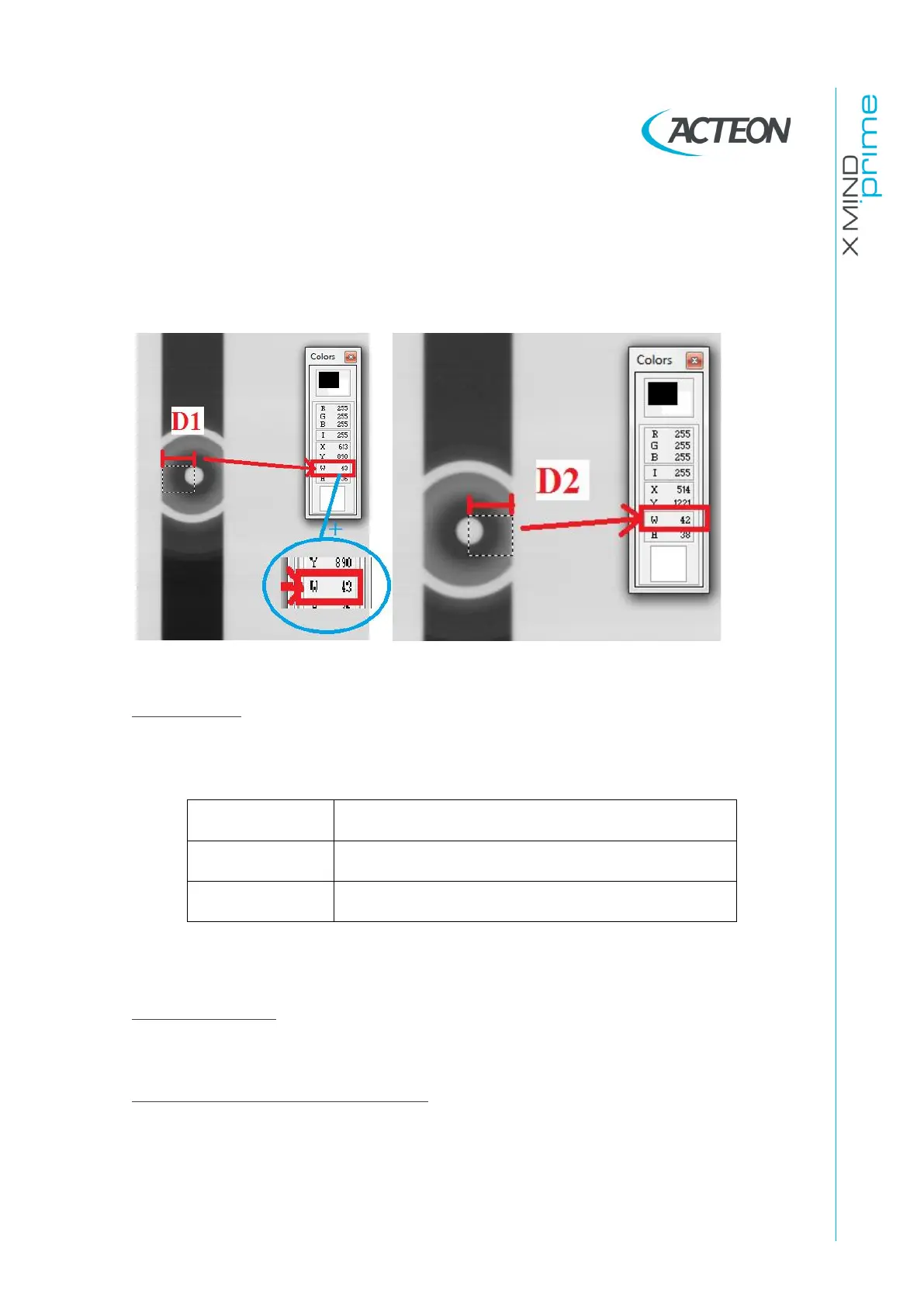
Verify that the that the dot of the ceph support is positioned in the center of
the exposed area and the difference between D1 and D2 is in the following
tolerance
|D1-D2| ≤ 4 pixels
Adjustments
If an adjustment is required modify the “Coll II” offset according to the following
convention:
Effect on measure of segments D1 and D2
INCREASE the segment D1 length on the image
DECREASE the segment D1 length on the image
*Note: The symbols [+] and [-] mean, respectively, an increase and a decrease of
the offset value.
Offset Conversion
1 offset
≃
3 pixel of shift of the secondary collimator position measured on the
acquired image
Furthers checks after the adjustment
If the offset has been modified perform the checks/adjustments required by
“Sensor ceph offset” paragraph 11.2.11.6.















 To Next Page