Service Manual – Corrective maintenance
SERVICE MANUAL • X-MIND prime 3D • (19) • 11/2019 • NXMPEN080A
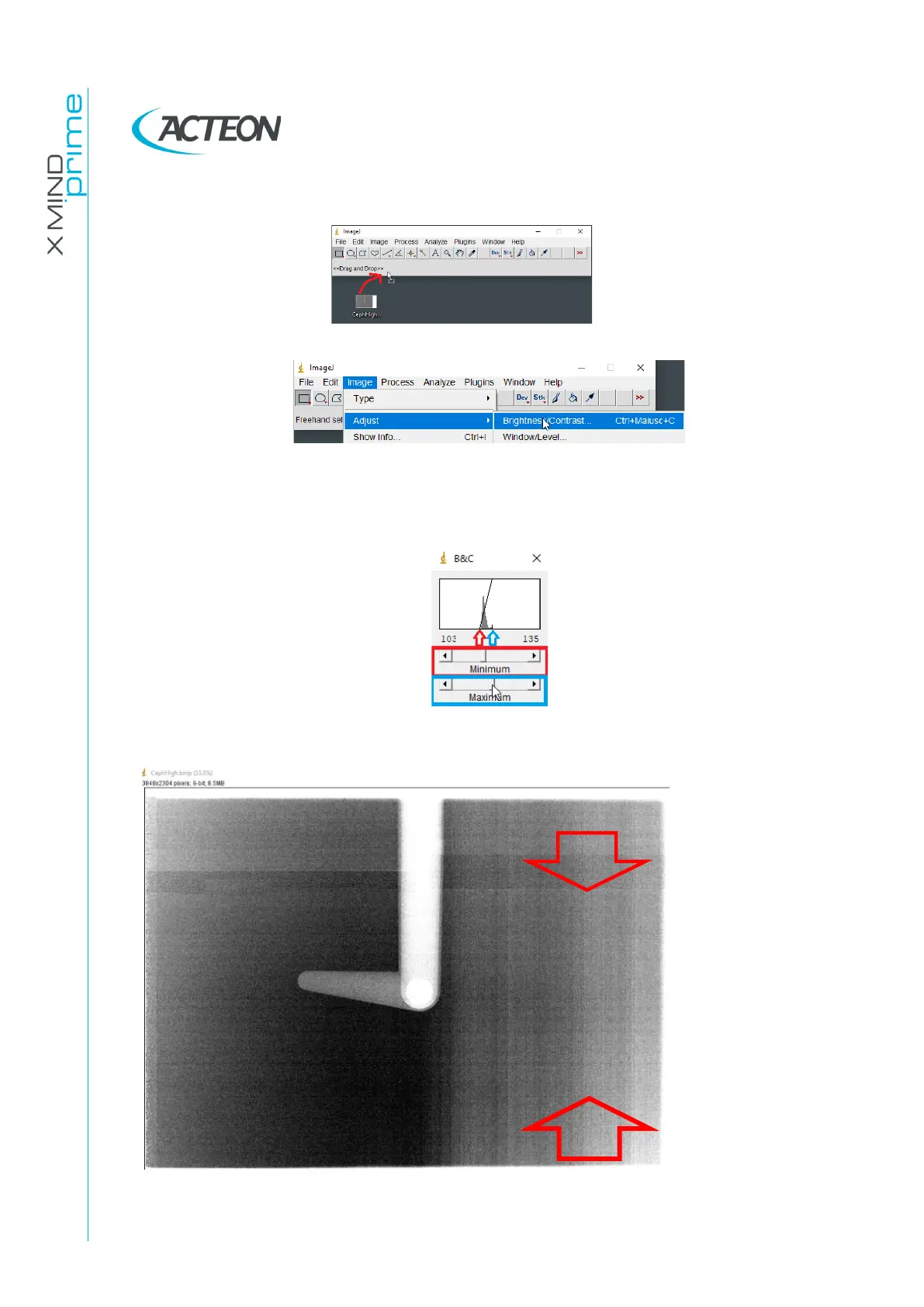
29. Import (drag and drop) the CephHigh.bmp image in the ImageJ bar.
30. Click on Image→Adjust and open the Brightness/Contrast… tool
31. Adjust the “Minimum” and “Maximum” levels with the cursors, in order to fit the
minimum and maximum components of the peak displayed in the histogram
reported in the B&C window, as reported in the following image.
32. Verify if in the acquired image are present vertical lines and where they are located















 To Next Page