Service Manual – Corrective maintenance
SERVICE MANUAL • X-MIND prime 3D • (19) • 11/2019 • NXMPEN080A
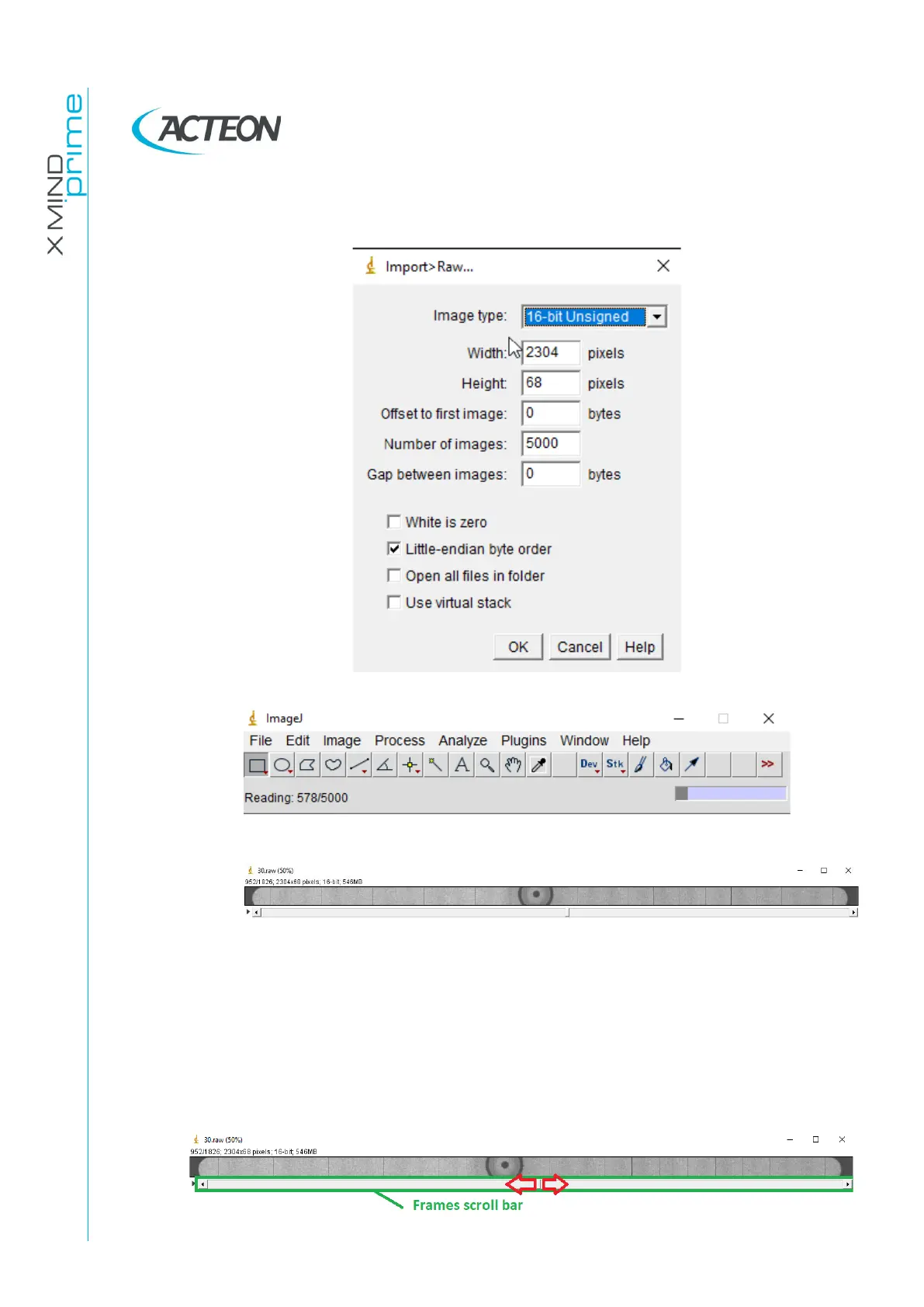
o In the Imagej “Import>Raw…” window set the following settings and then
press OK
o Wait for the end of the uploading process
Note. In case the displayed frames are not well visible like the image above
(too dark or too light) adjust the bright and contrast levels as explained at
points 30 and 31 of this paragraph.
34. Scroll the frames bar from the left to the right to identify the frames where the
secondary collimator shadow enters the sensor acquisition area.















 To Next Page