3
2 NVR Installation & Connection
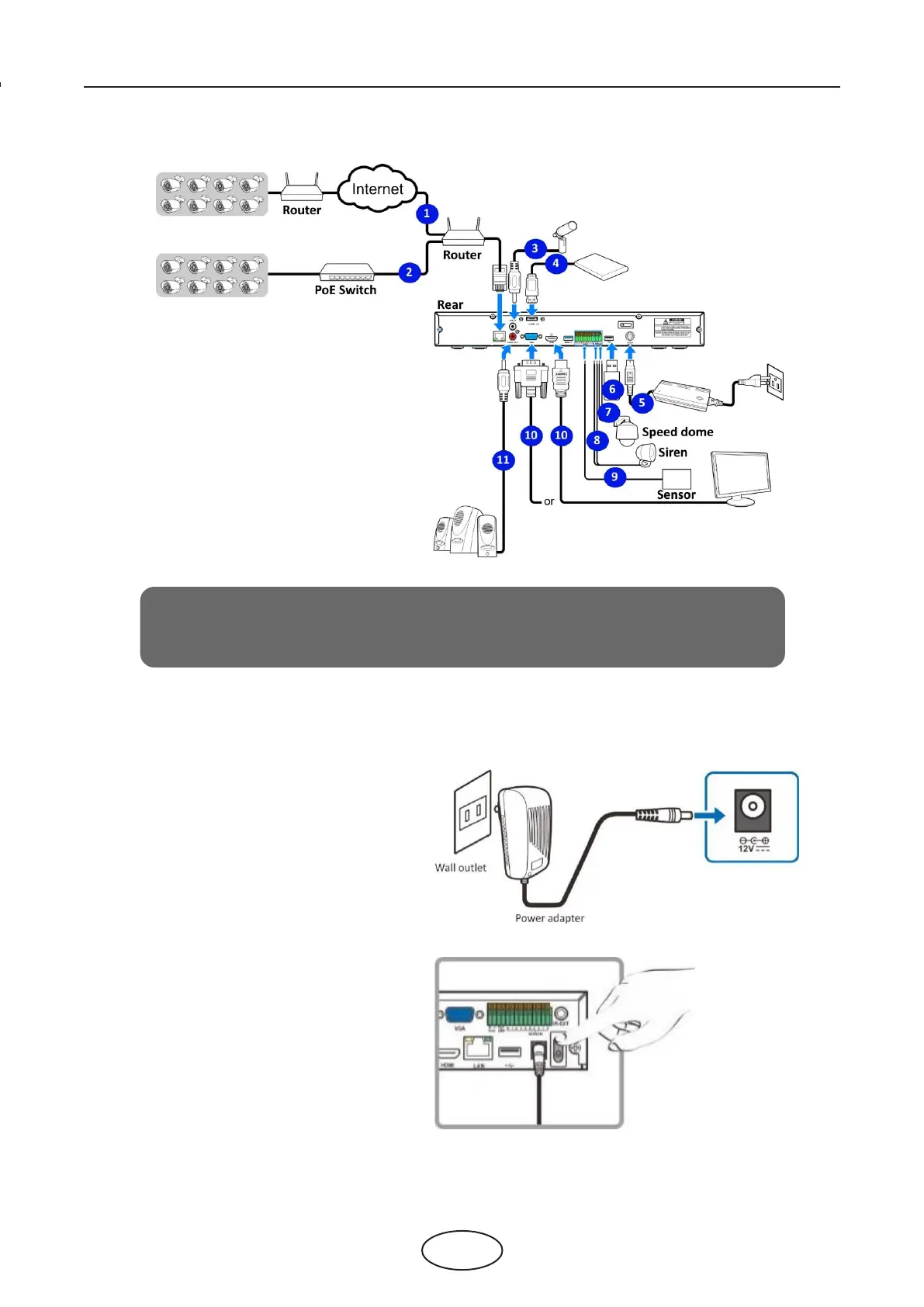
2.2 Connection Diagram
2.3 Power Supply Connection
Note:
The above diagram is for reference only. The practical connection may be dierent
depending on the NVR you purchased.
Caution
: Use only the supplied power adapter that came with the NVR.
Connect one end of the power adapter to the pow-
er connector on the back of the NVR. Plug the other
end of the power adapter into the wall outlet.
For some specic models; you may need to press the
Power switch to turn on the power.



 To Next Page