28
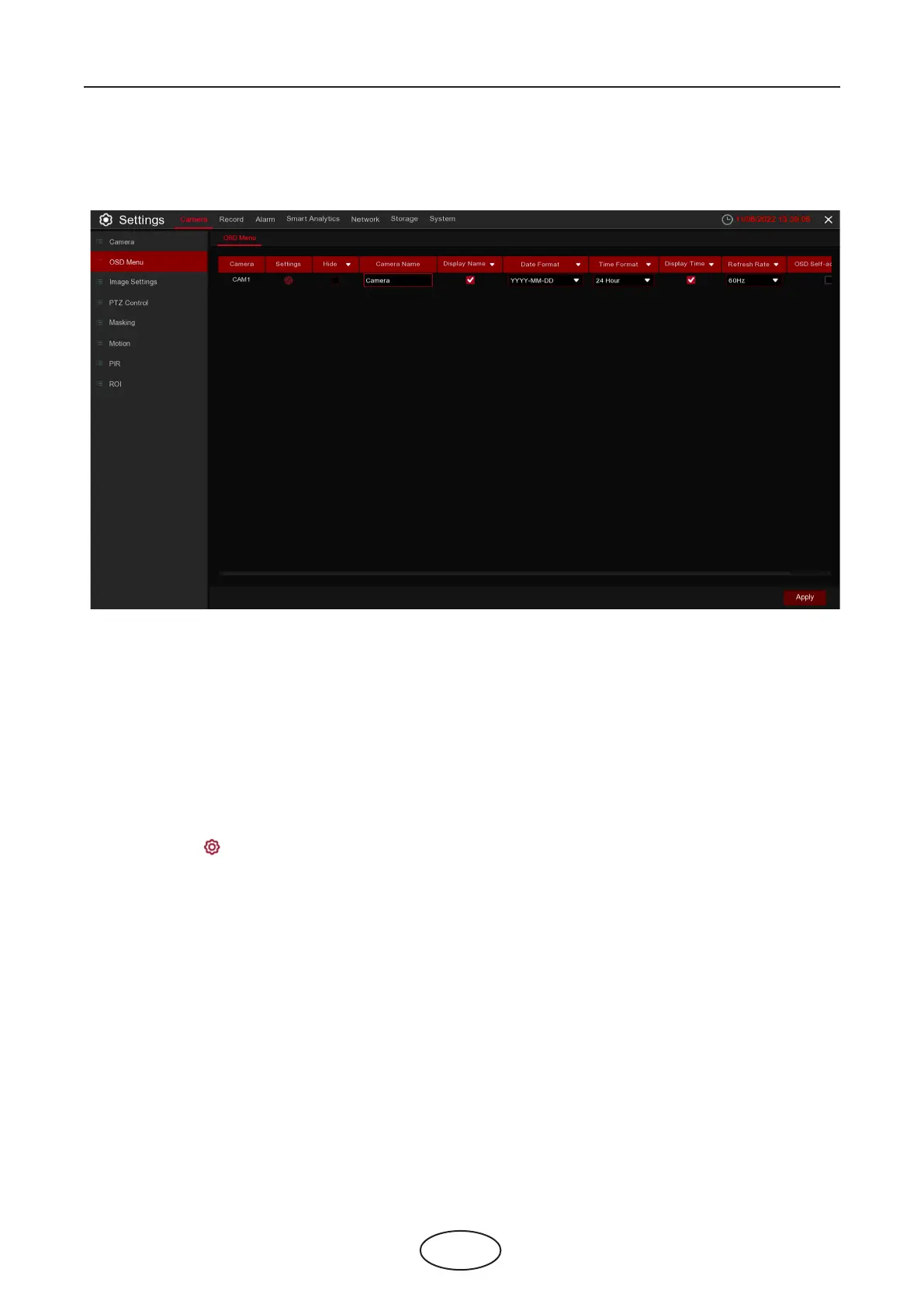
5.1.2 OSD Menu
To congure camera parameters, including camera name, color, date & time format, refresh rate, etc.
Hide: To hide the camera images in live view. If the hide feature is checked, only the live view images will be hidden.
Recording image won't be aected.
Camera Name: Give a name to the camera.
Display Name: To display the camera name in the images or not. It aects both live view & recording images.
Date Format: To choose a date format.
Time Format: To choose a time format.
Display Time: To display date and time in the images or not. It aects both live view & recording images.
Refresh Rate: Choose the right value according to the monitor's frequency rate.
Settings: Click the icon into the setup page.
5 NVR System Setup



 To Next Page