147
Chapter 6 Search, Playback, & Backup
The Search function gives you the ability to search for and play previously recorded videos as well as
snapshots that are stored on your NVR’s hard drive. You have the choice of playing video that matches
your recording schedule, manual recordings, or motion events only. The Backup function gives you the abil-
ity to save important events (both video and snapshots) to a USB ash drive.
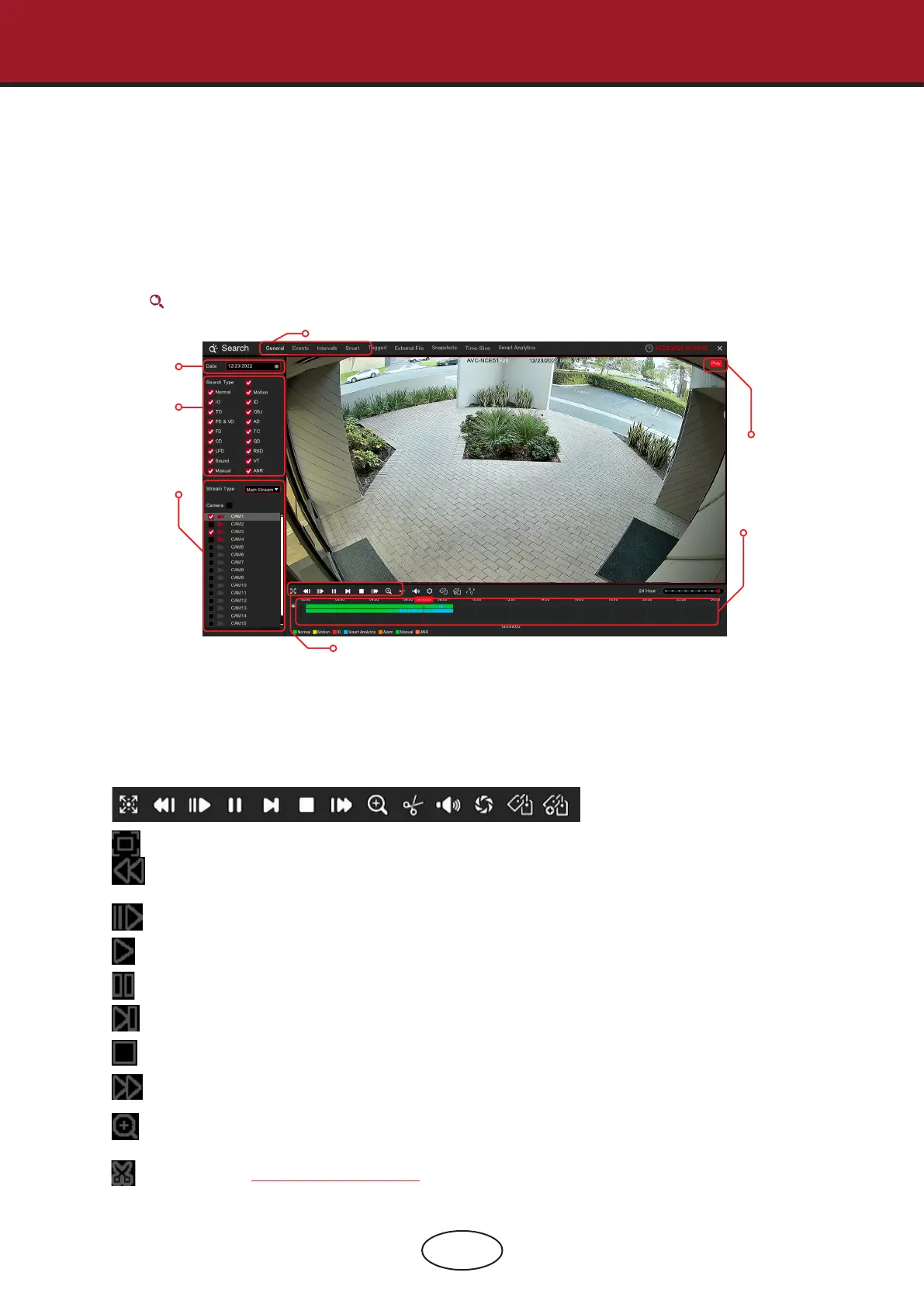
Click the Search button in the Start Menu to enter the search section.
1. Search Options: The system provides various search and playback methods: General, Events,
Sub-periods, S.M.A.R.T, and Pictures.
2. Search Date: Search by a date to play back.
3. Search Type: The system provides dierent search types to narrow your search.
4. Camera Selection: To choose the cameras you want to search and play.
5. Video Playback Controls: To control the video playback.
Enlarge the video playback to full screen.
Rewind, x2, x4, x8, and x16.
Slow Play, 1/2, 1/4, 1/8, and 1/16 speed.
Play
Pause
Play frame by frame. Click once to play a frame of the video.
Stop
Fast Forward, x2, x4, x8, and x16.
Digital Zoom: Click to zoom in then click-and-drag on a camera image during playback to zoom
in on the selected area. Right click to return to regular playback.
Video Clip: Quickly save a section of video to a USB ash drive.
View more on 6.1.1.1 Video Clip Backup.
6.1 Using Search Function
6 Search, Playback & Backup
1
2
3
4
5
6
7



 To Next Page