34
Setup: Click the icon into the setup page.
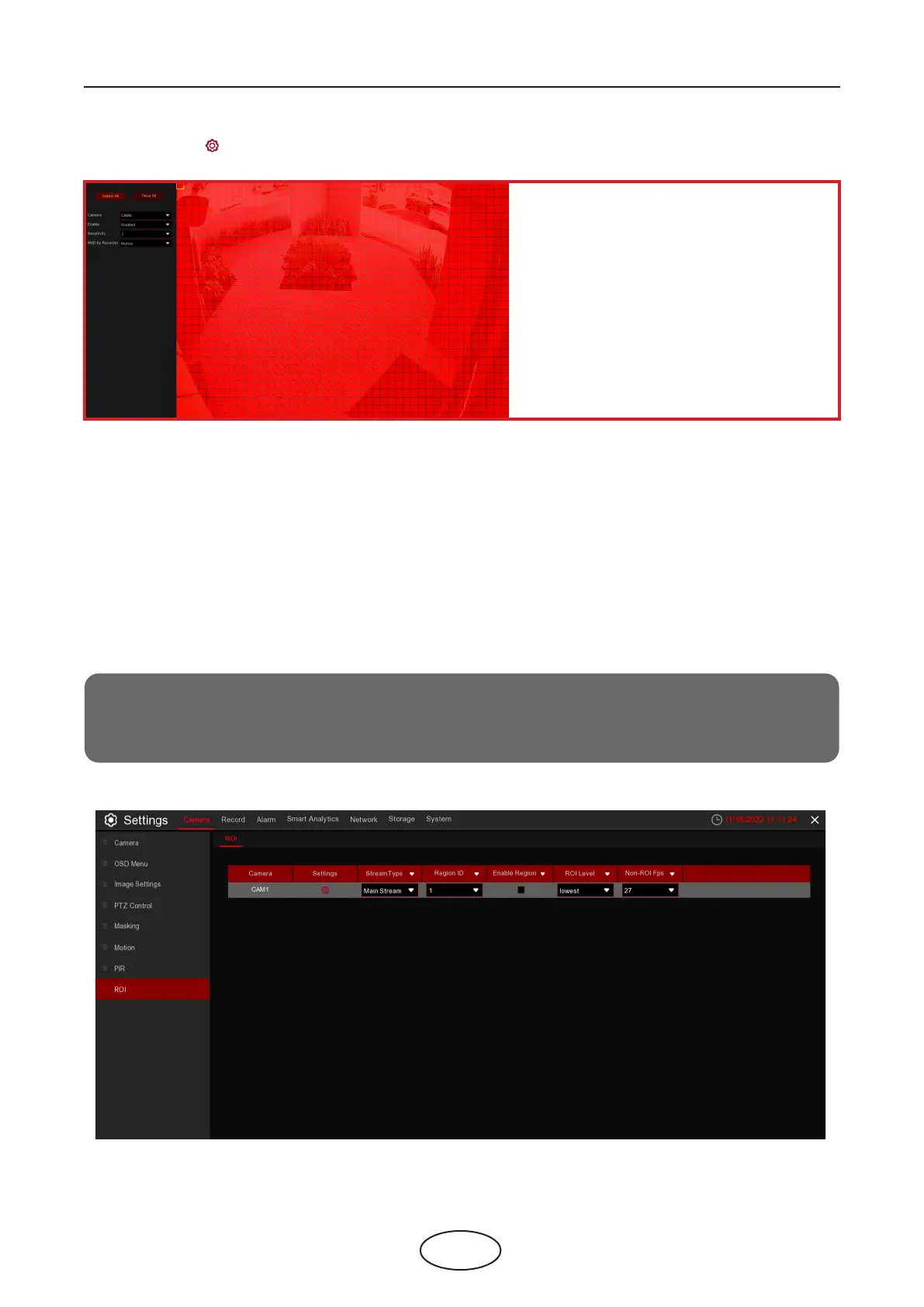
Motion Detection Area:
The whole screen is marked for motion de-
tection (red blocks) as default. If you
want to disable the motion detection on a
certain area, click the grid cursor and then
drag the mouse to highlight the scope to
unmark the area into transparent blocks.
After the setting is complete, click the right
button of your mouse to return. Click Save
to make the area setup eective.
Camera: Select the camera you want to set motion detection.
Enable: Enable or disable motion detection.
Sensitivity: Set the sensitivity level. Level 1 the lowest sensitivity level while level 8 is the highest
sensitivity level.
SMD by Recorder: Select the target type for motion detection.
5 NVR System Setup
ROI(sensitive area) is a focus area selected from the video area. This area can be set to a dierent frame
rate and denition than the unselected area.
5.1.7 Region of Interest (ROI)
Note:
Supported by some IP cameras, this function is mutually exclusive with H.264+ and H.265+ encoding
types and cannot be enabled at the same time



 To Next Page