2
Chapter 2 NVR Installation & Connection
2.1 HDD Installation
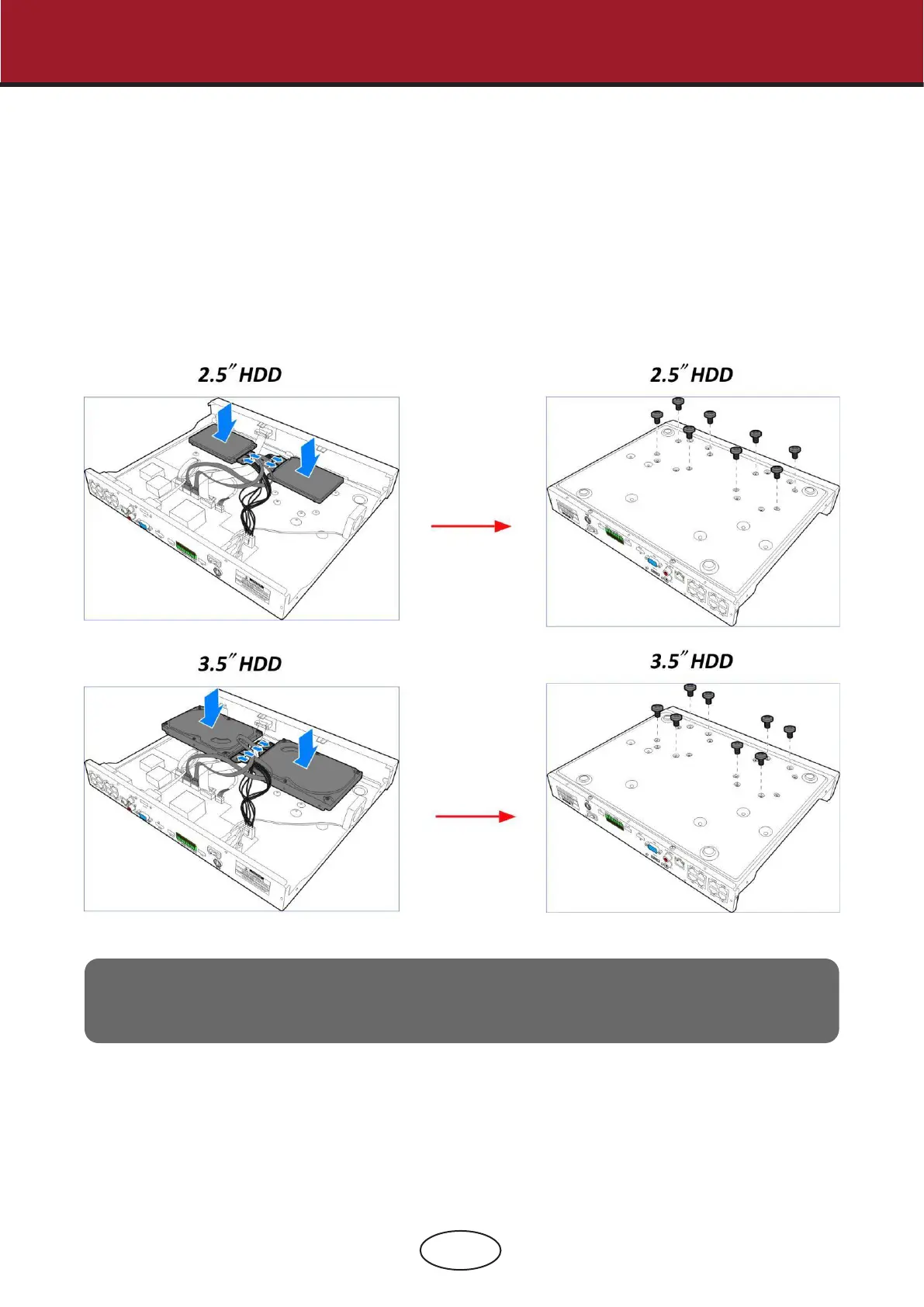
This NVR supports two 3.5” or 2.5” SATA hard disk drives.
CAUTION:
DO NOT install or remove the hard disk drive while the device power is turned ON.
HDD Installation:
a) Connect the data and power cables to the hard disk
drives and place the hard disk drives on the NVR case.
b) Carefully ip the NVR case and secure the hard
disk drives to the NVR with the eight (8) screws.
Note:
The above procedures are for reference only. The practical operation may be dierent
depending on the NVR you purchased.
2 NVR Installation & Connection



 To Next Page