41
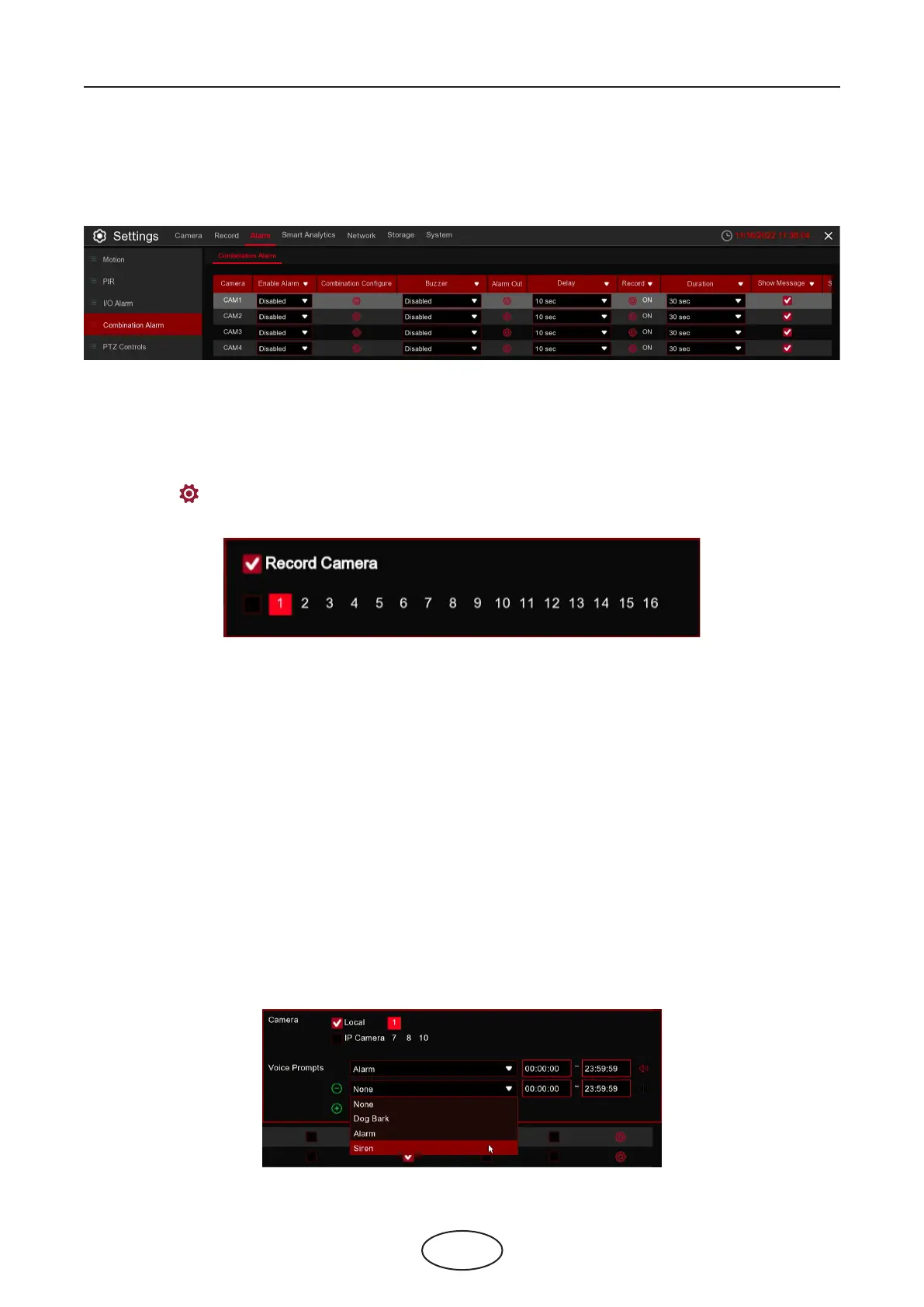
Camera: Camera name
Buzzer: The NVR can use its internal buzzer to emit an alarm tone. You can set the buzzer duration in sec-
onds when an alarm is triggered.
Alarm Out: Optional function. If your NVR support to connect to external alarm device, you can set to emit
an alarm tone.
Delay: To congure the external alarm time when an alarm is triggered.
Record: Click icon and choose which channel(s) you want to record when an alarm is triggered.
Duration: You can set how long after an event occurs that the NVR will continue to record. The recommended
recording length is 30 seconds but it can be set higher up to 5 minutes.
Show Message: Check the box to display “S” icon on the live view screen when an alarm is triggered.
Send Email: You can let the NVR to send you an auto-email when an alarm is triggered.
FTP Picture Upload: To upload alarm images to FTP server when an alarm is triggered. To enable FTP, please
view 5.4.4 FTP.
FTP Video Upload: To upload alarm video to FTP server when an alarm is triggered. To enable FTP, please
view 5.4.4 FTP.
Picture to Cloud: To upload alarm images to Cloud server when an alarm is triggered. To enable Cloud,
please view 5.5.2 Cloud.
Video to Cloud: To upload alarm video to Cloud server when an alarm is triggered. To enable Cloud, please
view 5.5.2 Cloud.
Full Screen: If this function is enabled and an alarm is triggered in a channel, you will see its full screen images
in live view.
view 5.4.4 FTP.
Picture to Cloud: To upload alarm images to Cloud server when an alarm is triggered. To enable Cloud,
please view 5.5.2 Cloud.
Video to Cloud: To upload alarm video to Cloud server when an alarm is triggered. To enable Cloud, please
view 5.5.2 Cloud.
Full Screen: If this function is enabled and an alarm is triggered in a channel, you will see its full screen images
in live view.
5 NVR System Setup
5.3.3 Combination Alarm
You can congure the ID / TD/ PD&VD / SOD / FD / Rare Sound Detection / Video Tampering alarm func-
tion here.



 To Next Page