6
Chapter 4 NVR Starting Up
4.1 Start Wizard
4.1.1 Start Wizard
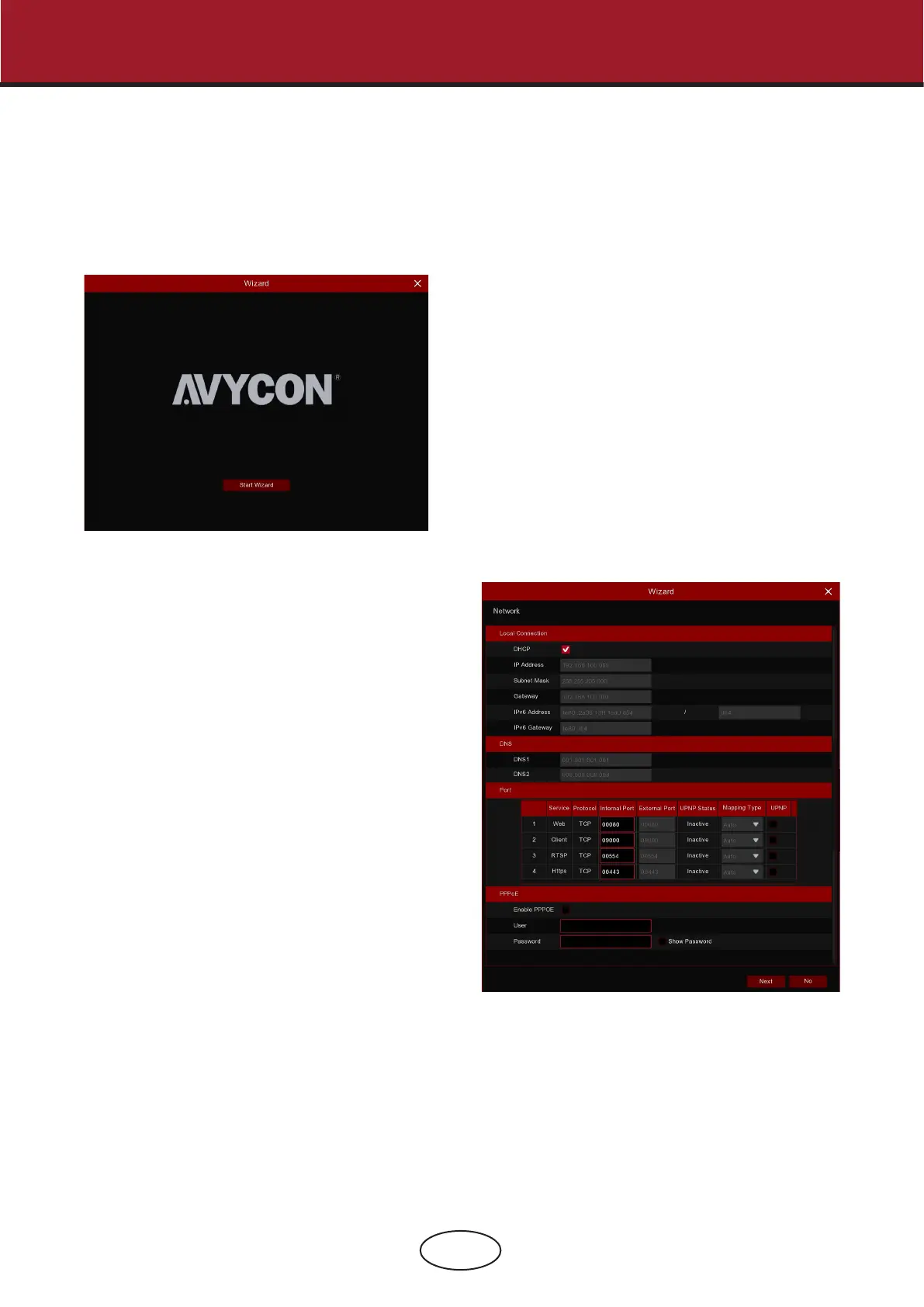
4.1.2 Network Conguration
Startup Wizard congures the system and gets the NVR working promptly.
Click the Start Wizard to proceed to the next step.
If you connect to a router that allows to use DHCP, please
check the DHCP box. The router will automatically assign all
the network parameters for your NVR, unless the network is
manually addressed to the parameters below:
IP Address: The IP address identies the NVR in the network. It
consists of four groups of numbers between 0 to 255, sepa-
rated by periods. For example, “192.168.001.100”.
Subnet Mask: Subnet mask is a network parameter which
denes a range of IP addresses that can be used in a net-
work. If the IP address is like a street where you live, then the
subnet mask is like a neighborhood. The subnet address also
consists of four groups of numbers, separated by periods. For
example, “255.255.000.000”.
Gateway: This address allows the NVR to access the internet.
The format of the Gateway address is the same
as the IP Address. For example, “192.168.001.001”.
DNS1/DNS2: DNS1 is the primary DNS server and DNS2 is a
backup DNS server. Usually it should be enough just to enter
the DNS1 server address..
4 NVR Starting Up



 To Next Page