141
5 NVR System Setup
11. Click the icon to add a map image from your USB memory.
12. Click icon to adjust the site of the IP cameras. Click and hold the channel icon and move one by one
to adjust the position of your IP cameras on the map. You can click icon to display the map in full screen.
5.8.1.3 Advertise Mode
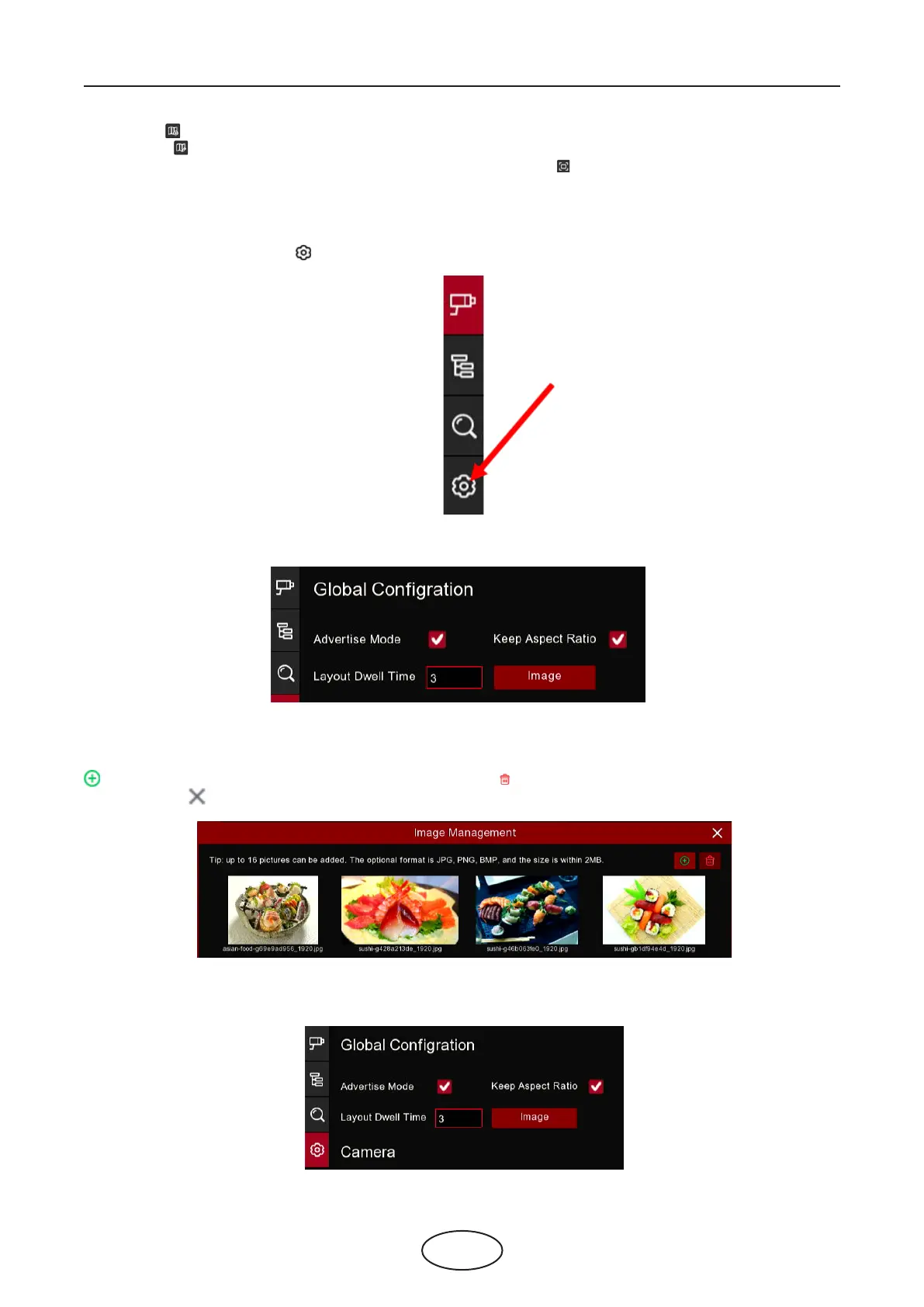
The system supports to demonstrate your advertising pictures with the Cross Counting functions.
1. Click the Conguration icon to in the Navigation bar to get to the conguration page.
2. Check the Advertise mode in the
3. Click Image button to load advising pictures from your USB memory. It supports to add maximum 16 pic-
tures with jpg, png and bmp format, and the maximum resolution should be no more than 2560x1600. Click
the add icon to add new picture(s) and click delete icon to delete the added picture one by one. Click
the close icon or right click your mouse to go back to previous conguration page.
4. Check the Keep Aspect Ratio box if you want to display the images with their original aspect ratio. Un-
check the box if you want the pictures to be stretched and displayed full screen.



 To Next Page