121
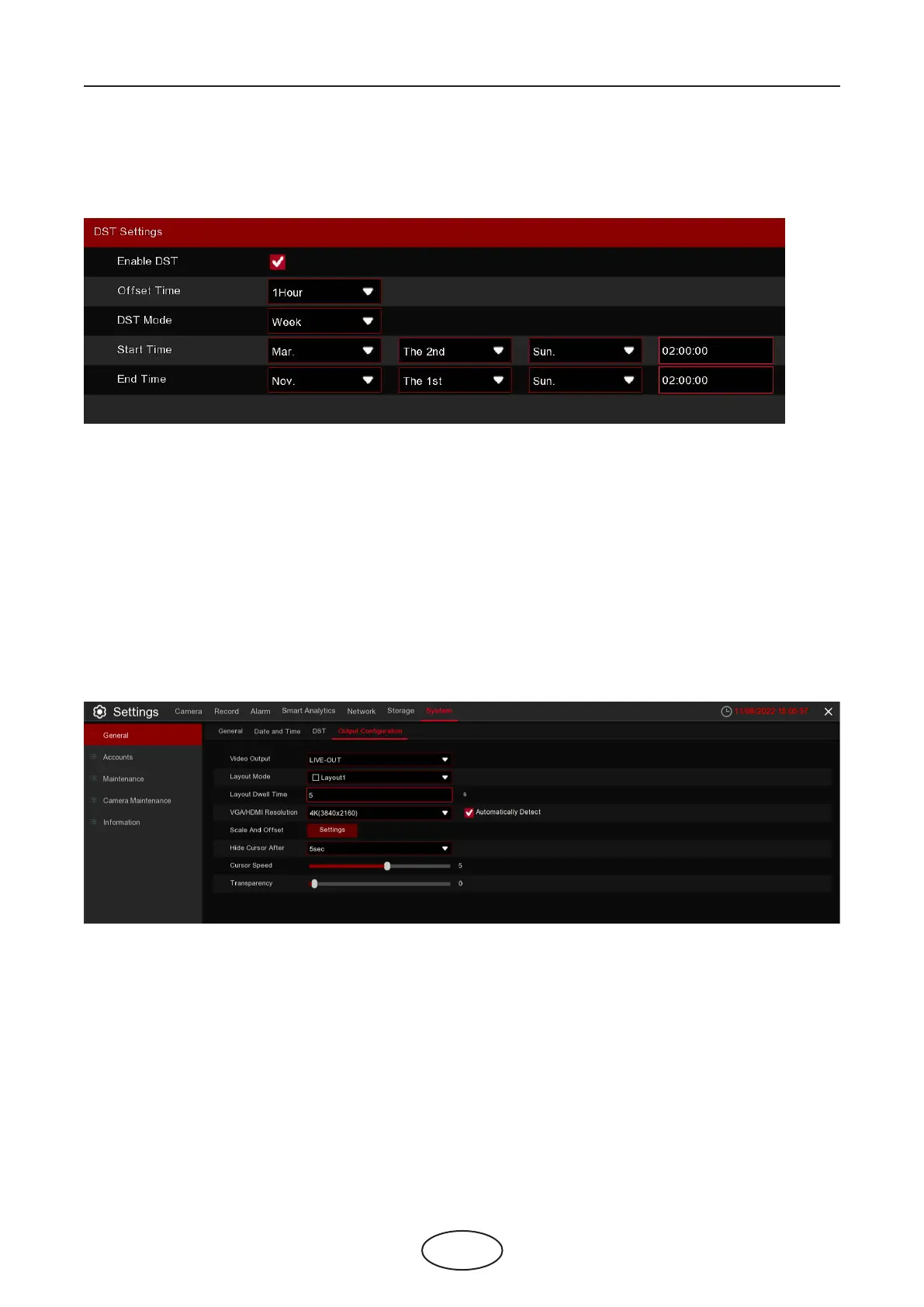
5.7.1.4 DST Settings
The DST (Daylight Saving Time) function allows you to select the amount of time that Daylight Saving has
increased by in your particular time zone or region.
Enable DST: If Daylight Saving applies to your time zone or region, Enable this option.
Oset Time: Select the amount of time that Daylight Saving has increased by in your time zone. This refers
to the dierence in minutes, between Coordinated Universal Time (UTC) and the local time.
DST Mode: You can select how Daylight Saving starts and ends:
Week: Select the month, a particular day, and time when Daylight Saving starts and ends. For example,
2 a.m on the rst Sunday of a particular month.
Date: Select the start date (click the calendar icon), end date, and time when Daylight Saving starts and
ends.
Start Time / End Time: Set the start time and end time for Daylight Saving.
5.7.1.5 Output Conguration
This menu allows you to congure video output parameters.
5 NVR System Setup
Video Output: To choose the output options:
LIVE-OUT is used to congure the main output parameters.
Layout Mode: Select how many video channels you would like to display when your NVR is in sequence
mode.
Layout Dwell Time: Enter in seconds the maximum length of time you would like to display a video channel
in sequence mode before displaying the next video channel (300 seconds is the maximum).
VGA/HDMI Resolution: Select a display resolution that is suitable for your TV. 1920 x 1080 will suit most TVs.
If your NVR supports 4K output resolution, you can select either 2K (2560 x 1440) or 4K (3840 x 2160) to take
advantage of the higher resolution that your 4K TV provides.
Scale and Oset: The NVR supports adjusting the size and position of the display screen to match your
monitor or TV. Click the Setup button to adjust.



 To Next Page