96
5 NVR System Setup
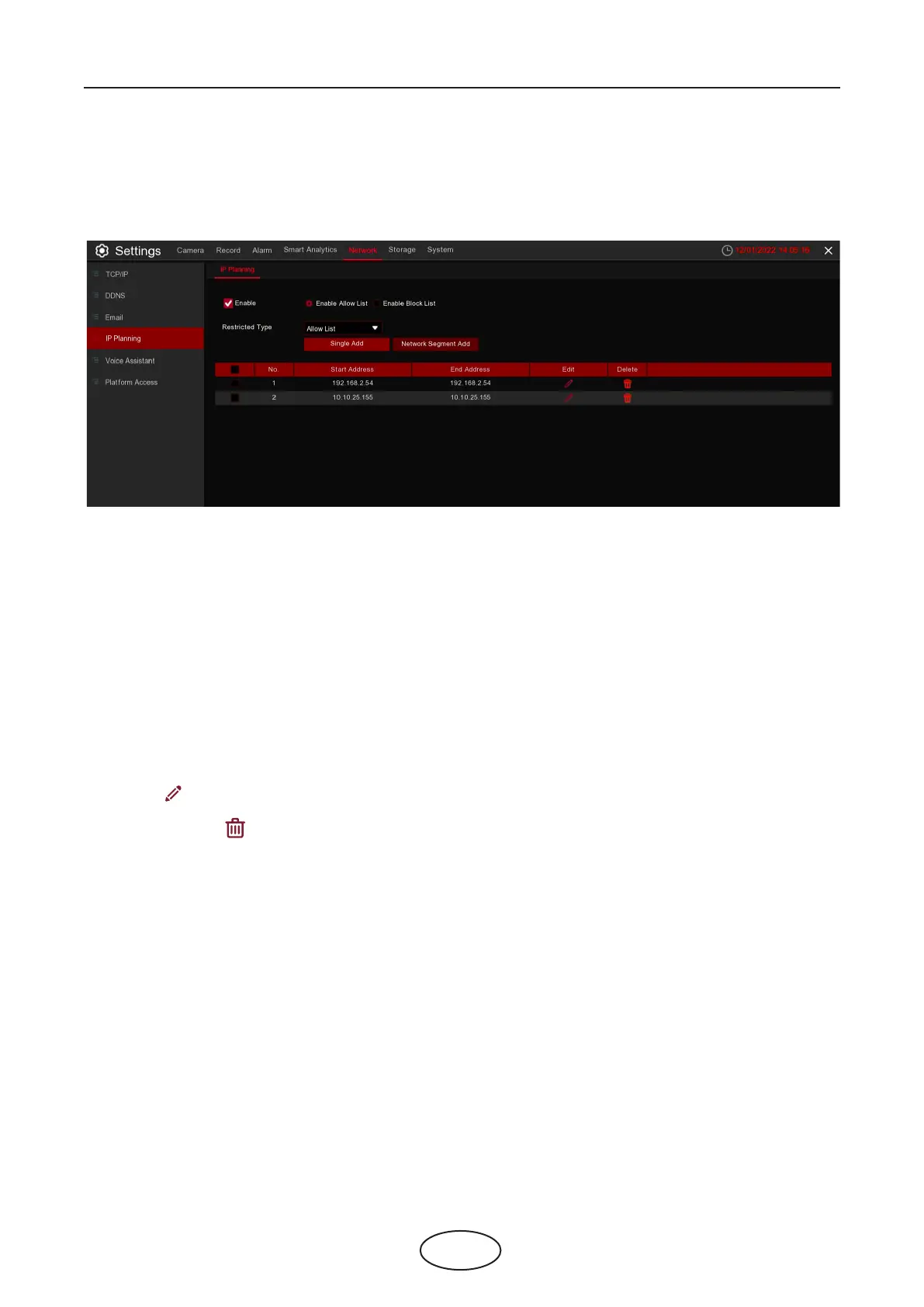
5.5.4 IP Planning
IP planning helps to control the remote login devices by using Allow List and Block List to lter the IP ad-
dress.
1. If you want to activate this function, check the Enable box.
2. Choose either Enable Allow List or Enable Block List. Allow List will only allow those IP address in the list to
visit the NVR. Block List will block those IP address in the list to visit the NVR.
3. Choose one of the Restricted Types you want to set.
4. Set the Start IP address and End IP Address.
5. Click Single Add to add individual IP address.
6. Click Network Segment Add to add the IP range from the start IP address to the end IP address.
7. Click Edit icon to edit the IP address.
8. Click Delete icon to delete the IP address. Choose multiple IP address, and click Remove IP to delete
multiple IP address at one time.



 To Next Page