7
4 NVR Starting Up
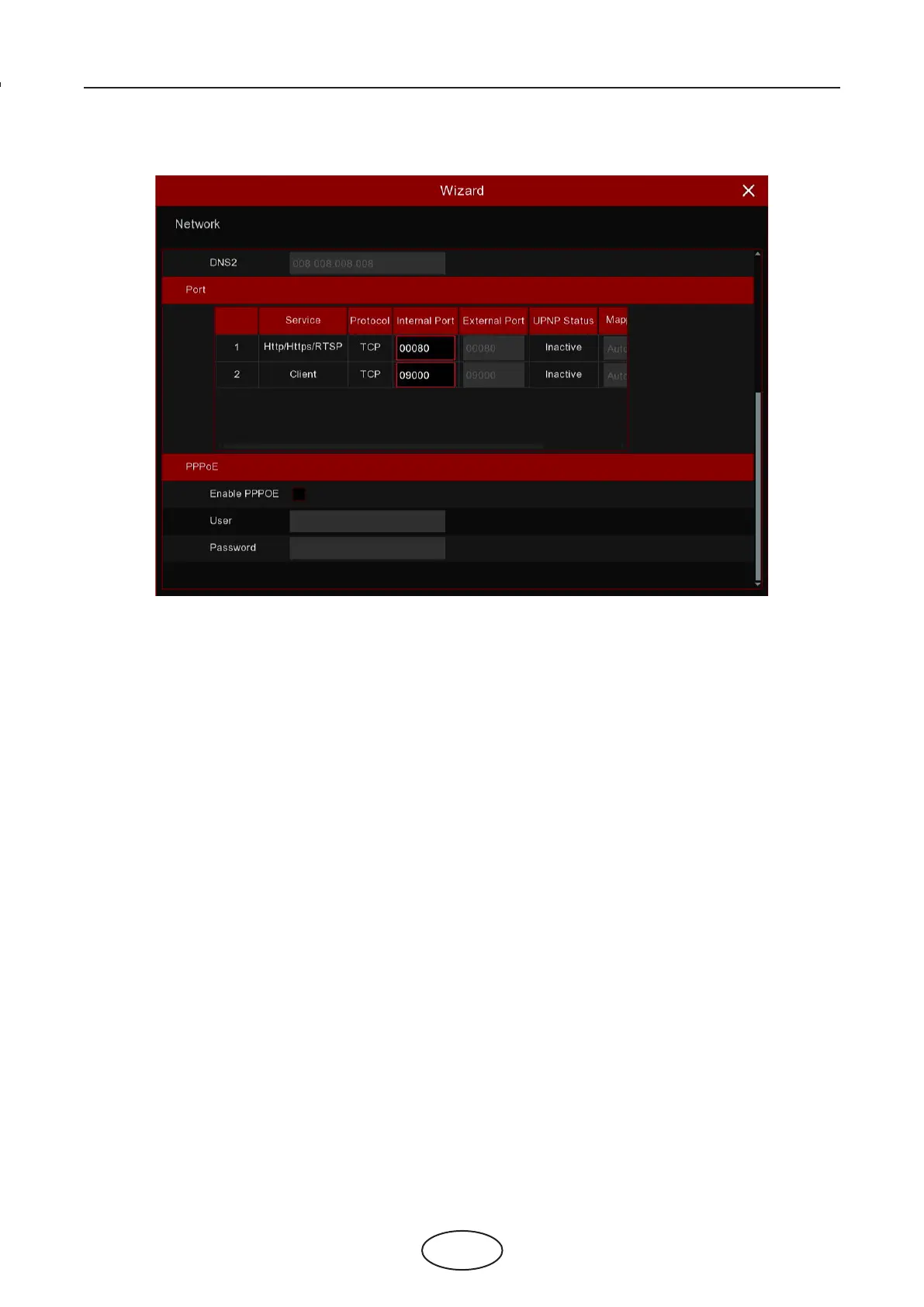
4.1.3 Port
HTTP: This is the port that you will use to log in remotely to the NVR (e.g. using the Web Client). If the default port 80 is
already taken by other applications, please change it.
Client: This is the port that the NVR will use to send information through (e.g. using the mobile app). If the default port
9000 is already taken by other applications, please change it.
RTSP: This is the port that the NVR will be allowed to transmit real-time streaming to other device (e.g. using a stream-
ing Media player.).
Https: This is the port that you will use to log in remotely to the NVR by browsers with https protocol.
Internal Port: Used for LAN connection.
External Port: Used for WAN / Internet connection.
UPNP: If you want to log in remotely to the NVR using Web Client, you need to complete the port forwarding in your
router. Enable this option if your router supports the UPnP. In this case, you do not need to congure manually port
forwarding on your router. If your router does not support UPnP, make sure the port forwarding is completed manually in
your router.
Mapping Strategy: If you want the port randomly distributed by the router UPNP server, choose “Auto”; If you want to
manually forwarded the port, choose “Manual”.
4 NVR Starting Up



 To Next Page