24
5 NVR System Setup
5.1.1.4 Add Multiplex Cameras in the LAN
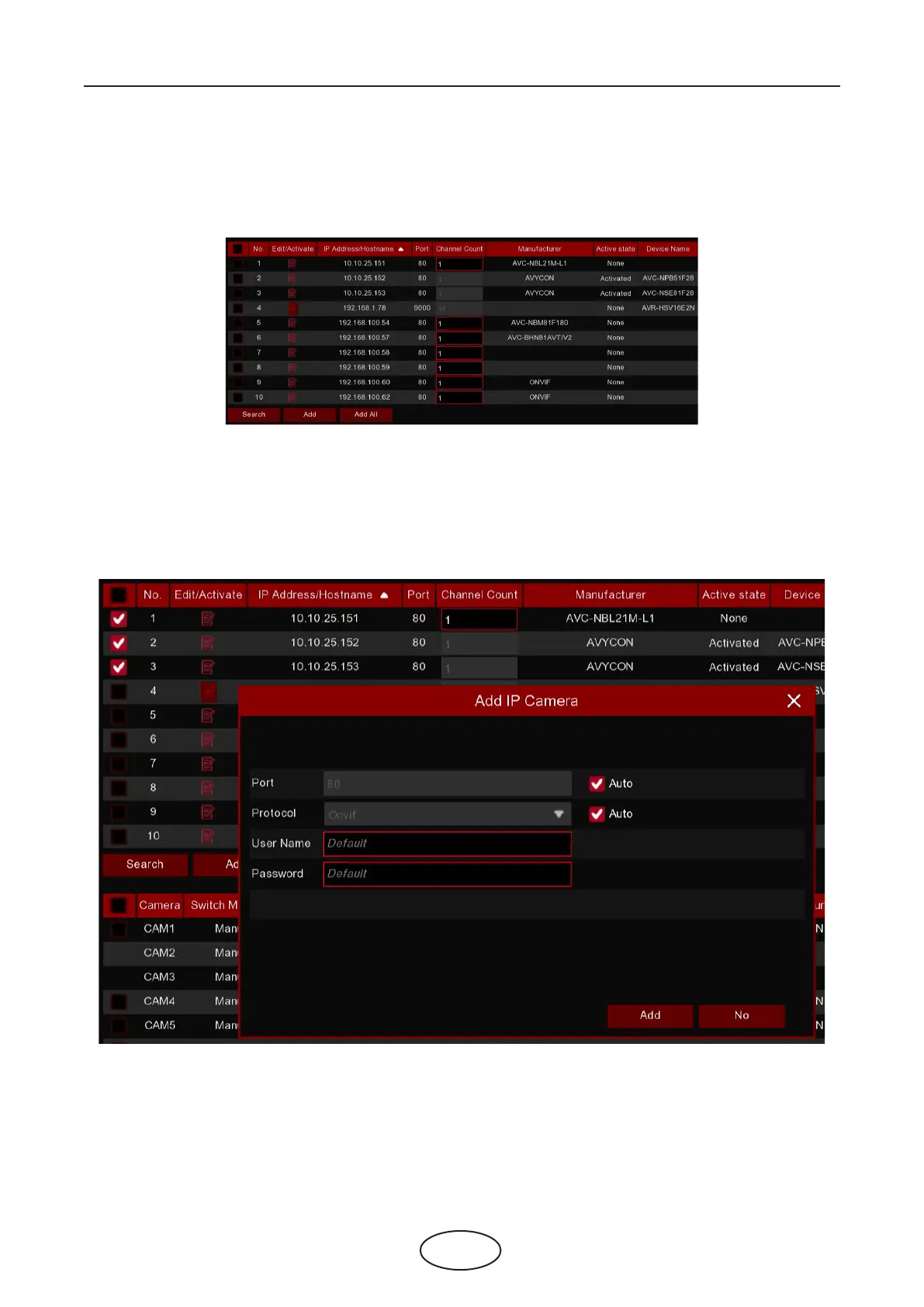
1. Click Search button, all available cameras in the LAN will be displayed.
2.Select the cameras from the search result, and then click “Add”. You would need to input the user name
and password of the cameras. Please make sure all the cameras you want to add use the same user name
and password. Otherwise, the cameras with dierent user name and password will be unable to get con-
nected.
Or click Add All button, the NVR will search & add all available cameras in the LAN.



 To Next Page