56
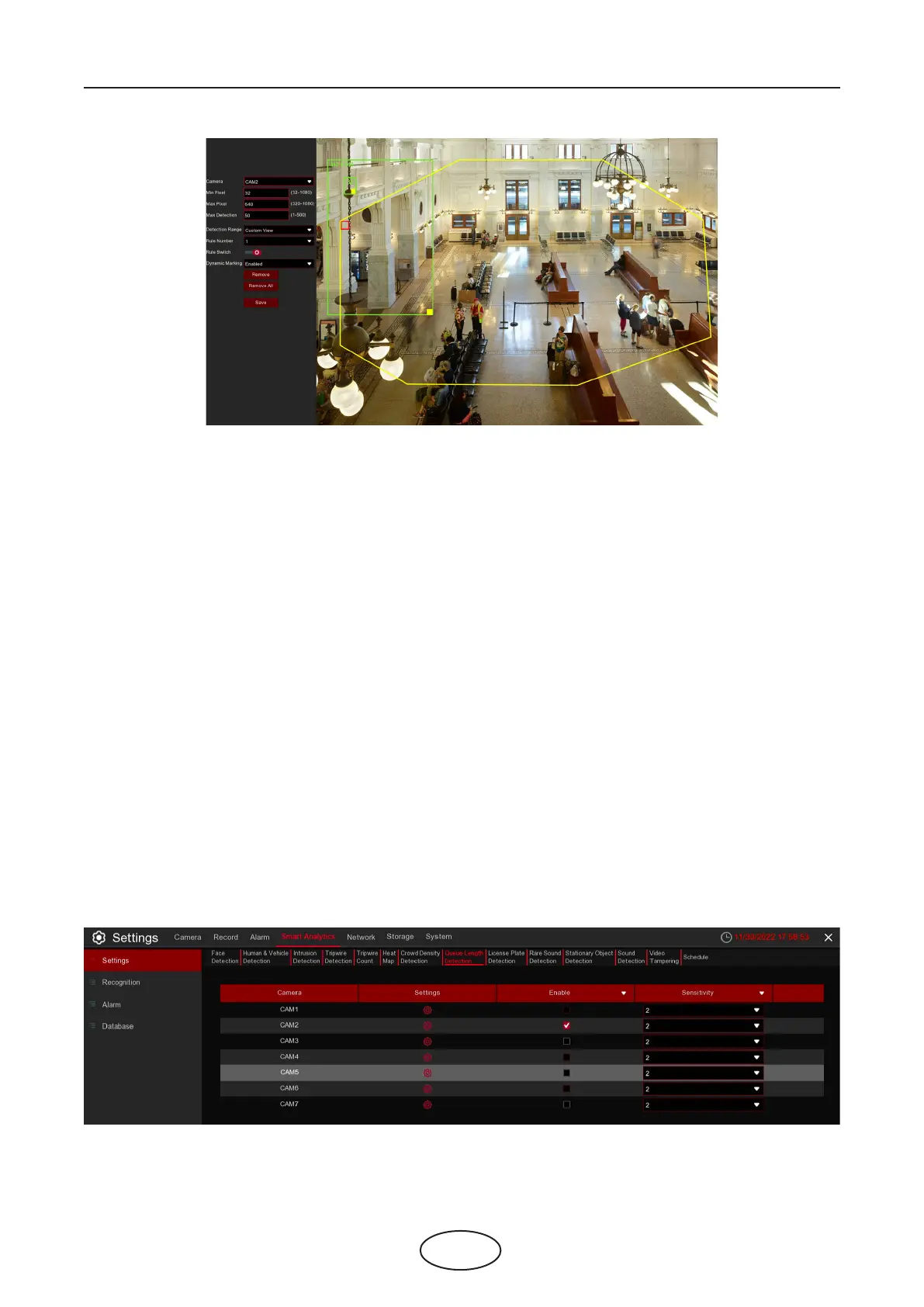
Min Pixel: Set the minimum detection pixel box. The people can be recognized only when he/she is larger
than the pixel box.
Max Pixel: Set the maximum detection pixel box. The people can be recognized only when he/she is small-
er than the pixel box.
Max Detection: The NVR will send an alert if the number of people inside the detection area exceeds the
Max Detection number.
5 NVR System Setup
Dynamic Marking: If you enable this option, the border of the detection zone will be displayed in both live
view images and recording les.
1. Set the min. pixel and max. pixel.
2. Set the limitation number in Max. Detection.
3. To enable the detection in Rule Switch.
4. Set the Detection Range to be full screen or customize.
5. If you choose customized detection range, you will need to use your mouse to click 8 points in the cam-
era picture to draw a virtual region.
6. Click Save to save your settings.
7. If you want to modify the position or sharp of region, click the red box in the region, the borders of the
region will be changed to red color. Click and hold the left button of your mouse to move the position of
the region, or drag the corners to resize the region.
8. If you want to remove one of the regions from the camera picture, click the red box in the region and
then click Remove button. Click Remove All will delete all regions
5.4.1.8 QD (Queue Length Detection)
Queue length detection is used to detect the status of a queue, including its length and stagnation time.



 To Next Page