35
5 NVR System Setup
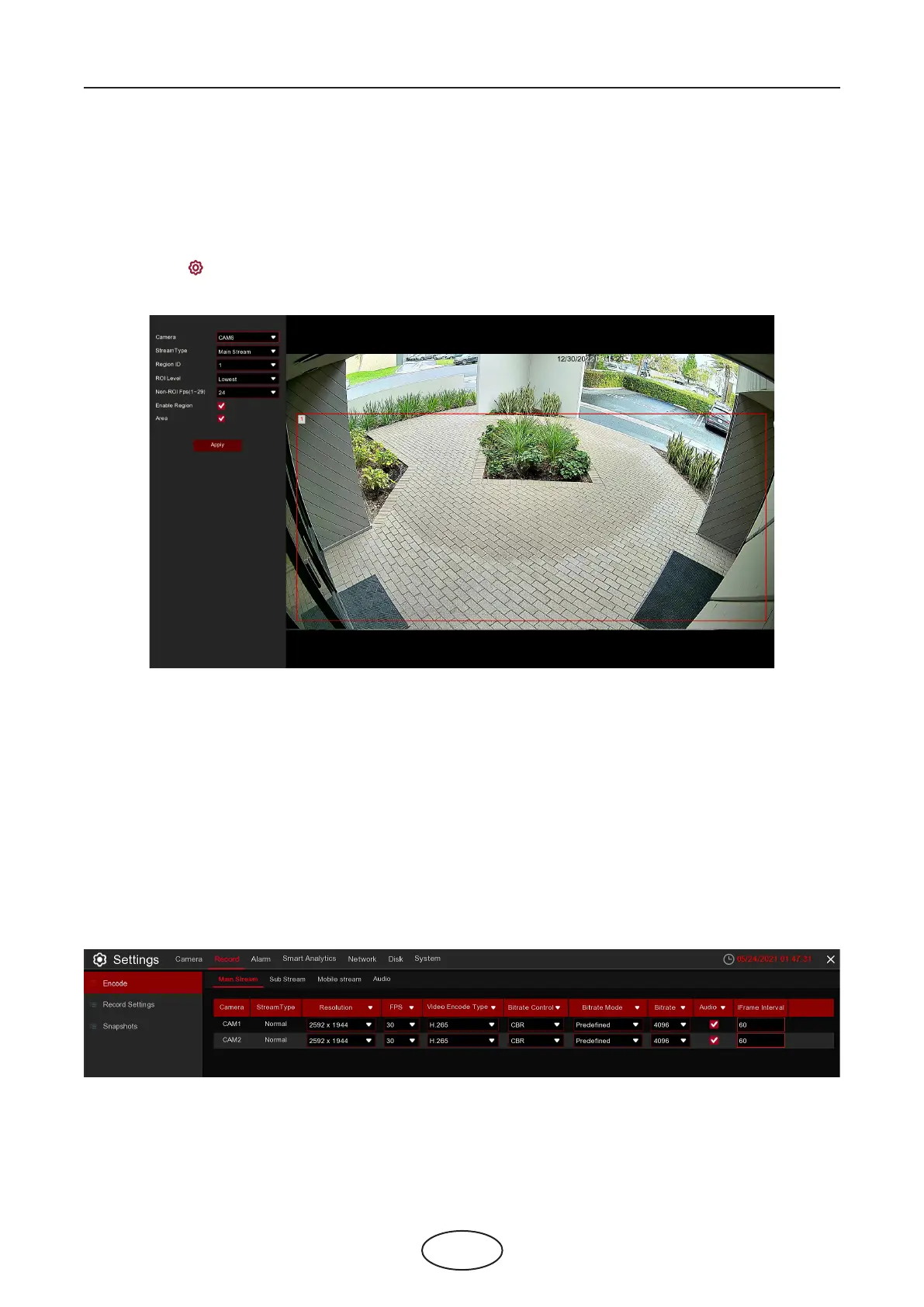
Stream Type: Select the stream type to be set.
Region ID: Select the area number, up to eight areas can be set.
Enable Region: Enable the setting region, the Region ID and Enable Region of each region are indepen-
dent and need to be turned on, o or set separately.
ROI Level: Set the image quality in the selected area, the higher the quality, the clearer and smoother the
image will be.
Non-ROI Fps: Sets the frame rate outside the ROI area.
Settings: Click to enter the setting page.
Area: Enable the switch to set ROI area
5.2 Record
This menu allows you to congure the recording parameters.
5.2.1 Encode
This menu allows you to congure the recording video or network transmission picture quality.
Mainstream denes the recording video quality which will be saved in the HDD; Substream denes
the video quality which is being viewed via remote access, for example web client and CMS;
Mobilestream denes the video quality which is being viewed via remote access via mobile devices.



 To Next Page