137
5 NVR System Setup
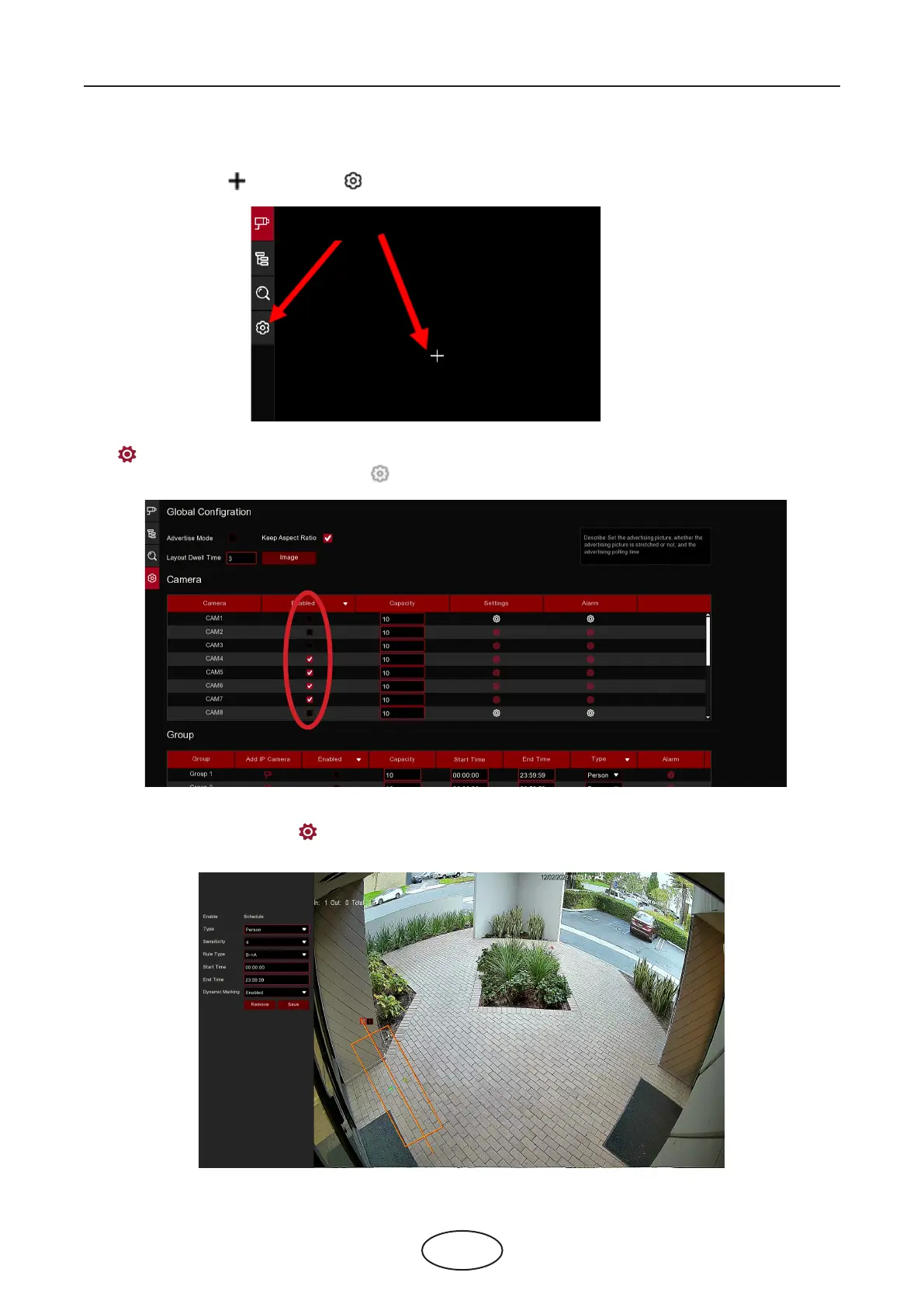
1. Click the add icon or setup icon to get to the conguration page.
2. To enable the channel(s) you want to realize the counting function in the Camera list. The Setup & Alarm
icon will be in blue color if the camera in that channel supports AI function; on the contrary if the cam-
era doesn’t support AI function, the icon will be in grey color.
3. Set the Capacity number for each channel, which is the maximum limitation of the attendance.
4. Click one of the Setup icons to congure the detection conditions.
5.8.1.1 Camera View Setup



 To Next Page