157
1. Picture List, you can select the pictures here.
2. Click the button to save your selected pictures to a USB ash drive. Click the button to view
the pictures in slideshow.
3. Press the button to exit preview control window and go back to the picture search window.
Press the button to pause, press the to resume the slideshow.
Press the button to display the previous snapshot or group of snapshots, press the to display the
next snapshot or group of snapshots.
Click the button to view a single snapshot at a time, click the button to view four snapshots at a
time, press the buttons to view nine snapshots at a time.
6 Search, Playback & Backup
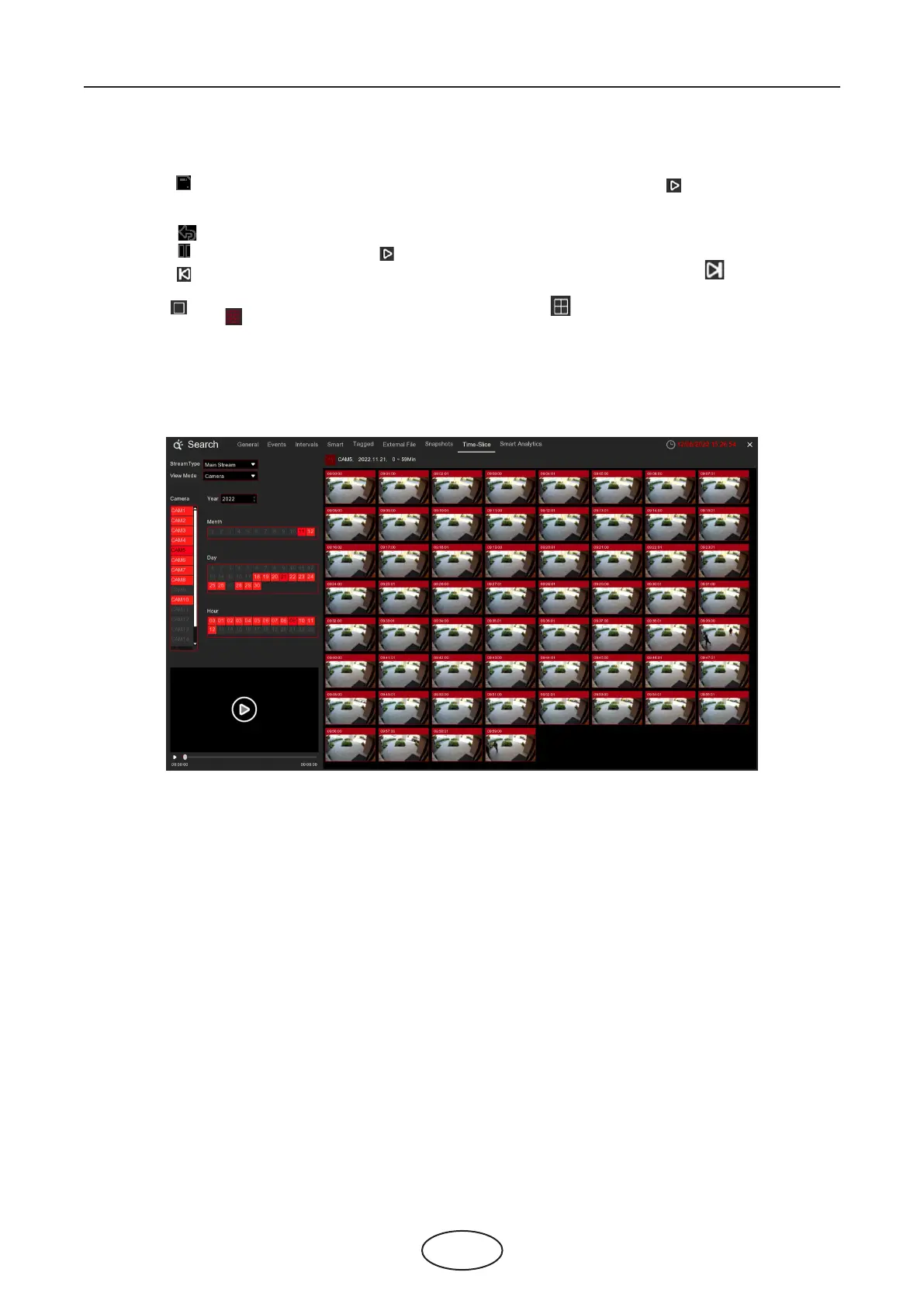
This is a function to slice each hour’s video into 60 fragments.
6.1.8 Slice Search
Choose the video stream type, camera, date and hour. The system will display 60 thumbnail images of
each minute on the screen. Click on any one of the thumbnail images, the video will be played on the left
bottom corner.



 To Next Page