95
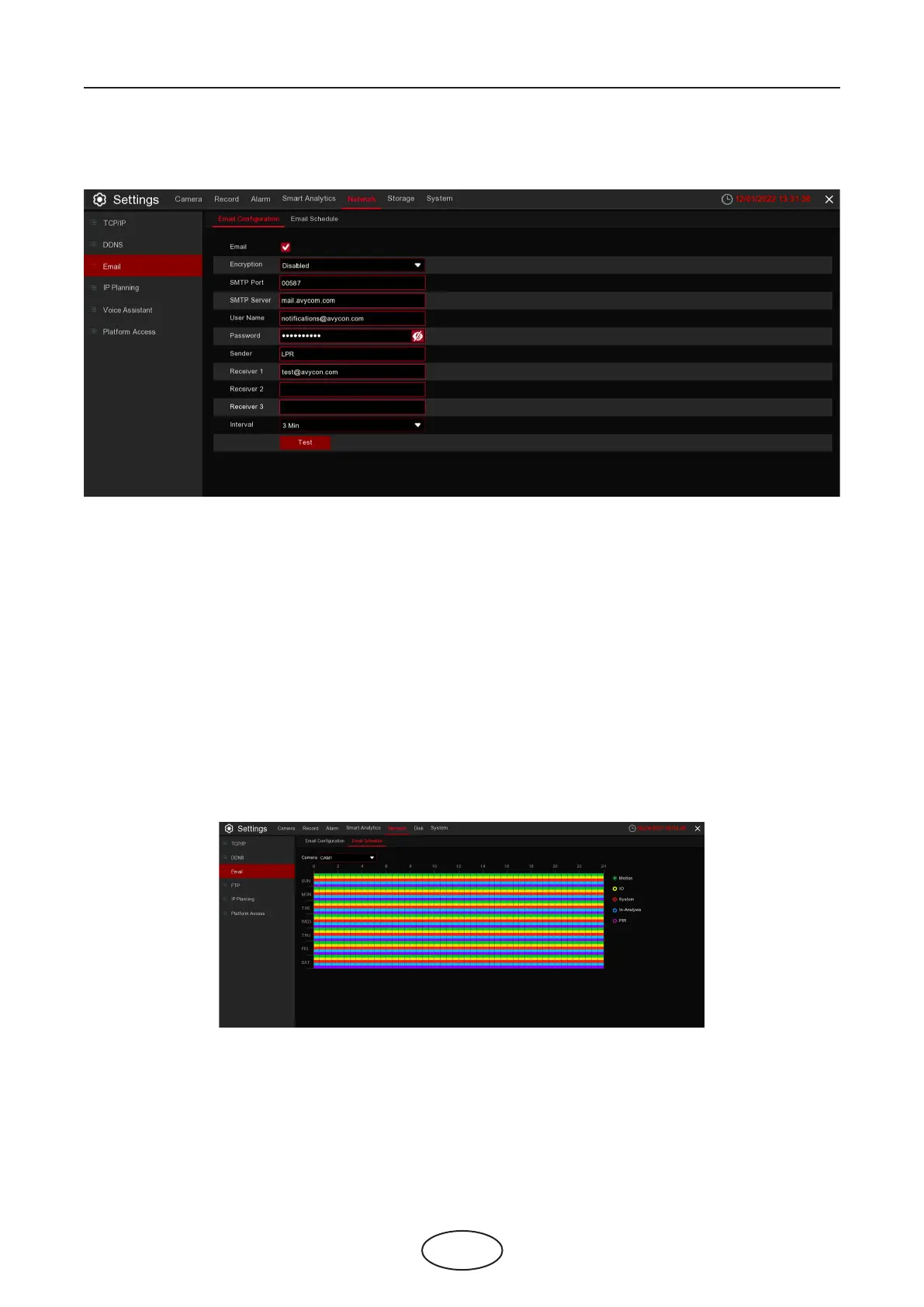
5.5.3.1 Email Conguration
Email: Check to enable.
Encryption: Enable if your email server requires the SSL or TLS verication. If you are not sure,
set to Auto.
SMTP Port: Enter the SMTP port of your email server.
SMTP Server: Enter the SMTP server address of your email.
User Name: Enter your email address.
Password: Enter the password of your email.
Sender:
Receiver 1-3: Enter the email address where you want to receive the event notications from the NVR.
Interval: Congure the length of the time interval between the notication emails from the NVR.
To make sure all settings are correct, click Test Email. The system sends an automated email message to
your inbox. If you receive the test email, the conguration parameters are correct.
5.5.3.2 Email Schedule
You need to congure the schedule to fully implement the Email notication.
The color codes on Email Schedule have the following meanings:
Green: Slot for Motion detection.
Yellow: Slot for I/O Alarm (optional).
Red: Slot for Exception (HDD Full, HDD error, or Video Loss)
Blue: Slot for Intelligent Analysis detection.
Purple: Slot for PIR.
5 NVR System Setup



 To Next Page