1
Chapter 1 Product Overview
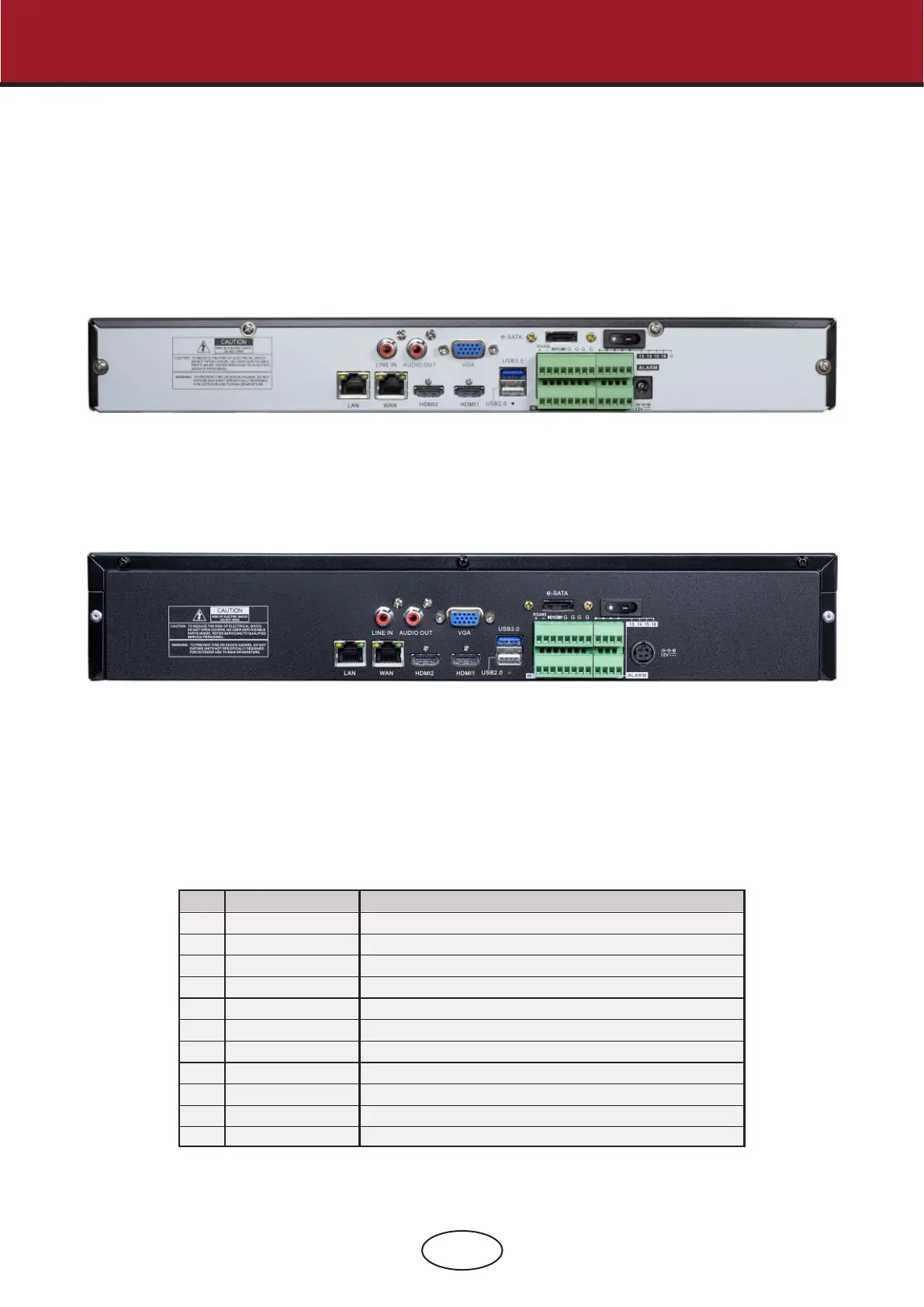
1.1 Rear Panel
Item
Physical Port Connection Method
Power Switch
Power Port
USB Port
Sensor/Alarm
HDMI Port
VGA Port
LINE IN
AUDIO OUTPUT
WAN Port
LAN Port
E-SATA
1
2
3
4
5
6
7
8
9
10
11
Startup and shutdown.
Connect the attached power supply.
Connect USB devices, such as USB mouse and USB ash disk.
Connect to sensor or alarming device.
HDMI high denition port.
Connect to VGA monitor, such as PC monitor.
Intercom voice input.
Audio signal output, RCA interface.
Network input interface of the router/Connect to IP camera.
LAN network interface
Optional. Connect to e-SATA HDD for recording & backup.
1 Product Overview



 To Next Page