177
Chapter 9 Remote Access via Mobile Devices
The NVR supports to remote access via mobile devices based on Android & iOS operating system.
1. Search AVYCON ONE from Google Play Store for android devices or App Store for iOS devices and
install.
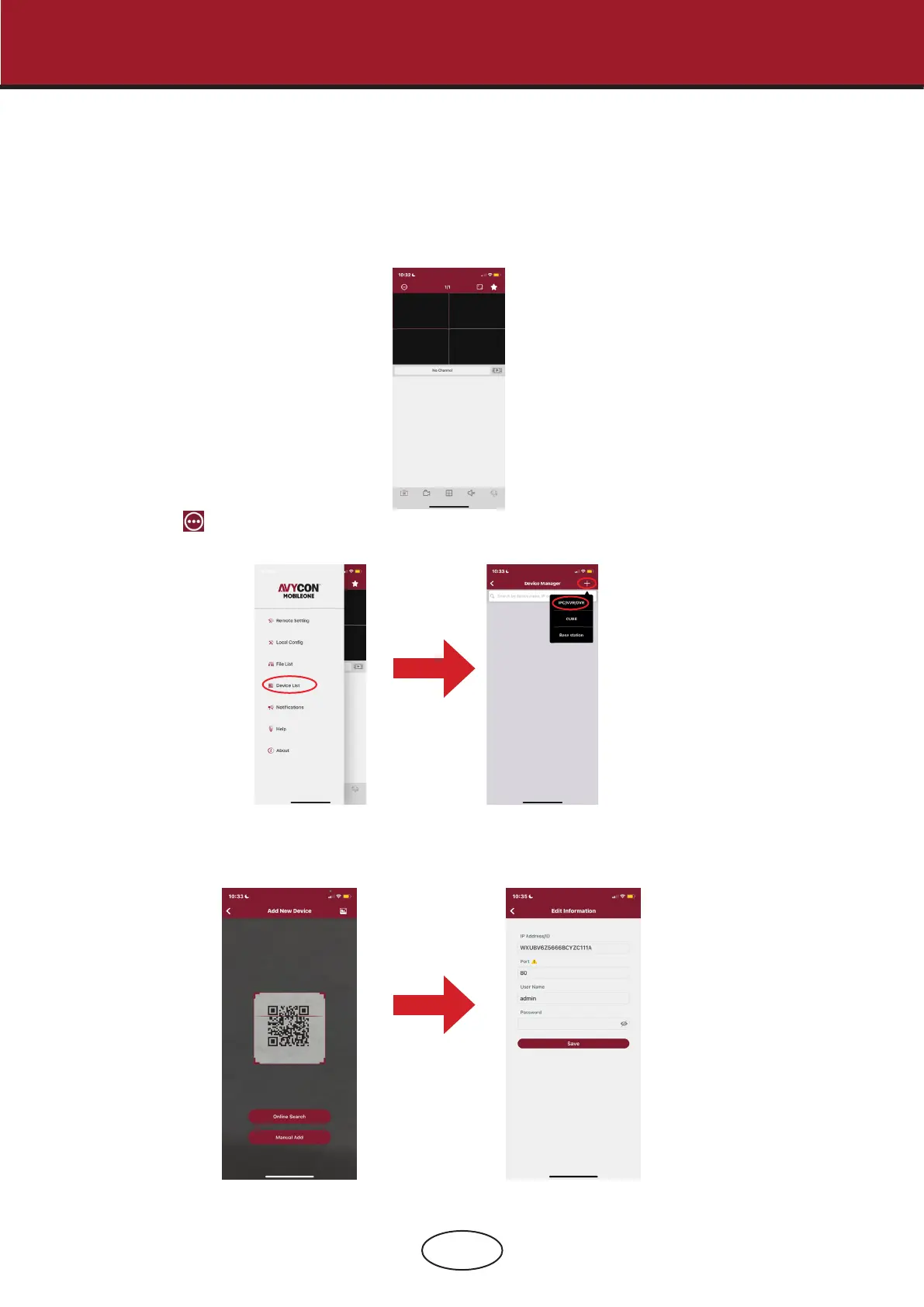
2. Run the app, the GUI is displayed as below:
3. Touch the icon on the left top corner and then choose Device List to turn to the Device Manager
page. Touch the + icon on the right top corner and then select “IPC/NVR/DVR”.
4. The app will open your phone camera to enter the scan mode. If your NVR supports P2P, scan the P2P
ID QR code inside your system info page or on the top cover of your NVR. Input the media port, use
name & password, and then click save.
USER MANUAL
9 Remote Access via Mobile Devices



 To Next Page