143
5 NVR System Setup
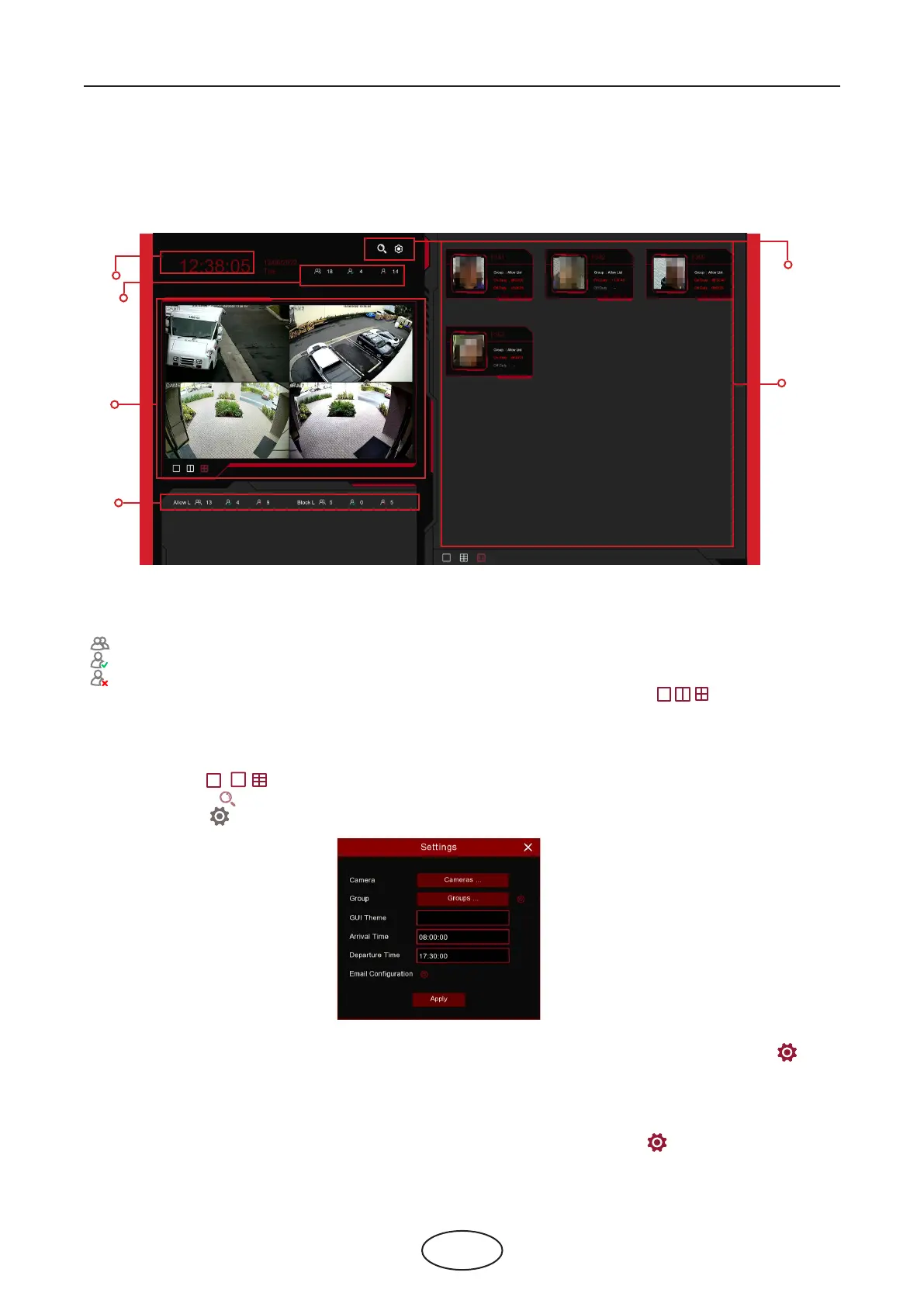
Face Attendance is an AI application based on Face Detection. You’re able to view and check the re-
al-time statistical data of attendance management visually.
1. Custom title.
2. Overall attendance statistical data of all selected groups.
3. Individual attendance statistical data of each selected group.
The total number of people who need to check attendance
The number of people who have checked attendance already
The number of people who haven’t checked attendance.
4. Live view screen: to display the live camera images. Click the screen split icons , , to change the
display layout.
5. Push notications of latest persons who have checked the attendance, including the Name/ID of the
person, captured face image, group, clock in time and clock out time. Normal clock in & clock out time
will be displayed in green color. Abnormal clock in & clock out time will be displayed in red color. Click the
screen split icons , , to change the display layout.
6. Click search icon to search the face attendance data. Check more on 6.10.5 Face Attendance.
Click Setting icon to congure the face attendance settings.
Camera: To choose the cameras for face detection
Group: To choose the attendance people group. If you want to edit the group database, click the icon
to edit. Check more on 5.4.2.2 Database Management.
GUI Theme: To give a custom title to the face attendance.
On Duty Time: To set the on-duty time.
O Duty Time: To set the o-duty time.
Email Conguration: To send the attendance statistical data by email. click the icon to edit the email
conguration.
5.8.2 Face Attendance
1
2
4
6
5
3
12



 To Next Page