39
5 NVR System Setup
5.3.1 Motion
5.3 Alarm
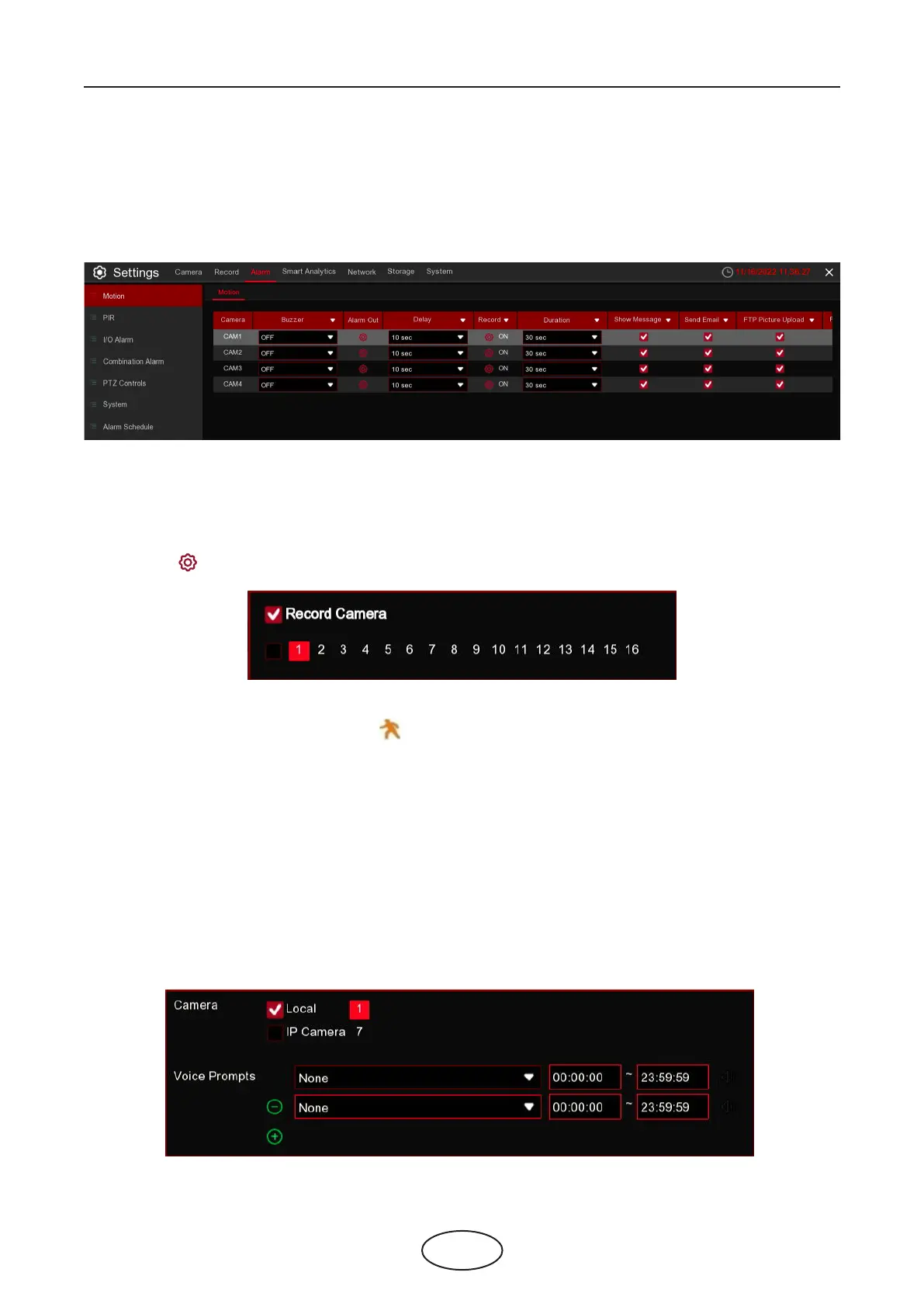
In these sections, you can congure the alarm actions when alert occurs.
Camera: Camera name
Buzzer: The NVR can use its internal buzzer to emit an alarm tone. You can set the buzzer duration in sec-
onds when an alarm is triggered.
Alarm Out: Optional function. If your NVR support to connect to external alarm device, you can set to emit
an alarm tone.
Delay: To congure the external alarm time when motion is detected.
Record: Click icon and choose which channel(s) you want to record when an alarm is triggered.
Post Recording: You can set how long after an event occurs that the NVR will continue to record. The rec-
ommended recording length is 30 seconds but it can be set higher up to 5 minutes.
Show Message: Check the box to display icon on the live view screen when an alarm is triggered.
Send Email: You can let the NVR to send you an auto-email when an alarm is triggered.
FTP Picture Upload: To upload alarm images to FTP server when an alarm is triggered. To enable FTP,
please view.
FTP Video Upload: To upload alarm video to FTP server when an alarm is triggered. To enable FTP, please
view 5.4.4 FTP.
Picture to Cloud: To upload alarm images to Cloud server when an alarm is triggered. To enable Cloud,
please view 5.6.2 Cloud.
Video to Cloud: To upload alarm video to Cloud server when an alarm is triggered. To enable Cloud,
please view 5.6.2 Cloud.
Full Screen: If this function is enabled and an alarm is triggered in a channel, you will see its full screen
images in live view.
Voice Prompts: If your NVR or IP camera connects with a speaker, you can select an customized alert voice
when the alarm happens for dierent time period. See how to add customized alert voice on 5.3.7 Voice
Prompts



 To Next Page