66
5 NVR System Setup
Use the same method to add face images from external USB storage devices.
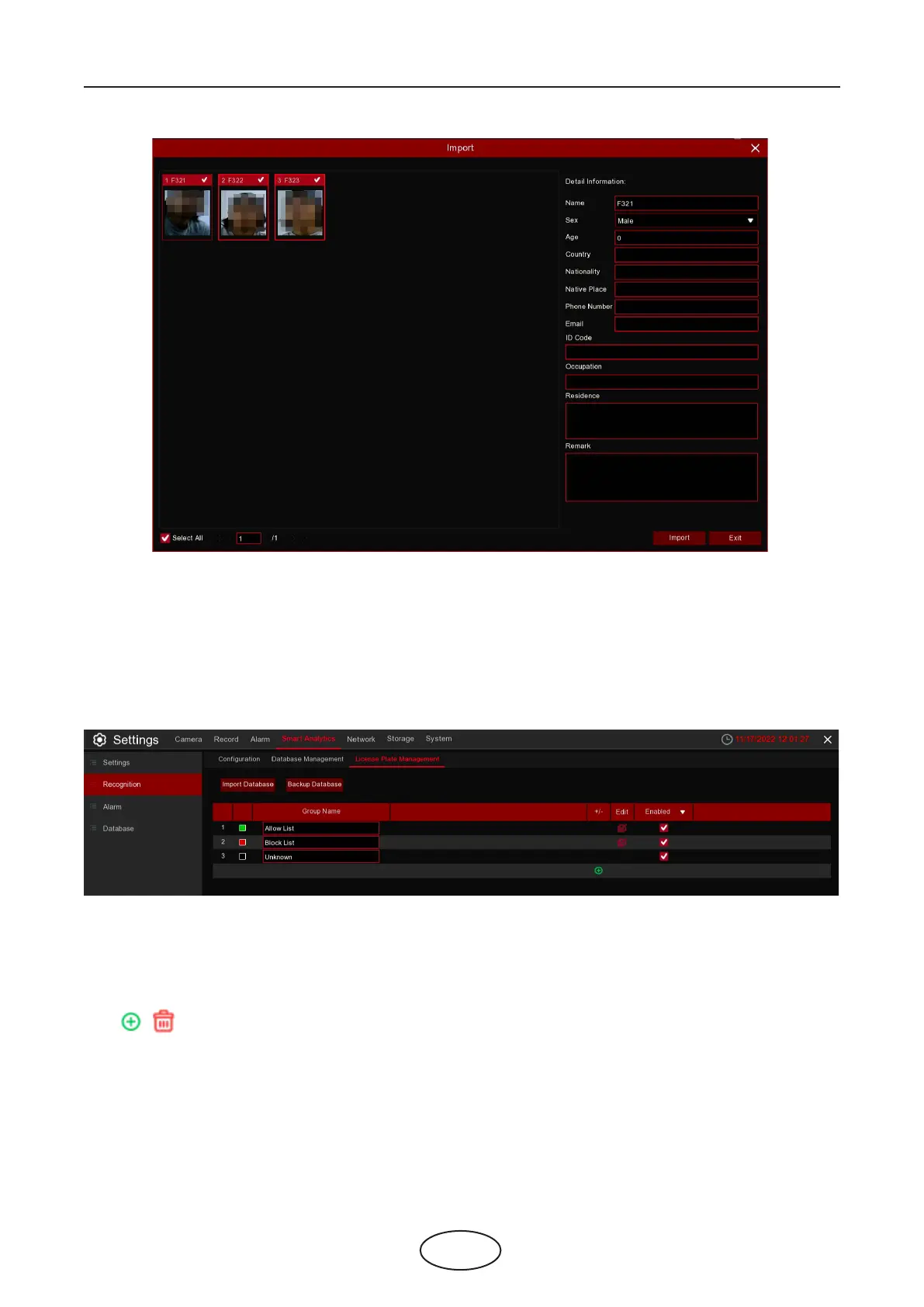
5.4.2.3 License Plate Management
This menu provides a license plate information database for comparing the detected license plate infor-
mation.
Import Database: import the exported packet data into the device.
Backup Database: export all the groups to a U disk.
Group Name: The name of the database group, allow list, black list, stranger group,you can add up to 61
custom groups, a total of 64 groups, one group can accommodate up to 5000 license plate information,
the whole database can accommodate 10000 license plate information.
Click / : To add a new license plate group or delete an existing license plate group.(The default rst
three license plate groups can not be deleted)
Edit: Click Edit to enter the edit license plate group interface.
Enable: enable or disable LPD.



 To Next Page