48
5.4.1.2 PD & VD (Pedestrian & Vehicle Detection)
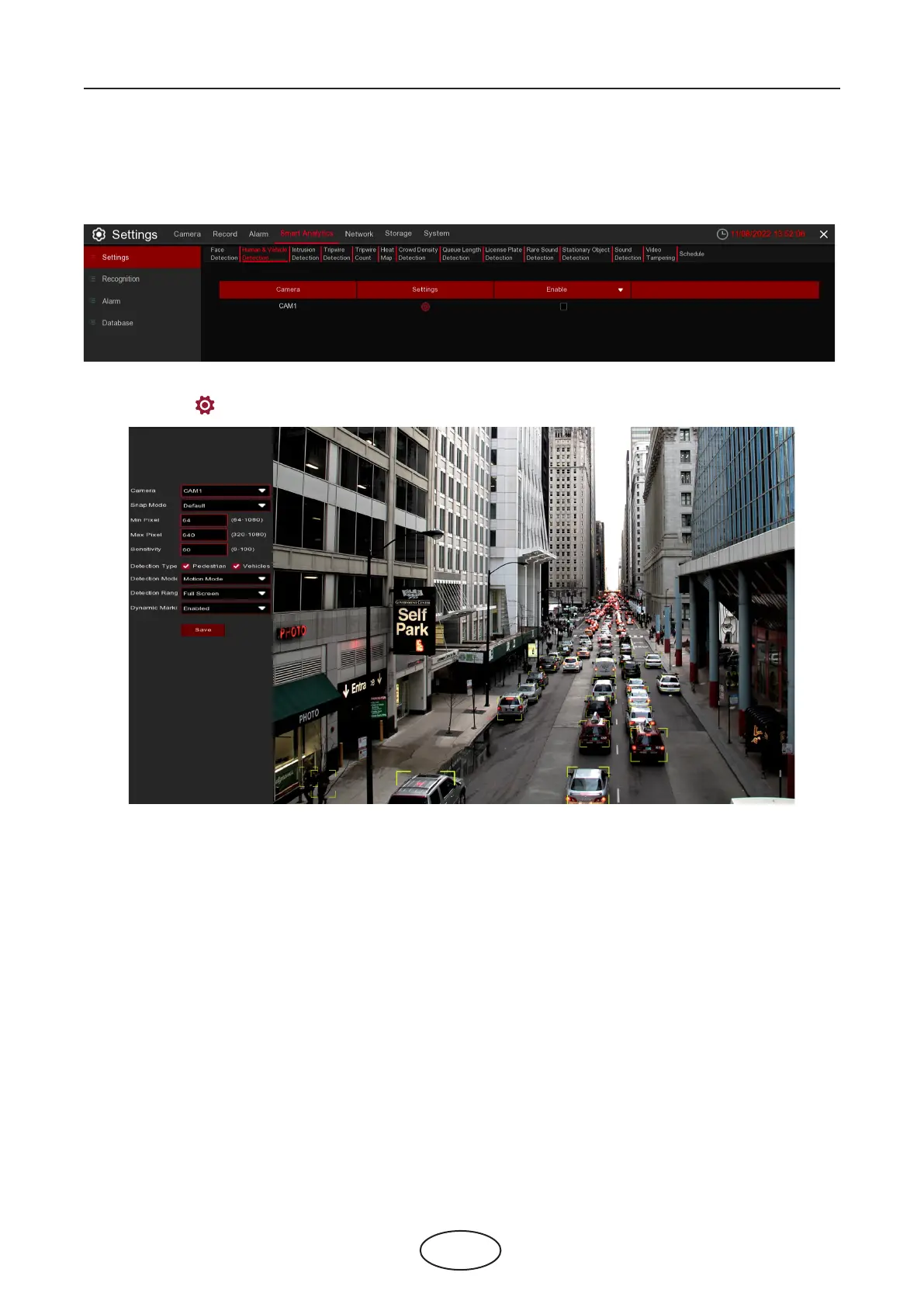
The Pedestrian & Vehicle Detection function detects moving people and vehicles in a pre-dened
region. A series of actions can be taken when the alarm is triggered.
Enable: To enable or disable the PD & VD function.
Click [Settings] to draw a virtual region in the camera picture.
5 NVR System Setup
Camera: Select the camera you want to congure.
Snap Mode: There are "Optimal Mode" (automatically select & push the best image from all captured im-
ages of the same vehicle during its duration of stay), "Realtime Mode" (push the rst captured image and
push again the last captured image from the same vehicle) and "Interval Mode" (customized the capture
time and interval).
Min Pixel: Set the minimum detection pixel box. The target objects can be recognized only when it is larger
than the pixel box.
Max Pixel: Set the maximum detection pixel box. The target objects can be recognized only when it is
smaller than the pixel box.
Sensitivity: Set the sensitivity level. Level 1 the lowest sensitivity level while level 100 is the highest sensitivi-
ty level.
Detection Type: Choose the detection target objects.
Detection Mode: Motion Mode will detect moving objects. Static Mode will detect both moving faces and
still objects.
Detection Range: Set the detection zone. You can choose "Full Screen" or "Customize" to adjust the
shape of rectangular detection zone in the camera image. Target objects appear in this zone will be de-
tected and captured.
Dynamic Marking: If you enable this option, a capture box will be displayed upon the detected objects in
both live view images and recording les.



 To Next Page