42
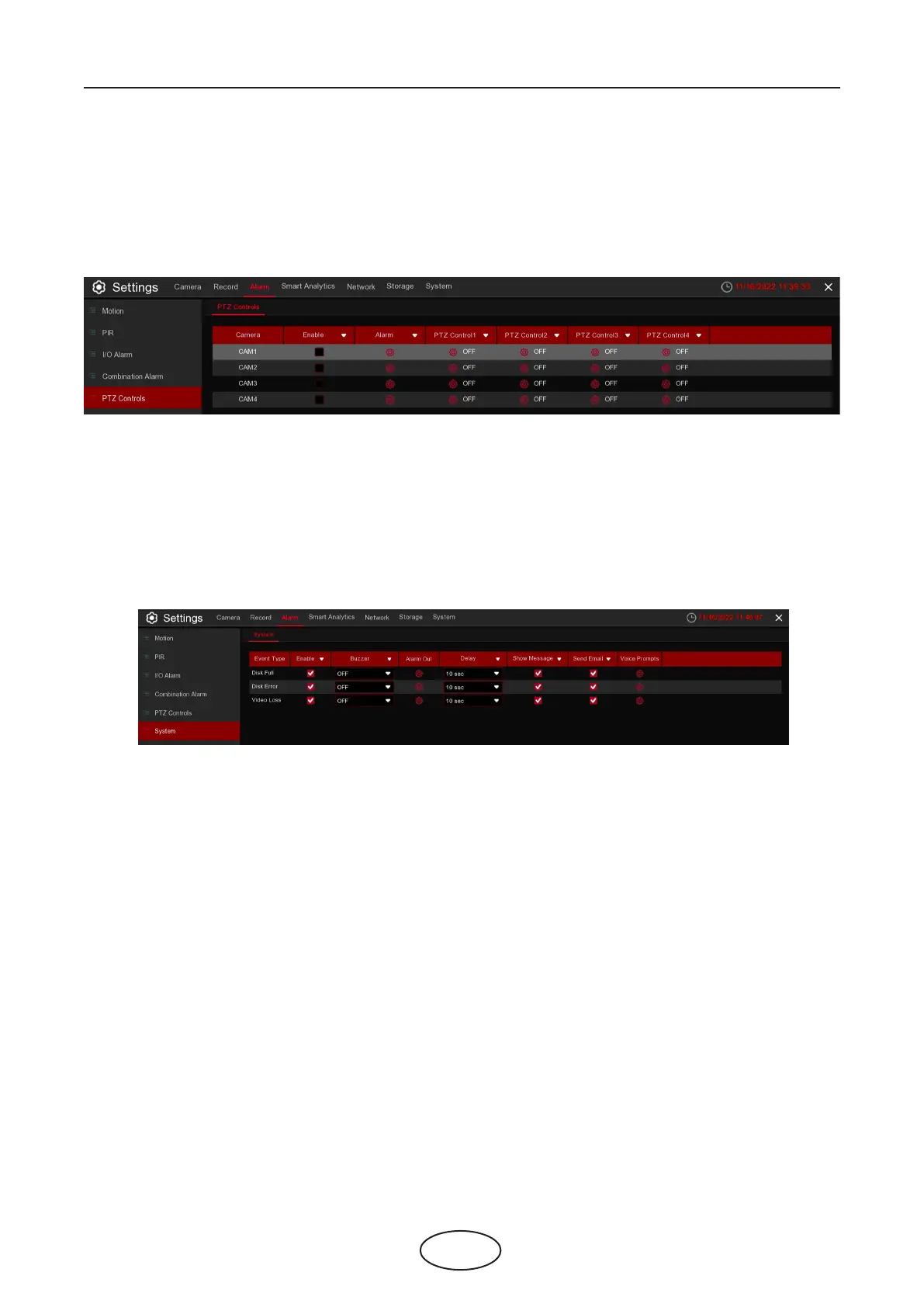
5.3.4 PTZ Controls
5.3.5 System
5 NVR System Setup
If you had connected the PTZ cameras, you can set the linkage between PTZ cameras and Motion Alarm
and/or external I/O sensor alarm and/or PIR alarm. With the linkage function, you can turn your PTZ cam-
eras focus to the preset point when a motion, I/O alarm and or PIR alarm happens.
This menu allows you to set the type of events that you want the NVR to inform you.
Event Type: Select the event type from below options:
- Disk Full: When an HDD is full.
- Disk Error: If the HDD is not detected properly.
- Video Loss: If a camera is not connected properly.
Enable: Check the box to enable the monitoring of the event.
Buzzer: Set the buzzer duration when the event occurs (O/10s/20s/40s/60s). To disable buzzer, select
OFF.
Delay: This is an optional function. Determine how long the external alarm device to sound (10s, 20s, 40s,
60s) if your NVR support to connect external alarm device.
Alarm Out: This is an optional function. Click to enable the external alarm device to sound. This is an op-
tional function.
Show Message: Check the box to display a message on the screen when No Space on Disk, Disk Error, or
Video Loss event happens.
Send Email: Let the NVR to send you an auto-email when an event occurs.
Enable: Enable or disable the PTZ Controls function.
Motion: Motion detection alarm will trigger the PTZ Controls function it is checked.
IO: IO alarm will trigger the PTZ Control function it is checked.



 To Next Page