5
3 NVR Common Operations
3.3 Password
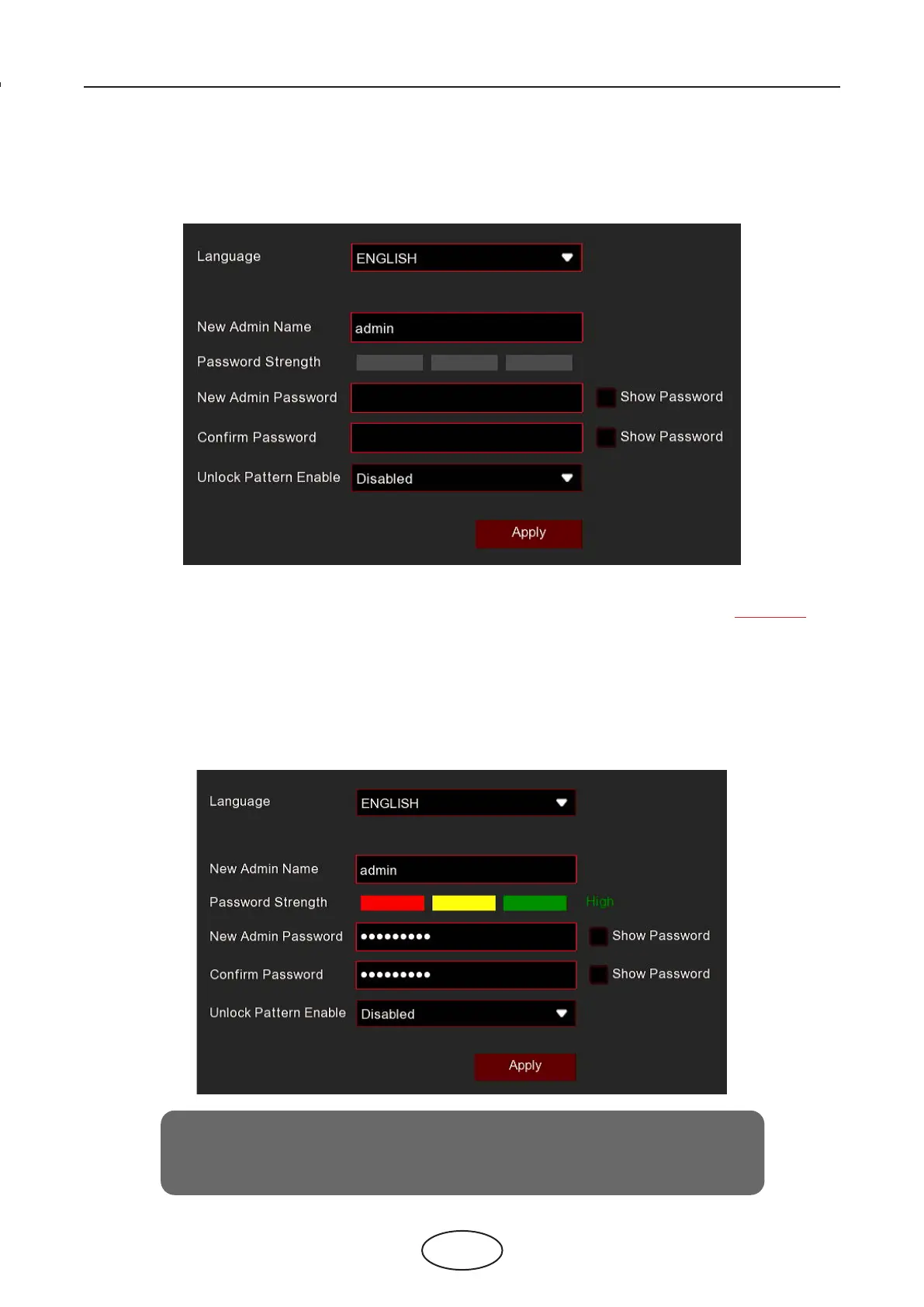
For the rst time when you run the NVR, you are required to set your own password
immediately in order to protect your privacy. Please be sure to record your username
and password and save them in a secure place.
Language: Choose an OSD language
Device ID: Input the device ID in the parentheses. Default ID is 000000. View more about Device ID on 5.6.1 General. ==X
New Admin Name: To set your own administrator name.
New Admin Password: To set your own password. The password must be a combination of 8 characteres.
Conrm Password: Enter your own password again.
Unlock Pattern Enable: To set your own lock pattern.
Click Apply to conrm your settings and to go to the login interface. Enter your user name & password to Login to the
NVR system.
NOTE: You will be unable to login to the system if you forget your
password. Please contact your reseller to reset the password.



 To Next Page