118
5 NVR System Setup
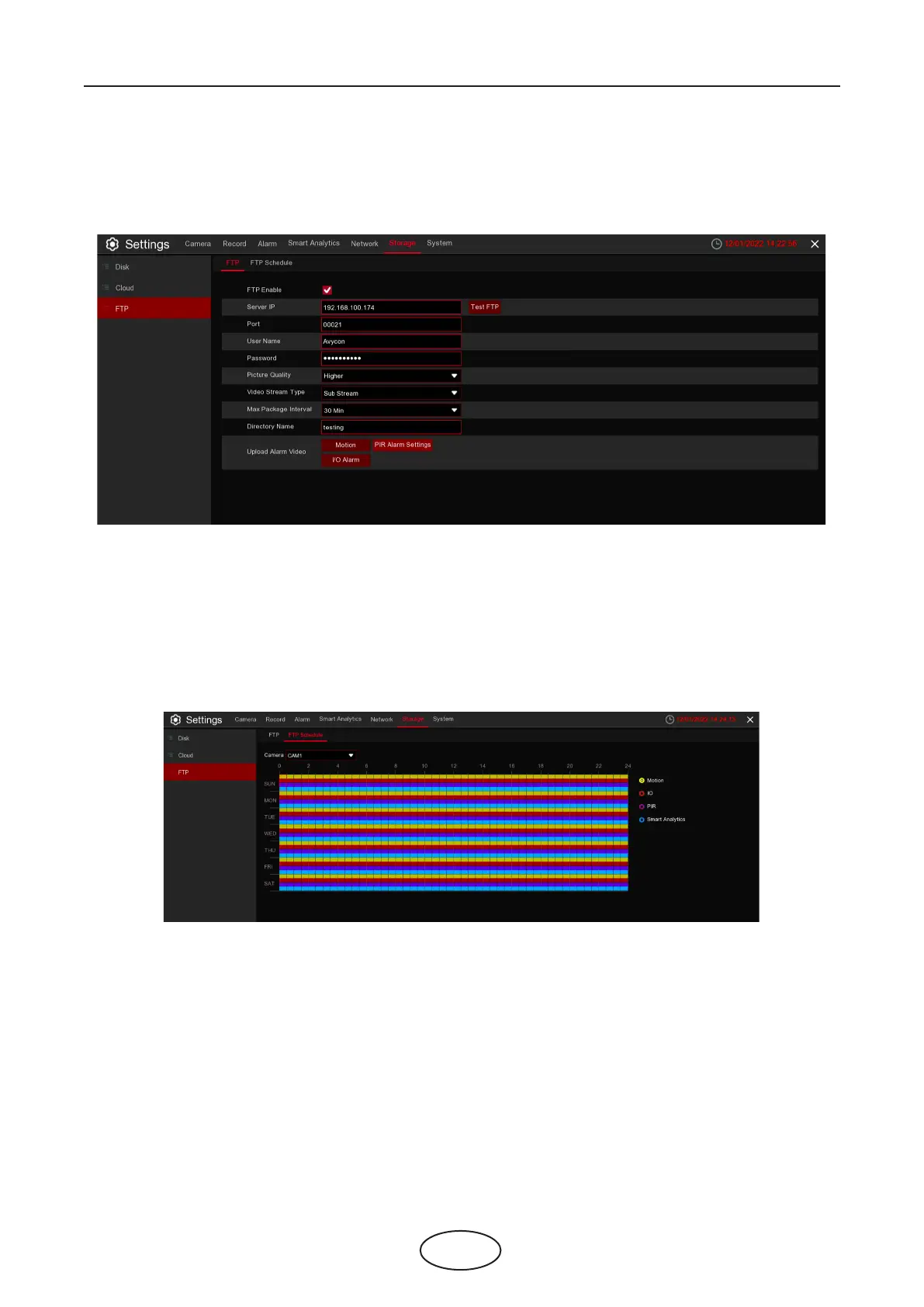
5.6.3 FTP
This menu allows you to enable FTP function to view and load captured snapshots from the NVR to
your storage device over FTP.
FTP Enable: Click to enable the FTP function.
Server IP: Enter your FTP server IP address or domain name.
Port: Enter the FTP port for le exchanges.
User Name/Password: Enter your FTP server user name and password.
Directory Name: Enter the default directory name for the FTP le exchanges.
Upload Alarm Video: -X
Test FTP: Click to test the FTP settings.
FTP Schedule:
The color codes on email schedule have the following meanings:
Yellow: Slot for Motion detection.
Red: Slot for I/O Alarm (optional).
Purple: Slot for PIR.
Blue: Slot for Smart Analytics detection.
8. Input the DVR local IP address and web port, and then click Authorize.



 To Next Page