117
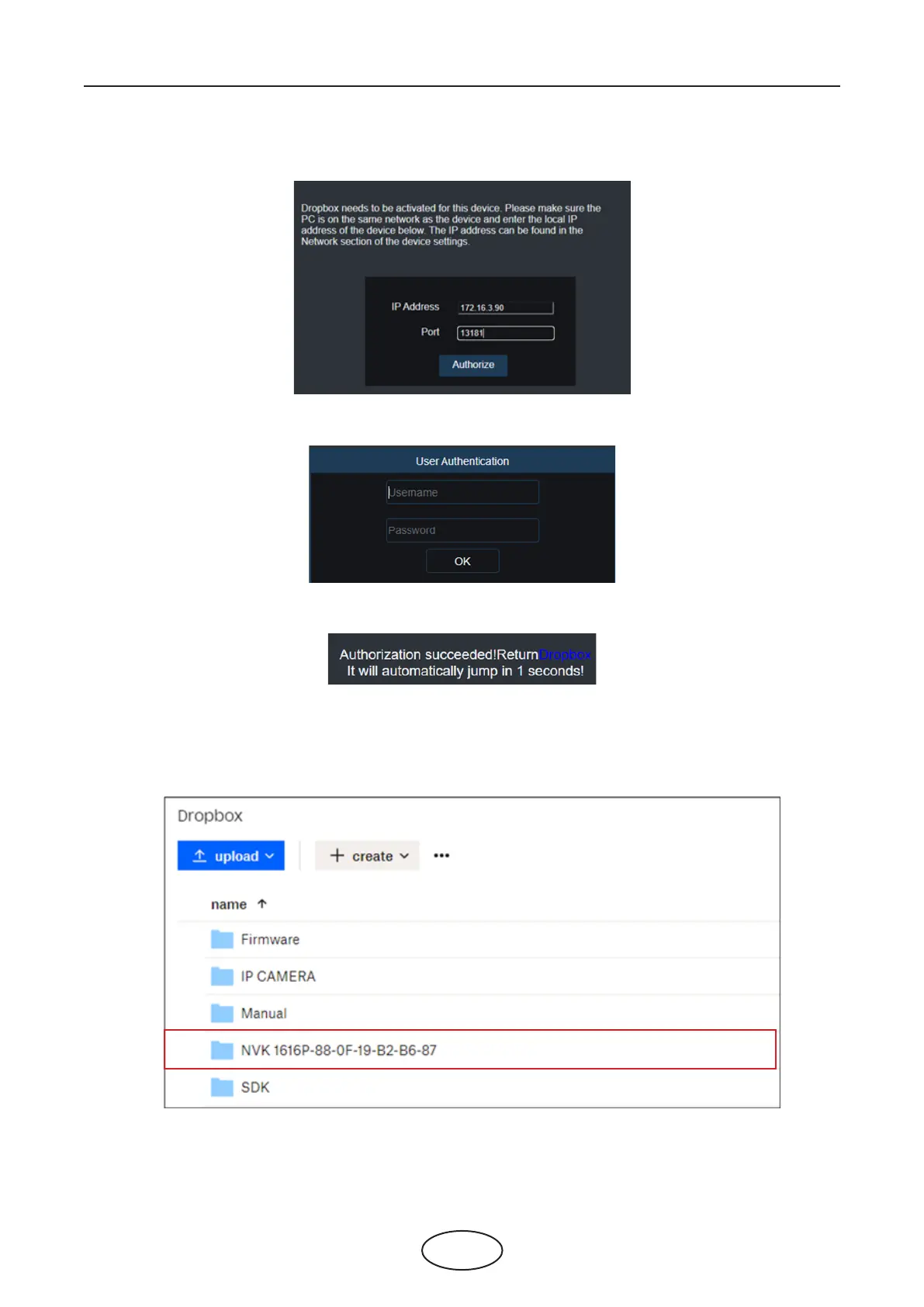
8. Input the DVR local IP address and web port, and then click Authorize.
9. Input the DVR user name and password and then click OK.
10. Authorization nished; the webpage will turn to your Dropbox.
11. The Cloud has completed the setup if you nd a new folder named by your NVR device name and MAC
address in the Dropbox storage. Your alarm pictures and videos will be upload to this folder.
5 NVR System Setup



 To Next Page