33
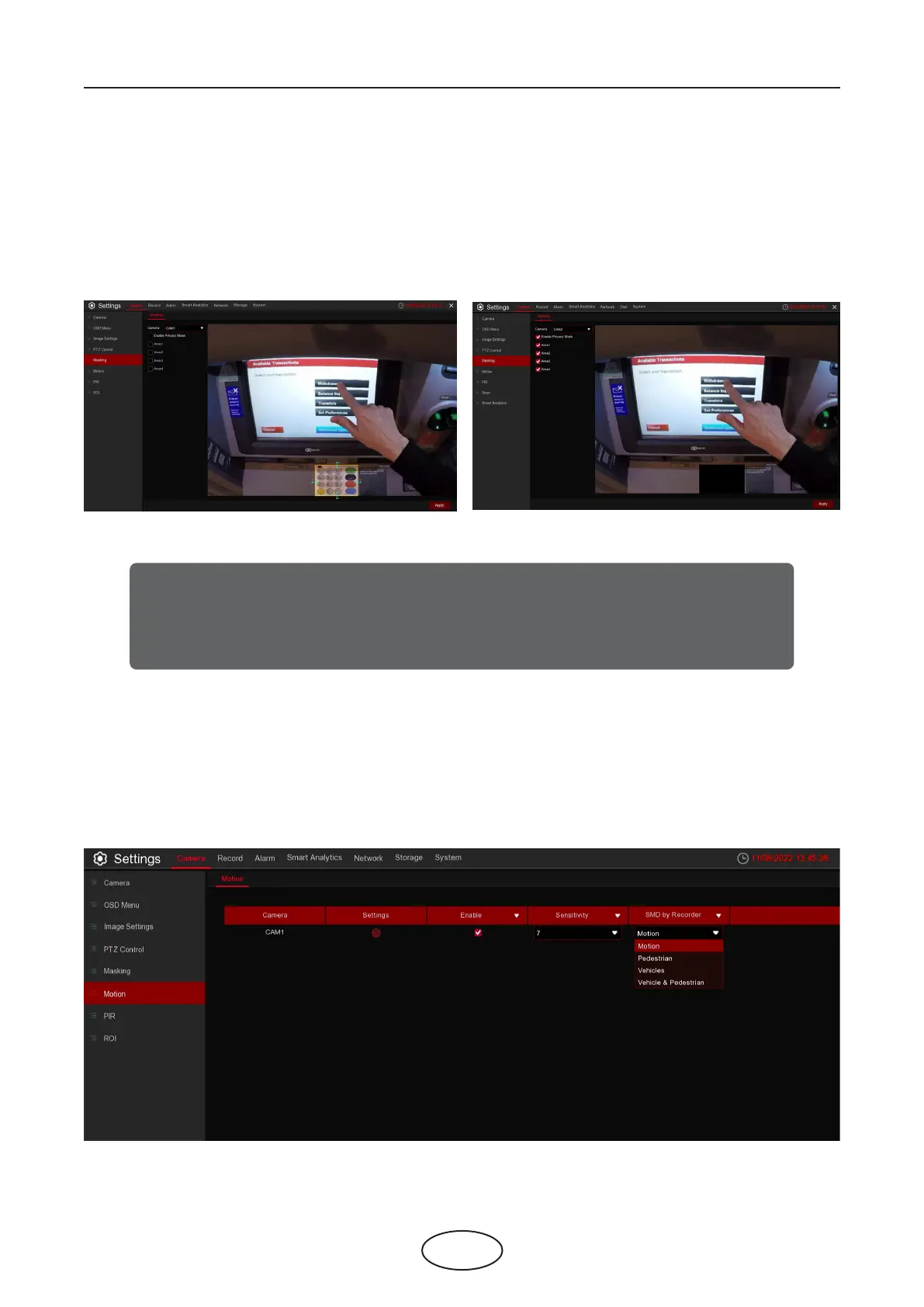
This menu allows you to create privacy zone(s) if you want to partially cover some certain part of the
image. You can create up to 4 privacy zones in any size and location on the camera image. Enable the
Privacy Zone, and choose how many zones you need. The zone(s) appear as a “red box”. Click the edge of
the red box and drag it to any size to create a privacy zone.
5.1.5 Masking
5 NVR System Setup
Note:
The area of privacy zones you have set will be invisible in both live view & recording
video.
5.1.6 Motion
This menu allows you to congure motion parameters. When motion has been detected by one or more camera,
your NVR will alert you to a potential threat at your home. It does this by sending you an email alert with an at-
tached image from the camera to use as a reference (if this option is enabled) and/or sending push notications
via the mobile app.



 To Next Page