19
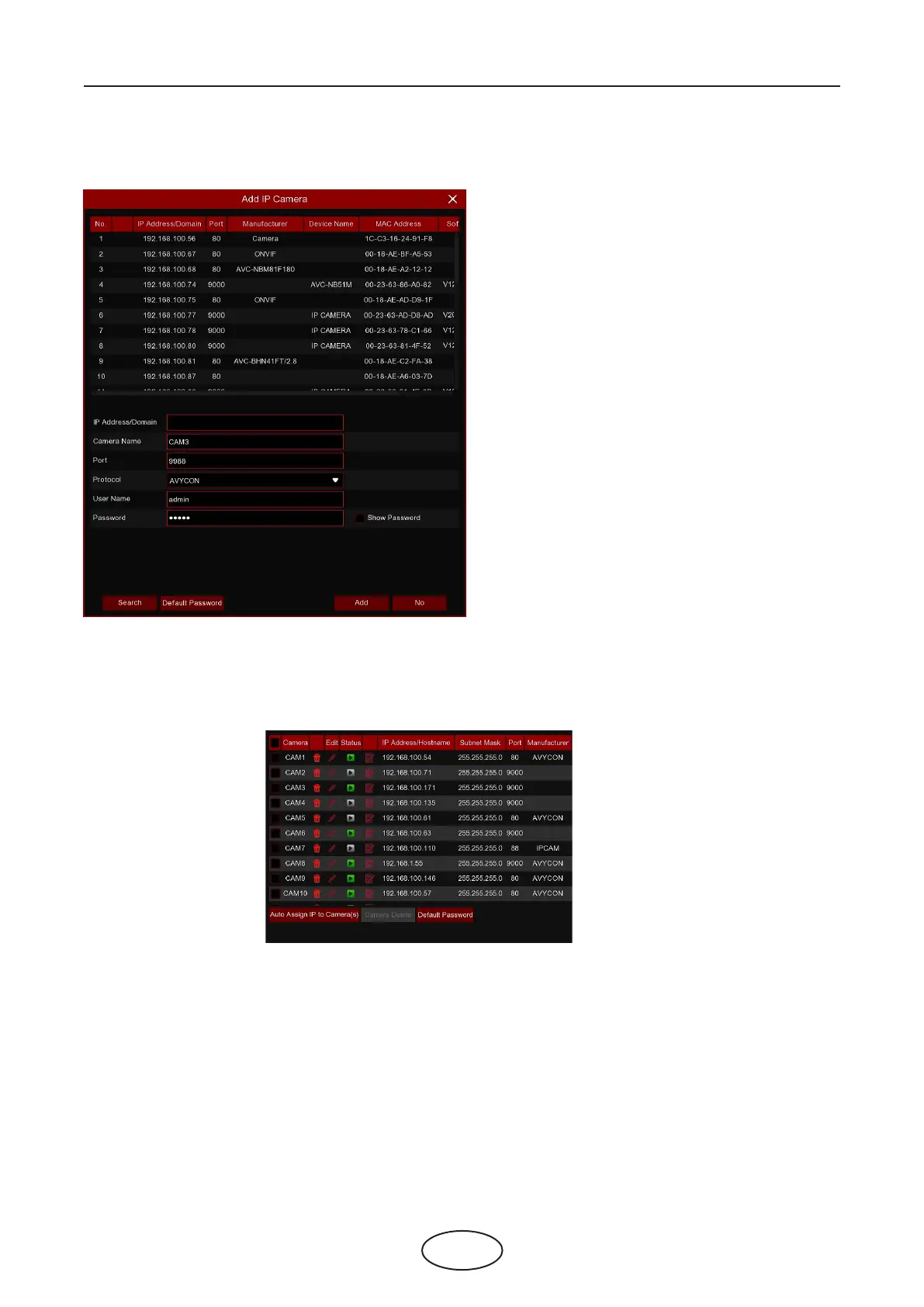
Click Search to search IP cameras from the local network, click Add to add
an individual IP camera, click Add all to add all IP cameras.
5 NVR System Setup
Click the Search button to search IP cameras, then
click one of the IP cameras in the device list.
IP Address/Domain: IP address or domain name of
the IP camera.
Camera Name: Name of the IP camera.
Port: Port of the IP camera.
Protocol: Choose the protocol of the IP camera
from the dropdown menu.
User Name: User Name of the IP camera.
Password: Password of the IP camera.
Auto Assign IP to Camera(s): The added IP camera
will be not able to connect if its IP address is not in
the same network segment as the NVR. With this
function you reassign an IP address to all added IP
cameras.
Camera Delete: Choose one or more added IP
cameras, and click this button to delete.
5.1.1.1 Non-PoE NVR Connection
For the Non-PoE NVR, it is allowed to connect the IP cameras via the external LAN(WAN) port
Switch Mode: Auto mode supports Plug & Play connection via PoE port. If you want to add camera(s) man-
ually then change the mode to Manual.
Switch Mode: Auto mode limits the maximum bandwidth to 100Mbps, EPOE mode limits the maximum
bandwidth to 10Mbps. If you have a connection problem with Auto mode when the IP camera is powered
by PoE via a RJ45 cable longer than 100 meters, then change to EPOE mode for a stable connection.
Edit: To edit the Switch mode, PoE mode, network parameters, user name and password for individual
camera.



 To Next Page