164
6 Search, Playback & Backup
1. Select the date & time, group(s) & camera(s).
2. Set the Attributes.
3. Set the Min. Interval time (second).
4. Click Search, the result will be displayed on the right side of the window.
5. You can sort the result by Time and Frequency.
6. You can narrow the result by setting the Minimum Occurrence number.
7. Click one of the images, the system will show its relative information, including camera, captured start
and end time on the left side of the window, and the video will be played on the left bottom side.
8. Right click your mouse upon one of the images, you will have 2 options:
9. Choose one or more les, click the play button ,the system will turn to the playback interface to play
the selected le(s). Click the icon to select the time duration you would like to play. Click to save the
selected le(s) to your USB memory.
A. If the face exists in the face database, you are able to edit and check the
face information.
B. If the face doesn’t exist in the face database, you are able to add and
check the face information.
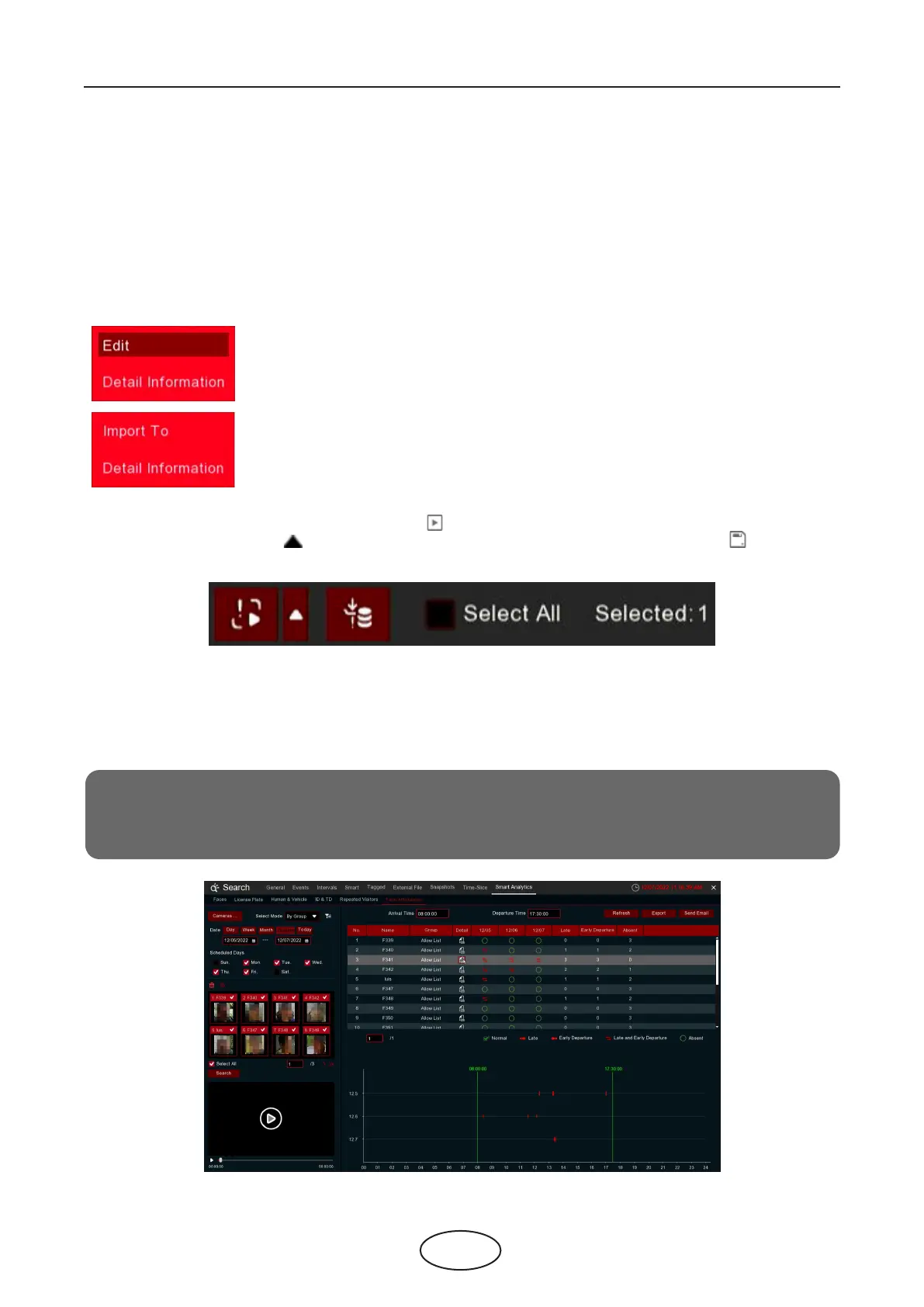
6.1.9.7 Face Attendance
Face Attendance is used to assist in attendance checking by faces. It will help to analyze the absenteeism,
coming late and leaving early.
Note:
In case of failure, do NOT take the face attendance function as your only measure to check
attendance.



 To Next Page