165
6 Search, Playback & Backup
1. Select the camera(s).
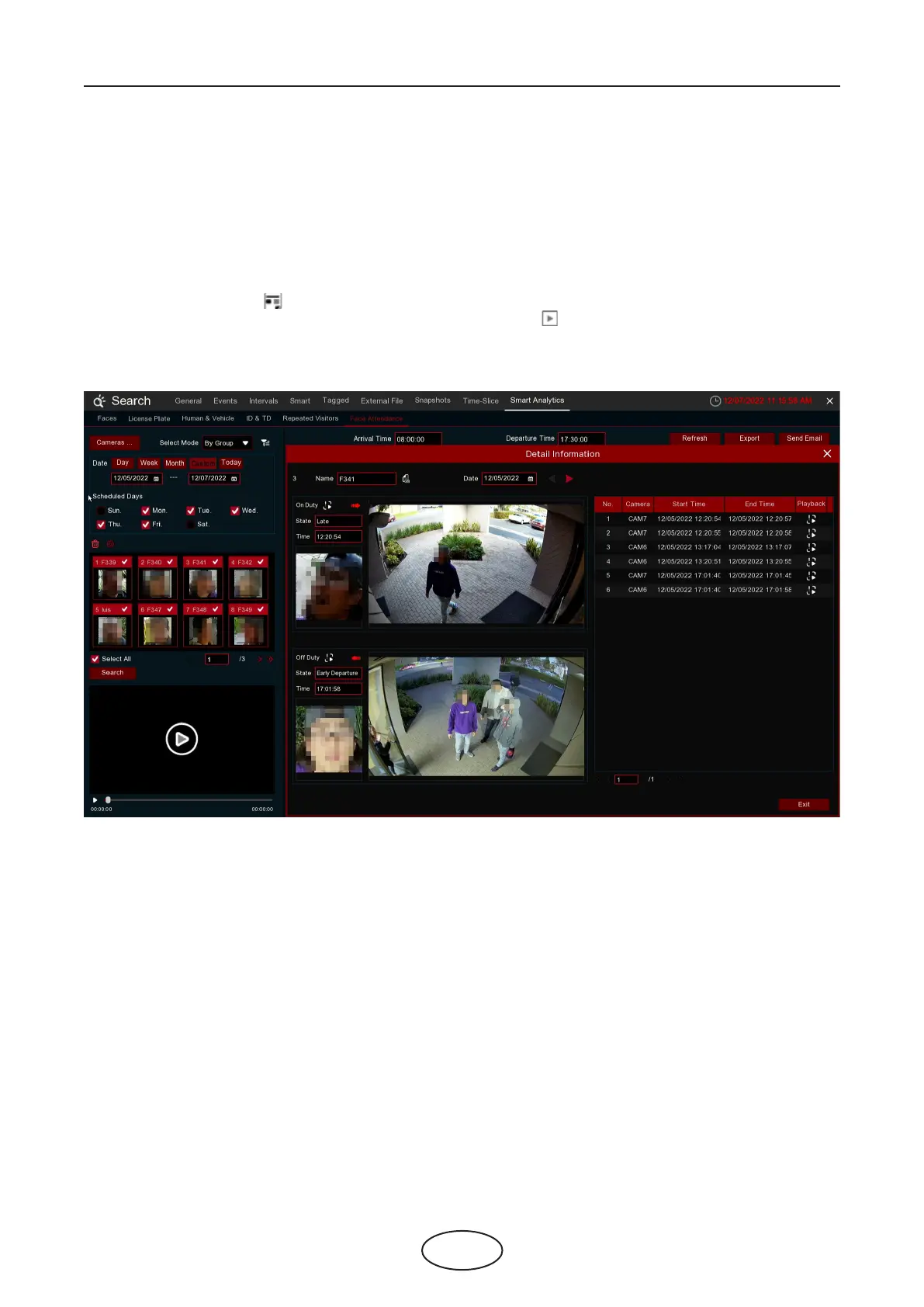
2. Select Mode by Group or by Person. If you choose By Group, all the persons in the selected group(s) will
be searched. If you choose By Person, only your selected person(s) will be searched. Click the lter icon to
choose group(s) or person(s). Your selected person(s) will be displayed on the left middle side of the win-
dow.
3. Select the search date by individual day, week, month, current day or customized date.
4. Set the Working Days, On Duty Time and O Duty Time.
5. Click Search button, the result will be displayed on the right side of the window.
6. You can export or email the data.
7. Click on the detail icon , you will see the captured images and videos of the rst occurrence and the
last occurrence of the person in the day. Click on the play button to have a quick playback.



 To Next Page