40
5 NVR System Setup
5.3.2 I/O
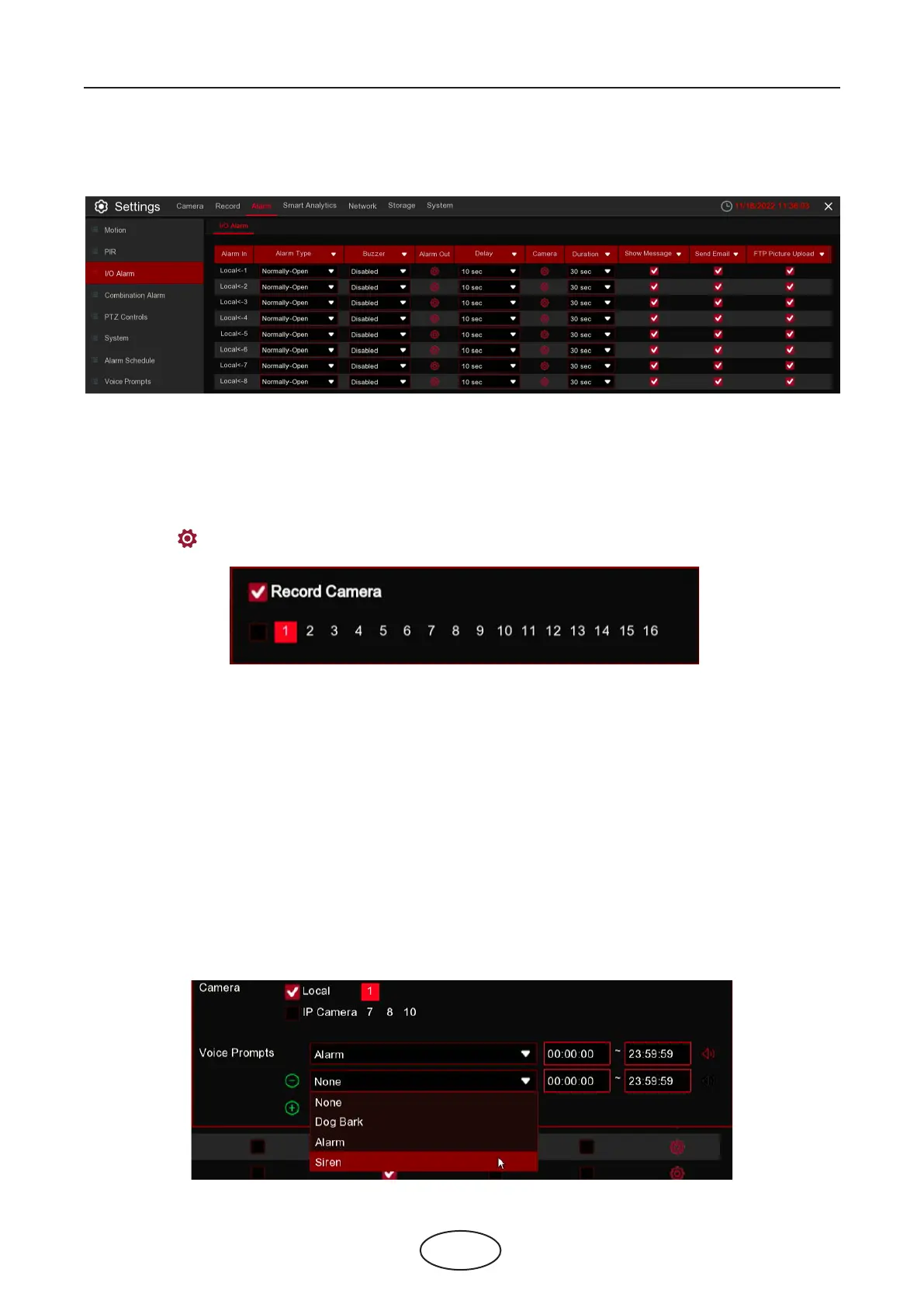
Alarm In: I/O camera.
Alarm Type: There are 3 types for your choice: Normally-Open, Normally-Close, and OFF. Choose the one
to match your sensor type, or choose OFF to close the sensor trigger function.
Buzzer: The NVR can use its internal buzzer to emit an alarm tone. You can set the buzzer duration in sec-
onds when an alarm is triggered.
Alarm out: Tick to enable external alarm device to emit an alarm tone when an alarm is triggered.
Delay : you can set how long the buzzer will sound when external sensor is triggered (10s, 20s, 40s, and
60s).
Record: Click icon and choose which channel(s) you want to record when an alarm is triggered is trig-
gered.
Duration: You can set how long alarm record will last when alarm ends (30s, 1minutes, 2minutes, 5minutes).
Show Message: Check the box to display “I” letter icon on the screen when an alarm is triggered.
Send Email: Set to send email to specied email when sensor is triggered.
Full Screen: When sensor is triggered, the corresponding channel will be switched to the full screen mode.
FTP Picture Upload: To upload alarm images to FTP server when an alarm is triggered. To enable FTP,
please view 5.4.4 FTP.
FTP Video Upload: To upload alarm video to FTP server when an alarm is triggered. To enable FTP, please
view 5.4.4 FTP.
Picture to Cloud: To upload alarm images to Cloud server when an alarm is triggered. To enable Cloud,
please view 5.5.2 Cloud.
Video to Cloud: To upload alarm video to Cloud server when an alarm is triggered. To enable Cloud,
please view 5.5.2 Cloud.
Full Screen: If this function is enabled and an alarm is triggered in a channel, you will see its full screen
images in live view.
Voice Prompts: If your NVR or IP camera connects with a speaker, you can select an customized alert voice
when the alarm happens for dierent time period. See how to add customized alert voice on 5.3.7 Voice
Prompts.
This is an optional function, it will appear if your NVR supports sensor I/O, and you connect external sensor
I/O alarm devices to work with the NVR.



 To Next Page