93
5.5.1.2 PPPoE
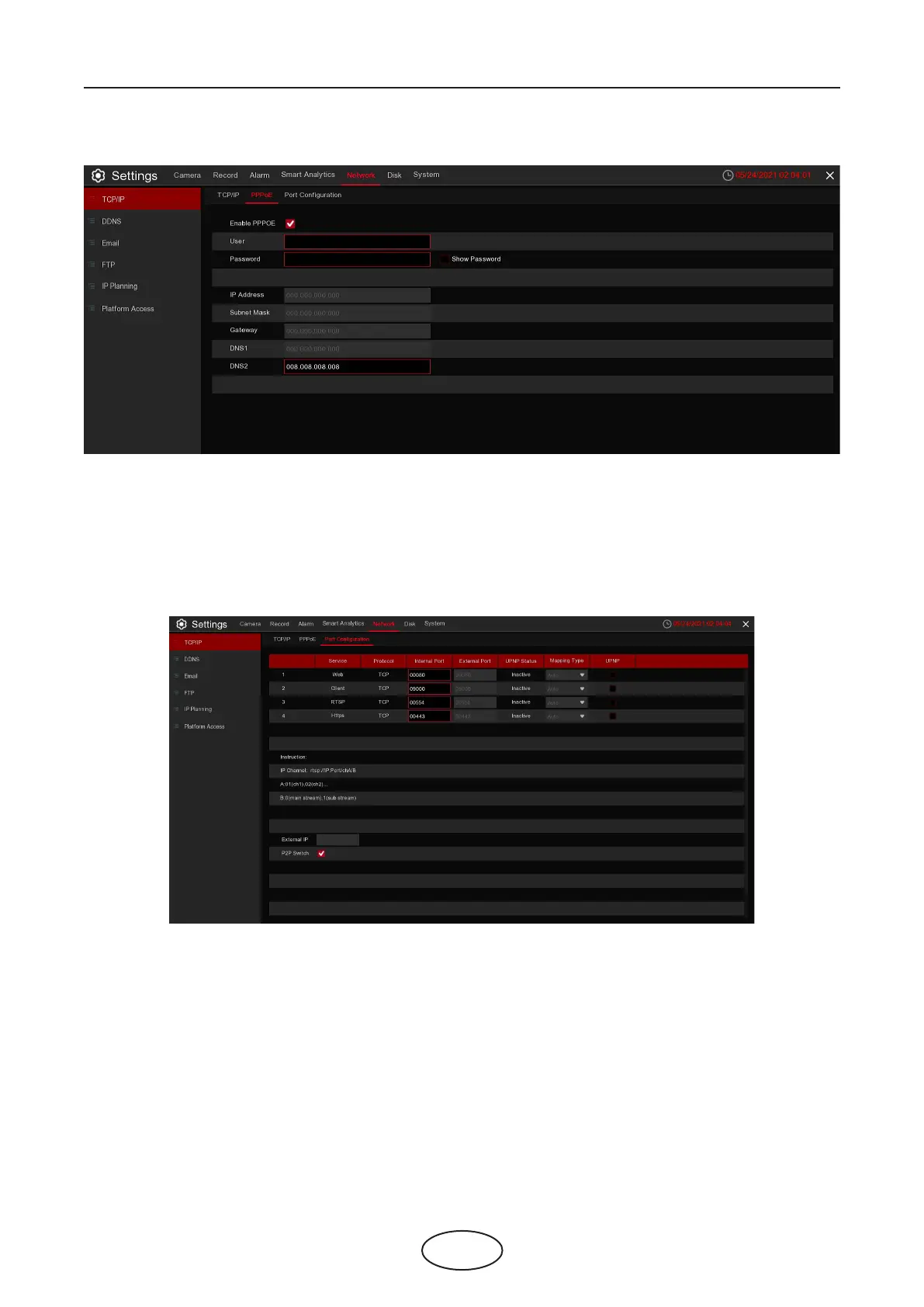
This is an advanced protocol that allows the NVR to connect to the network more directly via DSL modem.
Check the “Enable PPPoE” box, and then enter the User name and Password of the PPPoE.
Click Apply to save. The system will reboot to activate the PPPoE setting.
5.5.1.3 Port Conguration
Web Port: This is the port that you will use to log in remotely to the NVR (e.g. using the Web Client).
If the default port 80 is already taken by other applications, please change it.
Client Port: This is the port that the NVR will use to send information through. If the default port 9000 is
already taken by other applications, please change it.
RTSP Port: Default is 554, if the default port 554 is already taken by other applications, please change it.
Https Port:
UPNP: If you want to log in remotely to the NVR using Web Client, you need to complete the port forward-
ing. Enable this option if your router supports the UPnP. You need to enable UPnP on the NVR and router.
In this case, you do not need to manually congure port forwarding on your router. If your router does not
support UPnP, make sure the port forwarding is completed manually.
Mapping Type: Setting up manual mode, it could be manually set up External Port
5 NVR System Setup



 To Next Page