178
9 Remote Access via Mobile Devices
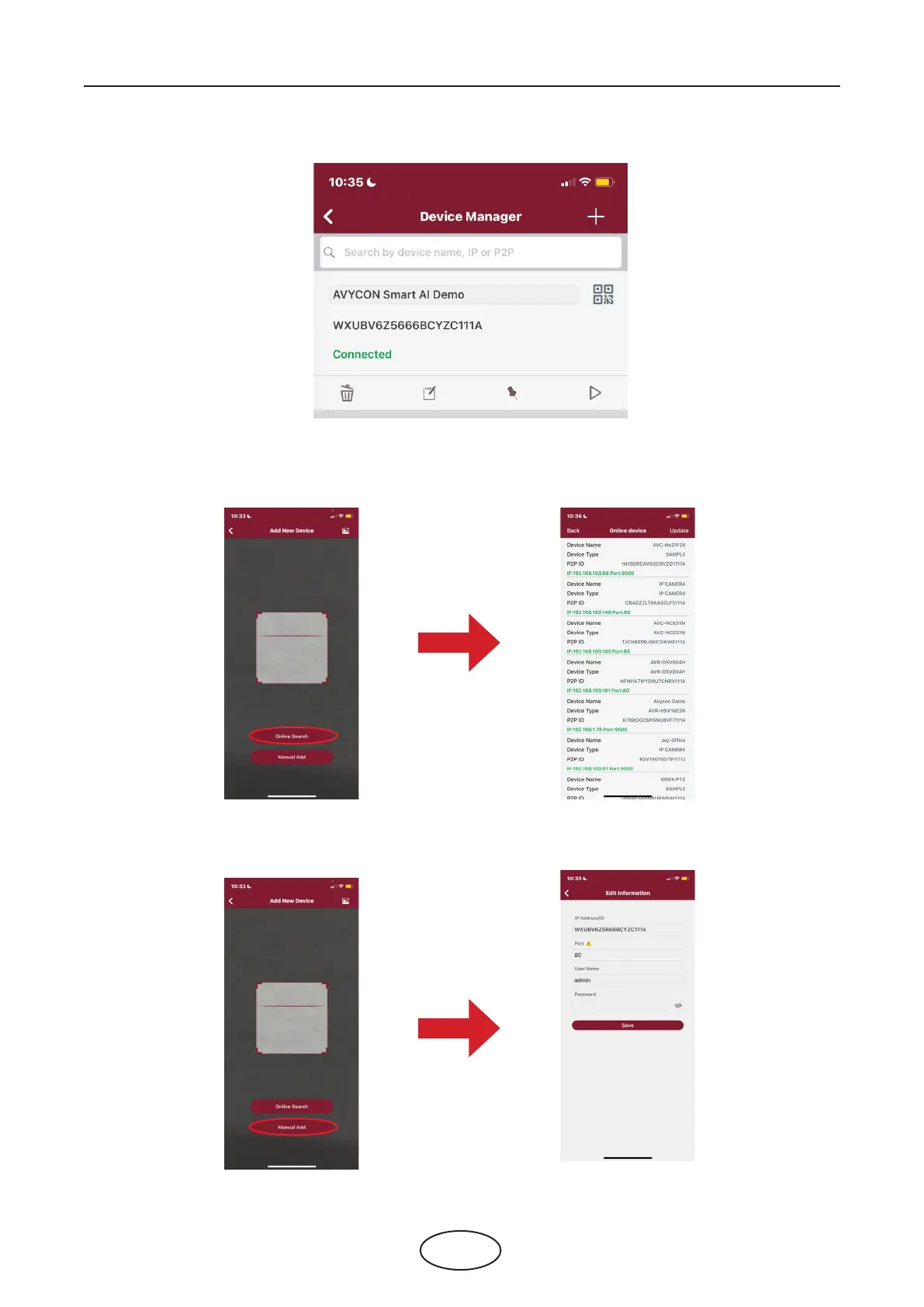
5. The added NVR will be displayed in the Device Manger page. Touch the play button to start live view.
6. If your mobile is connecting to the Wi-Fi which is in the same LAN with your NVR, you can choose to
add the NVR by using Online Search. Touch on the device in the search result list, and then input the
port, use name, password to add.
7. If your NVR doesn’t support P2P, you must add the device manually. Touch on the Manual Add button,
and then input the IP address or DDNS domain name, port, user name & password, click Save to add
the NVR.
For more operations about the app, please check on the Help menu in the app.



 To Next Page