140
5 NVR System Setup
Buzzer: Set the buzzer duration in seconds when the Available number is 0.
Alarm Out: If your NVR support to connect to external alarm device, you can set to emit an alarm tone.
Delay: To congure the external alarm time when the Available number is 0.
7. Click the close icon or right click your mouse to go back to previous conguration page, and then click
Apply button to save the settings.
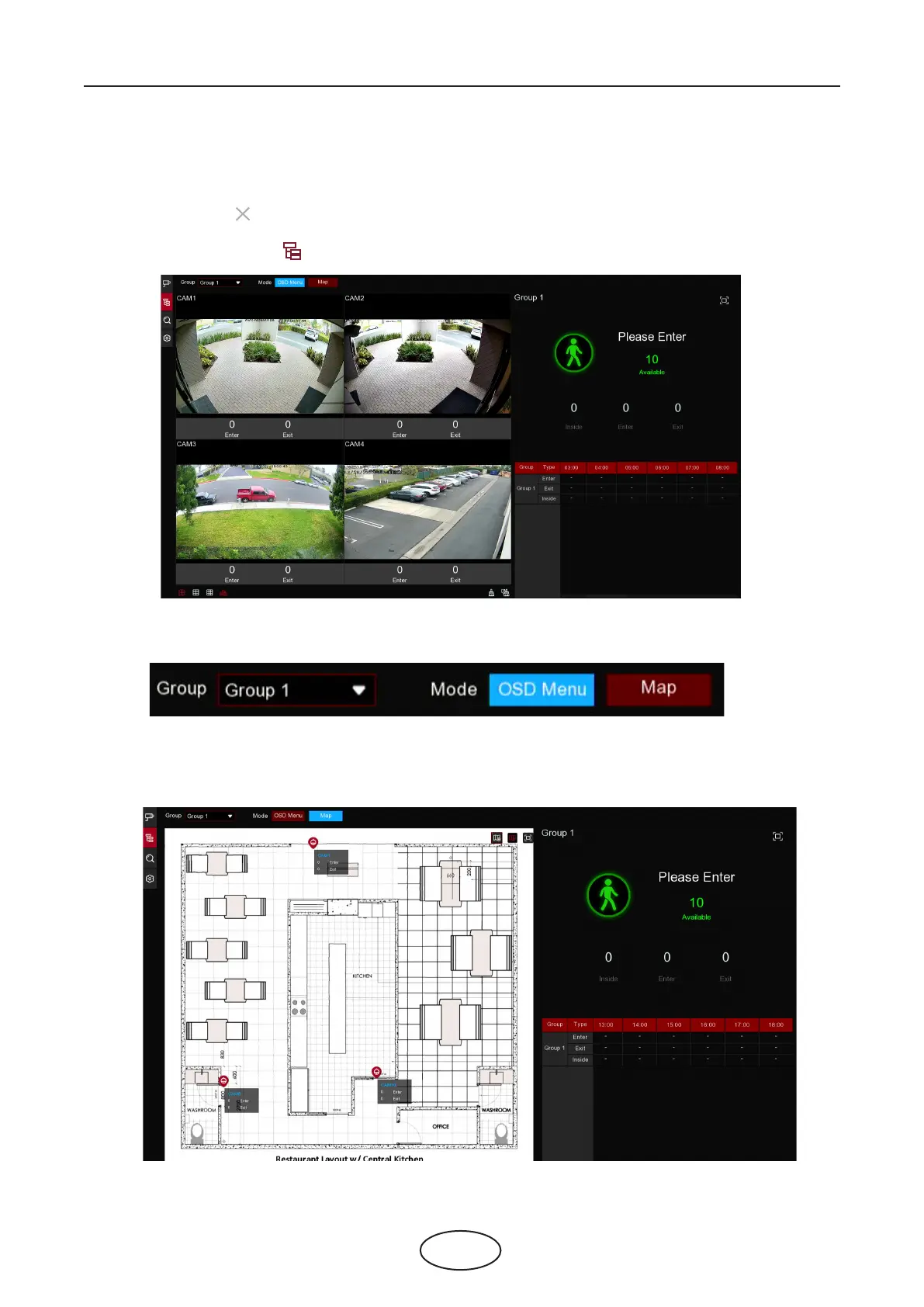
8. Click the Group View icon to view the live images & counting data of all activated groups.
9. You can choose which group you want to view the real-time live images and counting data.
10. Furthermore, it supports to display the counting data in Map mode. Click the Map button to congure
the settings.
5 NVR System Setup



 To Next Page