159
6 Search, Playback & Backup
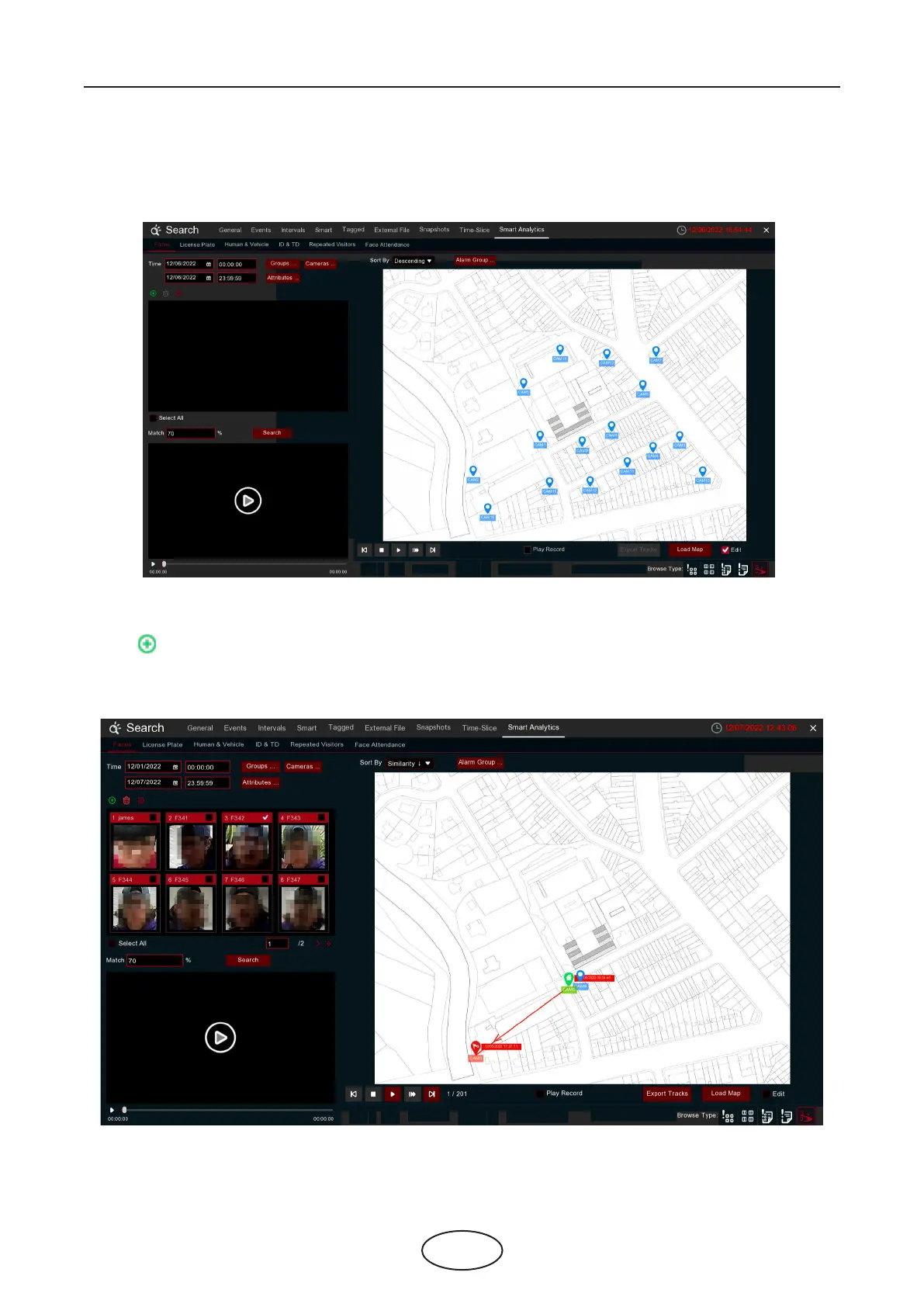
1. Click Load Map button to load a map image from your USB memory.
2. Check the Edit box. Click and hold the channel icon and move one by one to adjust the site of your IP
cameras on the map. Uncheck the Edit box to quit the edition.
3. Click icon to select one face image from local storage or external USB storage. Select date & time,
group(s), channel(s), set the similarity rate, and then click Search button. The system will display the result
on the e-map. If the person was captured by multiple cameras, the system will display his/her moving
track on the map.



 To Next Page