170
7 Remote Access via Web Client
4. Information: Hover over to see system details.
5. Exit.
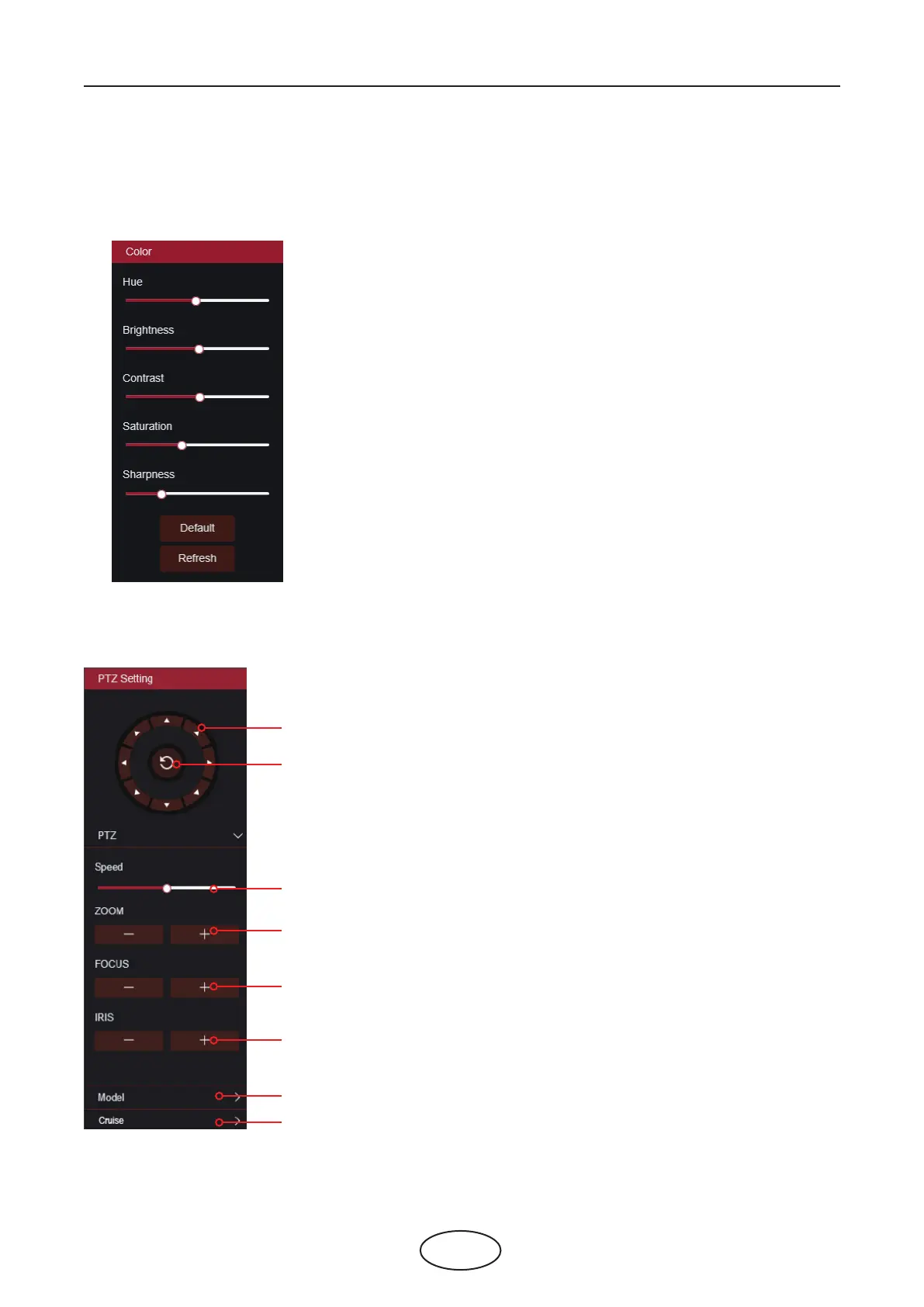
6. Color Controls. Click to display or hide the color controls.
7. PTZ Controls: Click to display or hide the PTZ controls for using PTZ cameras.
8. PTZ Controls
Directional Arrows: Click to move the PTZ camera
Automatic line scan
PTZ Speed: Click to set the speed of the PTZ camera’s movement
Zoom: Click –/+ to zoom in or out
Focus: Click –/+ to adjust focus
Iris: Click –/+ to adjust iris
Model: Add, remove, or go to preset point
Cruise: Start/stop PTZ cruise



 To Next Page