11
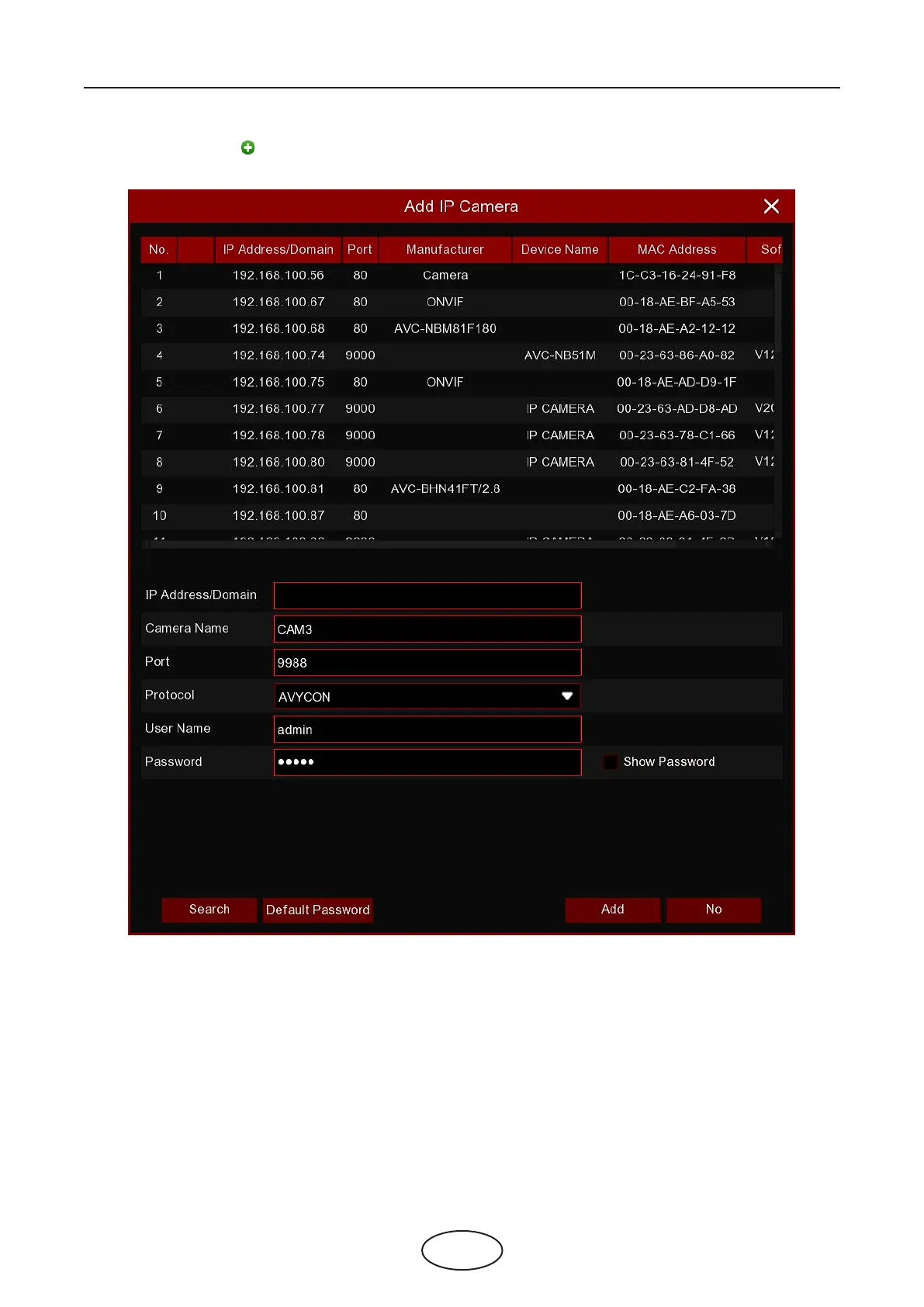
You can also click the button to add an individual IP camera to a single channel.
Click the Search button to search IP cameras, and then click one of the IP cameras in the device list.
IP Address/Domain: IP address or domain name of the IP cameras.
Camera Name: Name of the IP camera.
Port: Port of the IP camera.
Protocol: Choose the protocol of the IP camera from the dropdown menu.
User Name; User Name of the IP camera.
Password: Password of the IP camera.
4 NVR Starting Up



 To Next Page