52
5 NVR System Setup
Camera: Select the camera you want to congure.
Detection Type: Choose the detection target objects.
Rule Number: Max. 4 rules available.
Rule Switch: Activate or inactivate the rule.
Rule type: Detection direction from A B, B A, or A B.
Dynamic Marking: If you enable this option, a capture box will be displayed upon the detected objects in
both live view images and recording les.
1. Choose one of the Rule Numbers. It is the number of TD lines. You can draw a maximum of 4 lines.
2. To enable the detection in Rule Switch.
3. Choose a Rule Type.
A B: NVR will only detect the action from side A to side B;
B A: NVR will only detect the action from side B to side A;
A B: NVR will detect the action from either side B to side A or side A to side B.
4. Use your mouse to click 2 points in the camera picture to draw a virtual line.
5. Click Save to save your settings.
6. If you want to modify the position or length of the line, click the red box in the line, the color of the line
will change to a red color. Long press the left button of your mouse to move the line, or drag the termi-
nals to modify the length or position of the line.
7. If you want to remove one of the lines from the camera picture, click the red box in the line and then
click the Remove button. Clicking Remove All will delete all lines.
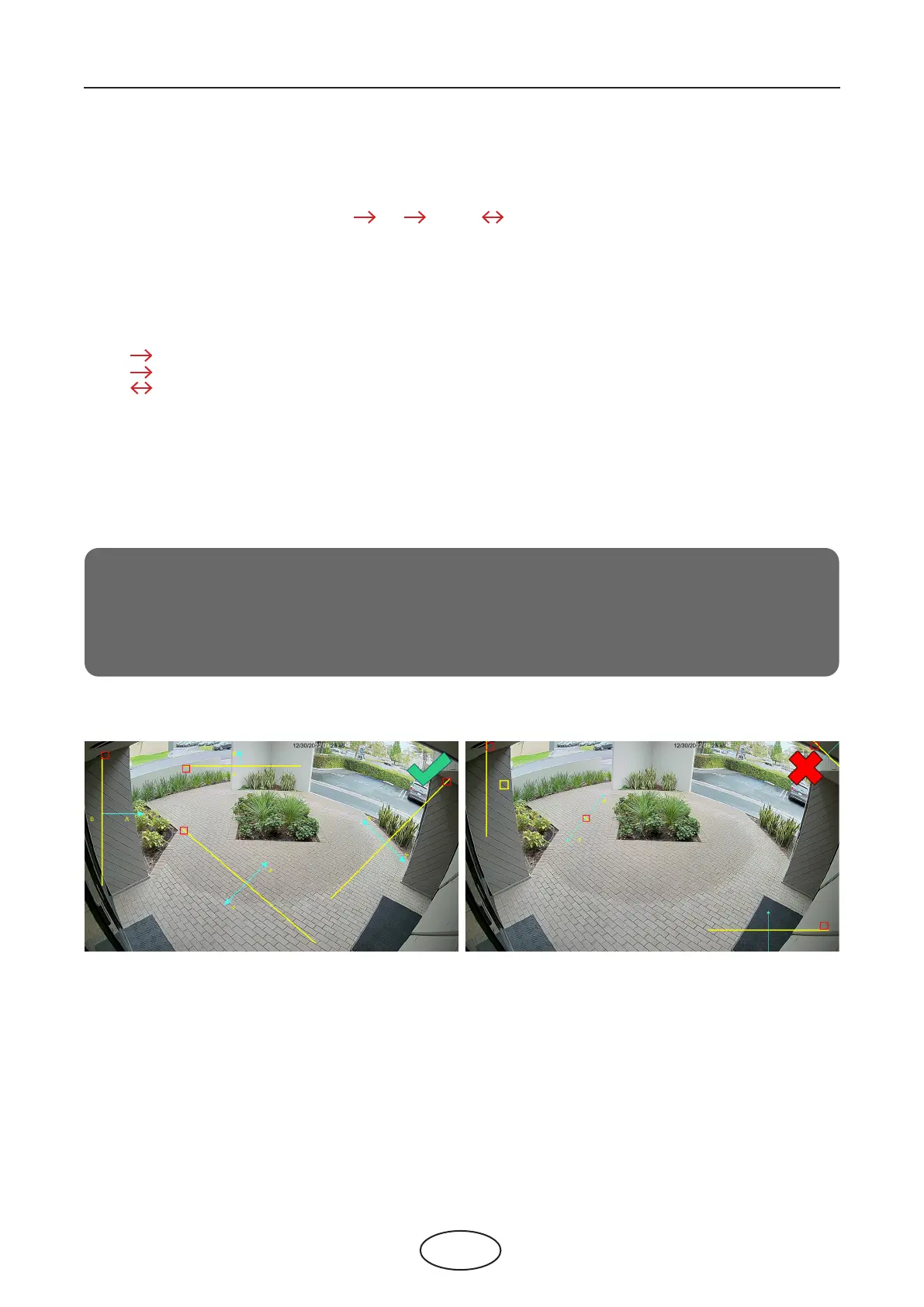
Notice:
1.
The lines can not be too close to the edges of the camera picture, this is to avoid any fail-
ure of triggering the alarm when the target cross through it.
2.
The lines can not be set too short, this is to avoid any failure of triggering the alarm when
the target passes outside it.



 To Next Page