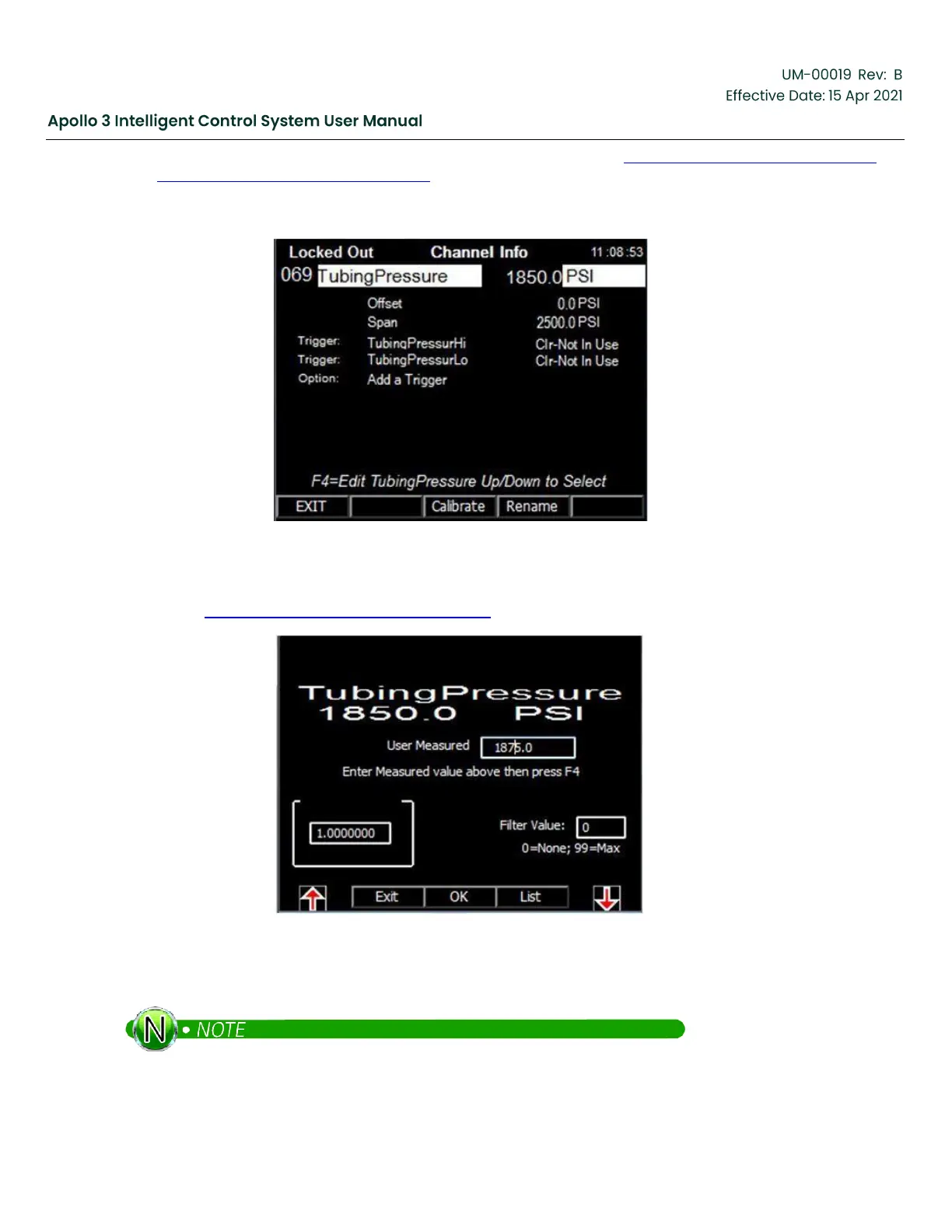
The Channel Info screen for the configured analog input is shown in Figure 107: Channel Info Screen For
The Configured Analog Input, page 134.
Figure 107: Channel Info Screen For The Configured Analog Input
If necessary, the channel can also be calibrated. Press the Calibrate function button. The Calibration screen
is shown in Figure 108: Calibration Screen, page 134.
Figure 108: Calibration Screen
Enter the measured value and press the Calibrate function button.
Filtering can also be enabled to smooth out a noisy analog signal.


 To Next Page