11.9
Installing/Selecting a Custom Pump on Apollo
Install the custom pump on an Apollo system.
•
Copy the .pmp file created by the Custom Pump spreadsheet into the root directory of a USB Flash drive.
•
Insert the flash drive into an Apollo system.
•
The USB Menu will appear. Press the right arrow button to advance to the second page of the USB Menu.
•
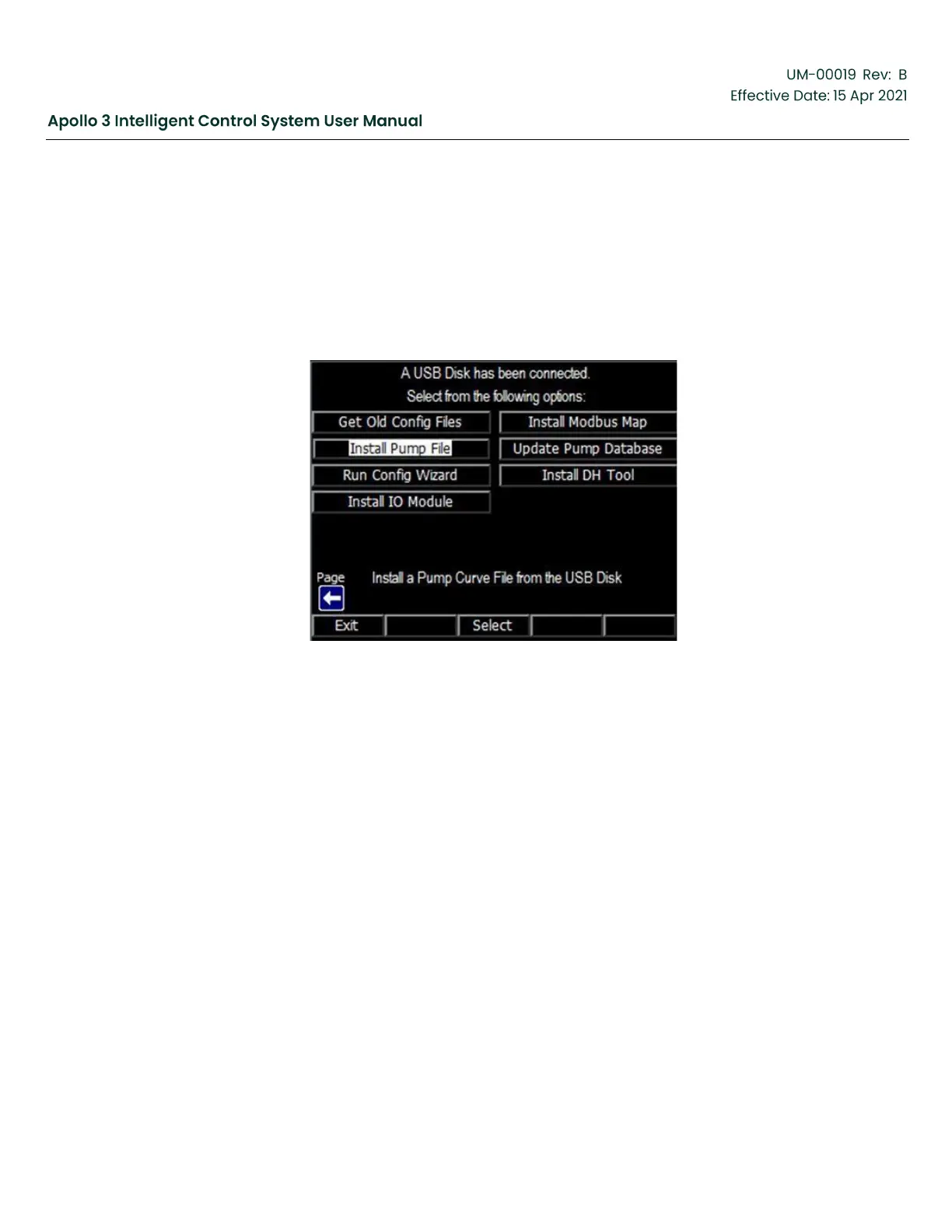
Select Install Pump File from the menu.
Figure 213: Install a Pump Curve File from USB Disk Screen
•
Select the filename of the new pump.
•
Press the Select function button.
Power the Apollo system off and back on again to make the new pump available.



 To Next Page