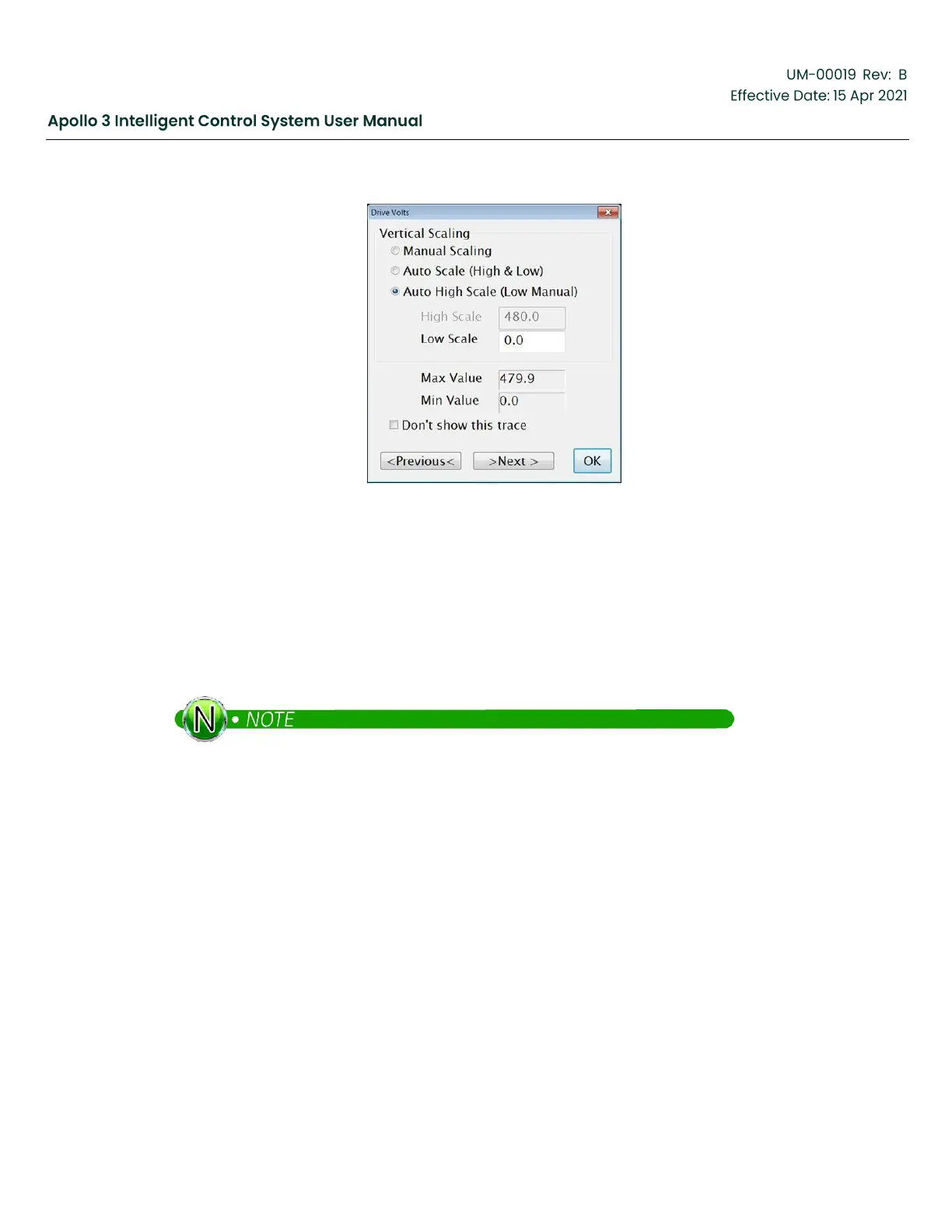
Figure 185: Channel Menu
Vertical Scaling can be modified on a channel-by-channel basis.
•
Manual Scaling allows the user to select the vertical scale for the channel.
•
Auto Scale (High & Low) automatically sets the minimum and maximum value so that all the points
on the page fit on the vertical scale.
•
Auto High Scale (Low Manual) provides an automatic high scale and a fixed low scale. This is the default
setting with the Min Value set at 0.
The auto scaling works well to position all the traces on the screen but can be deceiving because
the scaling may automatically change when zooming or moving forward and backwards in time.
The “Don’t show this trace” check-box can be used to temporarily hide this channel if you need to simplify
the graph by reducing the number of traces shown.
“Previous” and “Next” changes the Channel Menu to a different channel.
“OK” closes the Channel Menu dialog.
7.6
Changing Displayed Channels
If you want to see different channels, close the graph screen using the X in the upper right corner. Use
the drop-down channel lists to change the channels you want to view.


 To Next Page